

Martin Brinkmann is a journalist from Germany who founded Ghacks Technology News back in 2005. Martin started his career as a tech support representative at a large German financial corporation which he used to finance his college education in English, Information Technology and History.
He quit college and his job when Ghacks began to attract a large enough readership. He made the decision to become a full time blogger and webmaster, and has not looked back since.
Martin is interested in all things tech. His primary focus is on desktop operating systems, web browsers, Internet services, and privacy related topics.
He published the book The Complete Windows 10 Privacy Guide: Windows 10 Fall Creators Update version in 2017. Martin writes a weekly column for fellow tech site Betanews as well.
You can reach Martin on Facebook or on Twitter. Please use the contact form at the bottom of the page to contact the author directly.
Martin has been quoted or mentioned in many major online and print publications, including Forbes, Lifehacker.com, ComputerWorld, LinkedIn, Reddit, Betanews.com, Bleeping Computer, TechCrunch, PC World, Tom's Hardware, Slashdot, Hacker News, The Register, and more.
Martin's articles on Ghacks

Users of the password management solution Bitwarden are one step closer to full passkeys support. The organization launched new beta apps for Android and iOS earlier this month that introduced limited passkeys […]
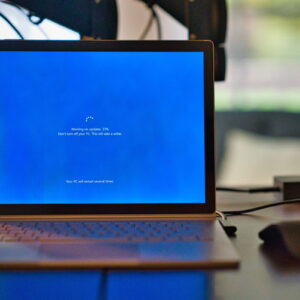
Microsoft has decreased the size of updates for Windows 10 significantly, which means that they will download faster now. Back in 2021, Microsoft announced that it has cut the size of updates […]

Starting next month and available as a preview right now, Windows 11's Start Menu will show promotions for certain apps. This time, advertised apps will show up in the recommended section of […]
Microsoft is changing the system requirements of the upcoming Windows 11 24H2 feature update. When Microsoft released Windows 11, it changed the minimum system requirements significantly. This locked out millions of Windows […]

Microsoft launched Microsoft Store installers for web over the weekend to improve Microsoft Store application installs. The feature improves the process of downloading and installing apps like Microsoft PC Manager from the […]

Windows 10 users who sign in using local accounts may see Sign in to your Microsoft account nags when they open the Settings app. The functionality is rolling out in release preview […]

Brave Search's new Answer with AI feature is now available. The feature replaces AI Summarizer, which was used on Brave Search previously to provide summaries based on user queries. In a nutshell: […]

It is April 2024. The deadline for compliance with the Digital Markets Act was in March 2024. Still, even with all the latest updates installed, I cannot uninstall Microsoft Edge from any […]

Google just announced that it is intensifying its fight against adblockers on YouTube. The message was posted to the official YouTube support website. The writing was on the wall. Reports about changes […]

About six years ago, vulnerabilities were discovered that affected most Intel and AMD processors. The vulnerabilities, Spectre and Meltdown, can be exploited to read sensitive data from attacked computer systems. Intel released […]
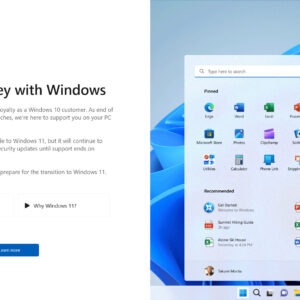
Microsoft's Windows 10 operating system has about 18 months of official support left. Customers may further extend support by up to three years, but this comes at a cost. Now, Microsoft is […]

Soon, all users of the photo viewing and editing app Google Photos may use a number of AI tools to edit their photos. Google announced yesterday that the three AI tools Magic […]
A fundamental shift happened in the development of the Windows operating system in recent years. Some say it started during the development of Windows 11, Microsoft's newest operating system. Others suggest that […]
The April 2024 security updates for Windows are now available. Microsoft released the security updates for all supported Windows versions and also other company products on today's Patch Day. Our overview helps […]

Microsoft has integrated the driver userChoice Protection Driver, short UCPD, into Windows 10 and Windows 11 systems recently. This driver has just one purpose: to block access to UserChoice Registry keys. These […]

A report by the Financial Times (via Neowin) suggests that Google is considering charging search users for use of AI-powered search features. The push towards an AI powered future has reached search […]

Google released a security update for its Chrome web browser to address another 0-day security vulnerability. This is the second 0-day vulnerability that Google fixed in Chrome in recent time and the […]
Microsoft's Windows 10 operating system is nearing the end of its life. Come October 2025, support for the operating system ends officially. Microsoft announced that it is going to offer ESU, Extended […]

Mozilla released a Firefox Nightly test build recently that includes support for vertical tabs. This new functionality is not available in regular Firefox Nightly builds, but there is a way to get […]

Would you like to play your favorite Android games on your PC? Run Android apps on PC to use them even without your Android device? It is easier than you may think […]

Microsoft released a security update for its Edge web browser that address several security issues, including one that is exploited in the wild. Google released security updates for its Chrome web browser […]
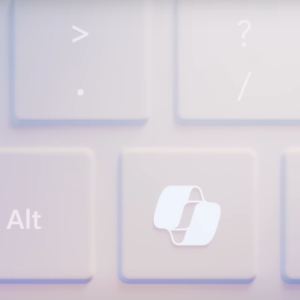
Microsoft hopes that 2024 will be the year that so-called AI PCs will take off. Tidbits and rumors about this new breed of PCs are found everywhere, but Microsoft itself has been […]

Microsoft released the fifth Moment Update for Windows 11 in February 2024. This release did not reach many user systems, as Microsoft limited its availability artificially. While Microsoft did state that the […]

Microsoft launched a redesign of Windows 11's Task Manager some time ago. The new task manager has a different design but also functional differences. Microsoft removed the -- rather useless -- basic […]

Last week, Microsoft revealed that it started to push its AI Microsoft Copilot to more Windows 10 and 11 devices. The feature, still in preview at the time of writing, shows up […]

Brave Software released a new stable version of the company's web browser this week. Besides more AI and several improvements, it is also introducing a change regarding the installation of VPN services […]

Microsoft added a new feature to its Edge browser recently that improves how you zoom images in the browser. Most websites restrict the width of content and this impacts images as well. […]

Google released a new stable version of its Chrome web browser for desktop operating systems and Android today. This new version of Chrome, Google Chrome 123.0, is a feature and security update. […]

Mozilla has released Firefox 124.0 Stable and Firefox 115.9 ESR. The new stable version of the organization's Firefox web browser fixes security issues and introduces some new features and improvements as well. […]

Microsoft has done it again. This time, the company displayed a popup advertising its Bing search service to Chrome users on Windows devices. The popup appeared for users who launched Chrome on […]
Microsoft released a new update to the Windows 10 Release Preview channel. The update KB5035941 is in testing and will be released soon to the general Windows 10 device population. While most Windows […]

The Tor Project announced the immediate release of WebTunnel Bridge, a new way for Tor users to bypass censorship. Not all Tor users may fire up the official client to connect to […]

Google is working on a link preview feature in its Chrome web browser that enables users to preview links without opening them in a tab. The link preview feature has been in […]

Microsoft released security updates for all supported versions of its Windows operating system and other company products on the March 2024 Patch Day. This overview provides home users and administrators with information […]
Microsoft has started the rollout of Windows changes for users in the European Economic Area to comply with the EU's Digital Markets Act (DMA). The company says that the rollout has started […]
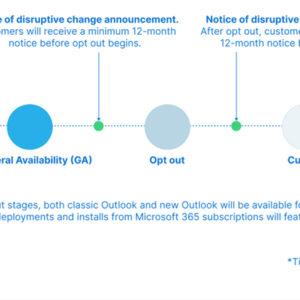
Good news for users of Microsoft's classic Outlook application. Microsoft won't deprecate the classic Outlook version until at least 2029. The new Outlook for Windows has been released as a preview some […]

If you run Microsoft's Windows 10 operating system on your devices and wan to keep it that way, you may want to check whether the Windows 10 update KB5001716 is installed on […]

Microsoft launched a new Photos application for Windows some time ago. It replaced the previous version of the Photos app, which Microsoft now calls Photos Legacy. Some features of the legacy app […]
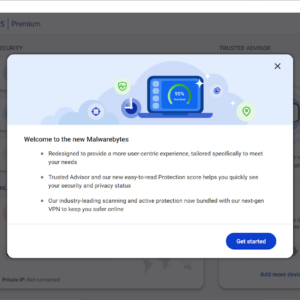
It took Malwarebytes nearly five years to release the next iteration of its Malwarebytes security program. Malwarebytes 5.0 is available now for all supported operating systems (Windows, Mac, iOS, and Android). Malwarebytes […]

Microsoft's Windows operating system comes with several options to close programs. Common options include using window controls and the Task Manager. Previous versions of Windows, including Windows 10, also included an End […]
