

Microsoft won't kill classic Outlook for Windows "until at least 2029"
Good news for users of Microsoft's classic Outlook application. Microsoft won't deprecate the classic Outlook version until at least 2029. The new Outlook for Windows has been released as a preview some […]

Microsoft sneaks ads into the new Outlook for Windows
The migration from the classic Mail and Calendar app to the new Outlook app is in full swing already. Microsoft announced the deprecation of the classic apps in favor of a new […]

Report: Microsoft starts Mail and Calendar app migration to the inferior Outlook app
Windows 11 users who use the Mail and Calendar app and have steadfastly refused to switch to the new Outlook app will be redirected to the new Outlook app forcefully. Microsoft announced […]

The new Outlook may give Microsoft access to third-party emails and logins
The new Outlook for Windows application will replace Mail and Calendar, and also classic Outlook. Problem is, it may transfer third-party email logins to Microsoft and gives Microsoft full access to all […]

Major Outlook issue prevents sending emails with attachments
Microsoft confirmed an Outlook.com issue yesterday that prevents the sending of emails with attachments. The company notes in an advisory that affected users are unable to send emails that contain attachments. Affected […]
Windows 11 says goodbye to two apps and joins them in the new Outlook for Windows
Next year, Microsoft will replace the default Mail and Calendar applications of its Windows operating system with the new Outlook for Windows application. Mail and Calendar were default applications when Microsoft launched […]
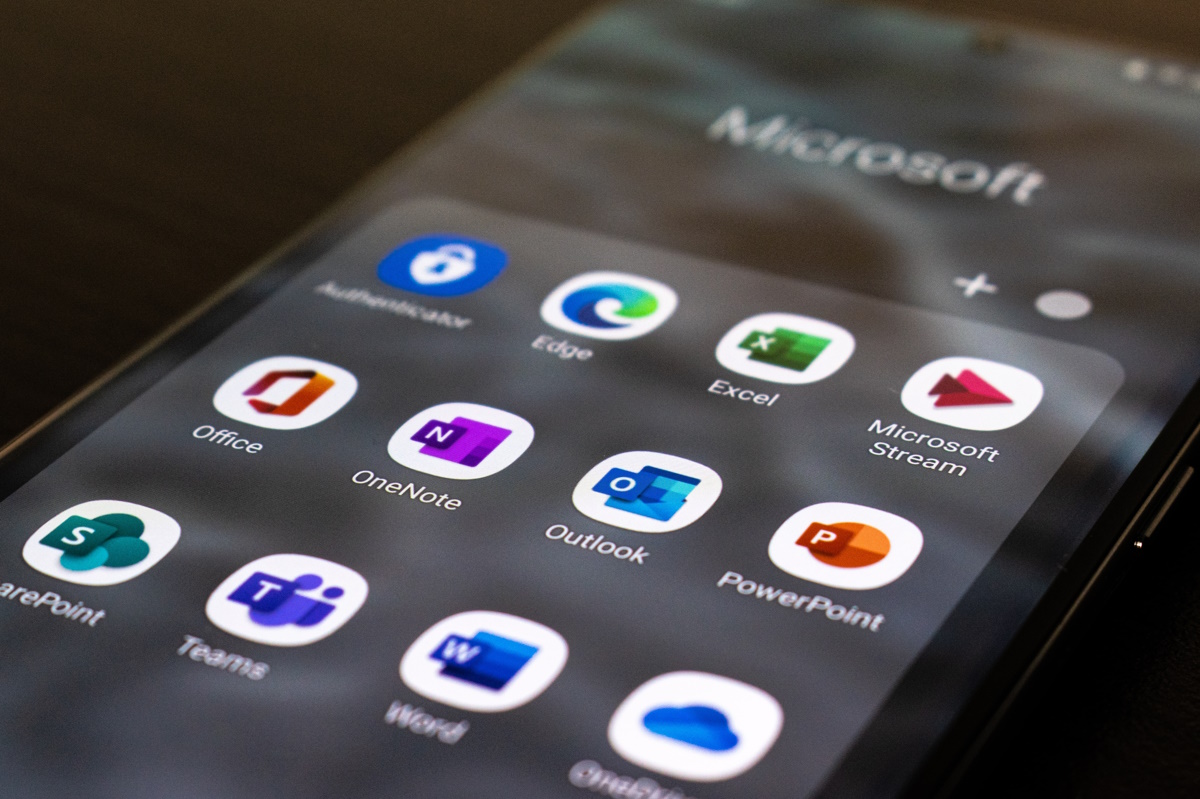
Microsoft updates Outlook Stable to include Authenticator functionality
Microsoft previewed Authenticator Lite in its Outlook mobile application last month after having announced the planned feature in March 2o23. Today, Microsoft announced the general availability of the Authenticator functionality in the […]

How to add emojis in Outlook?
With this article, you can learn how to add emojis in Outlook easily. To spice up your email correspondence, you can use emojis. Emotions that are hard to put into words can […]
Microsoft squeezing Outlook users into buying cloud storage
A group of Outlook users has run into email sending and receiving issues since February 2023. The issue is linked to a change that Microsoft announced some time ago and came into […]
Microsoft’s Outlook Spam Email Filters Are Broken for Many Right Now
It’s annoying to spot spam mail in your inbox, and there’s no denying that everyone is thankful for the spam filter. Imagine what your mailbox would have looked like if it was […]
Disaster Strikes Thousands of Microsoft Users as Outlook and Teams go Offline
It was only last week that we announced that Microsoft was planning to fire over 10,000 employees, apparently due to a feared upcoming recession. It looks like the tech giant is in […]

How to Update Microsoft Outlook?
Almost everyone uses Microsoft Outlook. It is one of the best Microsoft Office apps. However, you need to update the Outlook app to receive all the latest features. This can be done […]
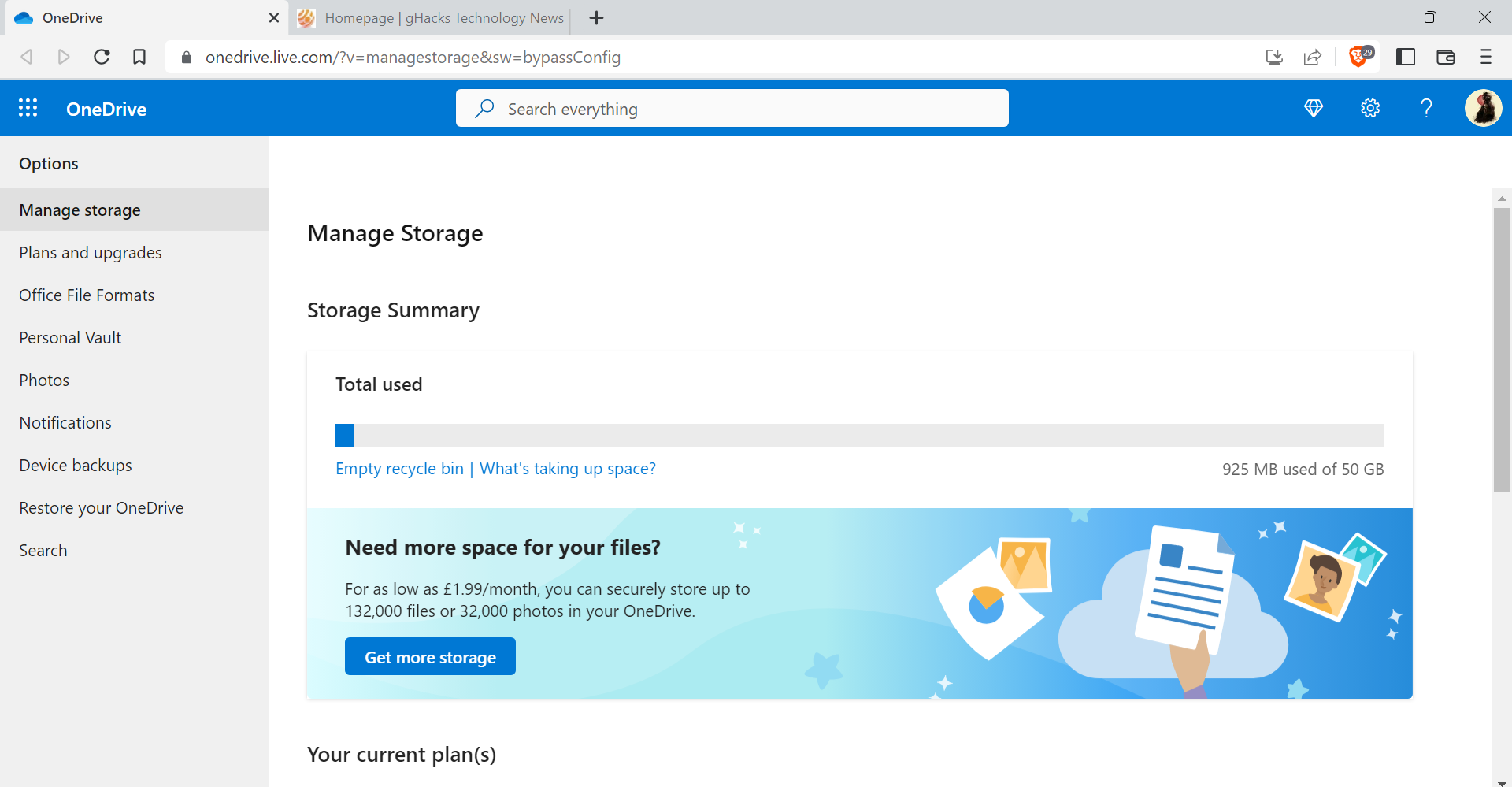
Outlook.com data counts against Microsoft cloud storage quotas soon
Microsoft announced two changes regarding Outlook.com and its Microsoft 365 service this week. The first removes the ability of Premium Outlook.com customers to use custom email addresses. The change won't affect existing […]
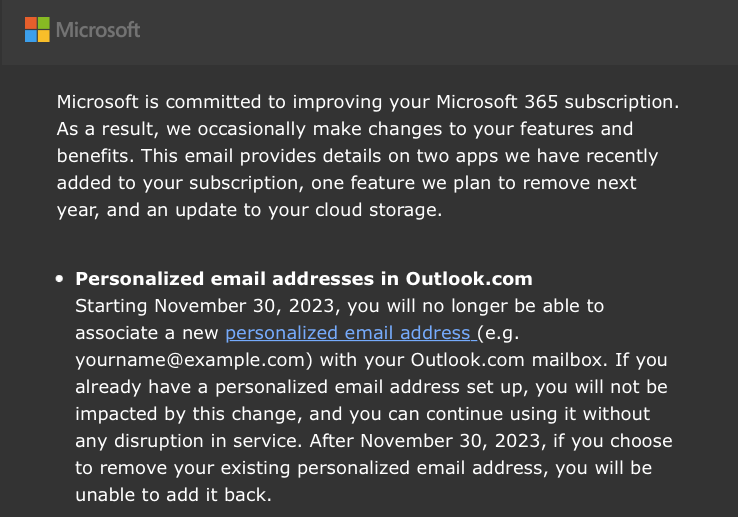
Microsoft 365 Home: support for (new) personalized Outlook email addresses will be removed
Microsoft is sending out emails to Outlook customers right now that informs them that support for personalized email addresses on Outlook.com is ending at the end of November 2023. Existing Outlook customers […]
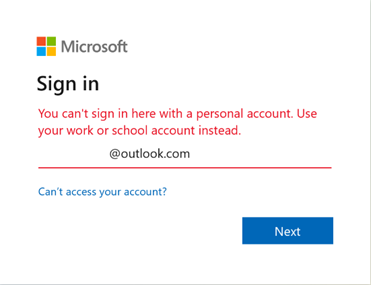
Microsoft confirms Outlook sign-in issue
Outlook users who attempt to sign-in to their account in Outlook or on outlook.com may receive the error message "You can't sign in here with a personal account. Use your work or […]
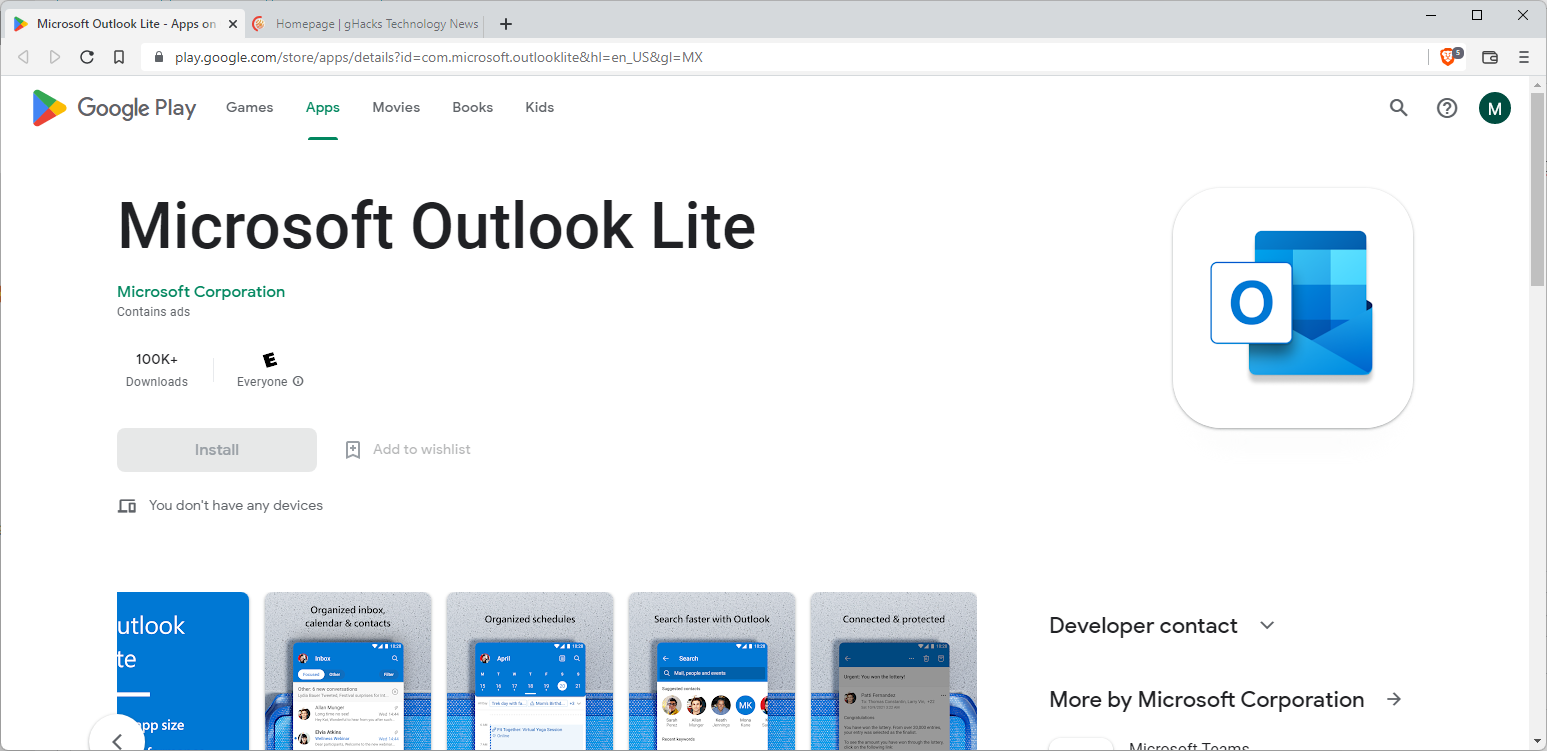
Microsoft Outlook Lite: core differences to Outlook, how to get the app
Microsoft launched the Android application Outlook Lite in select countries this week. Designed to provide new and existing Microsoft customers with a resource-friendly version of Outlook's mobile version, it is more lightweight […]
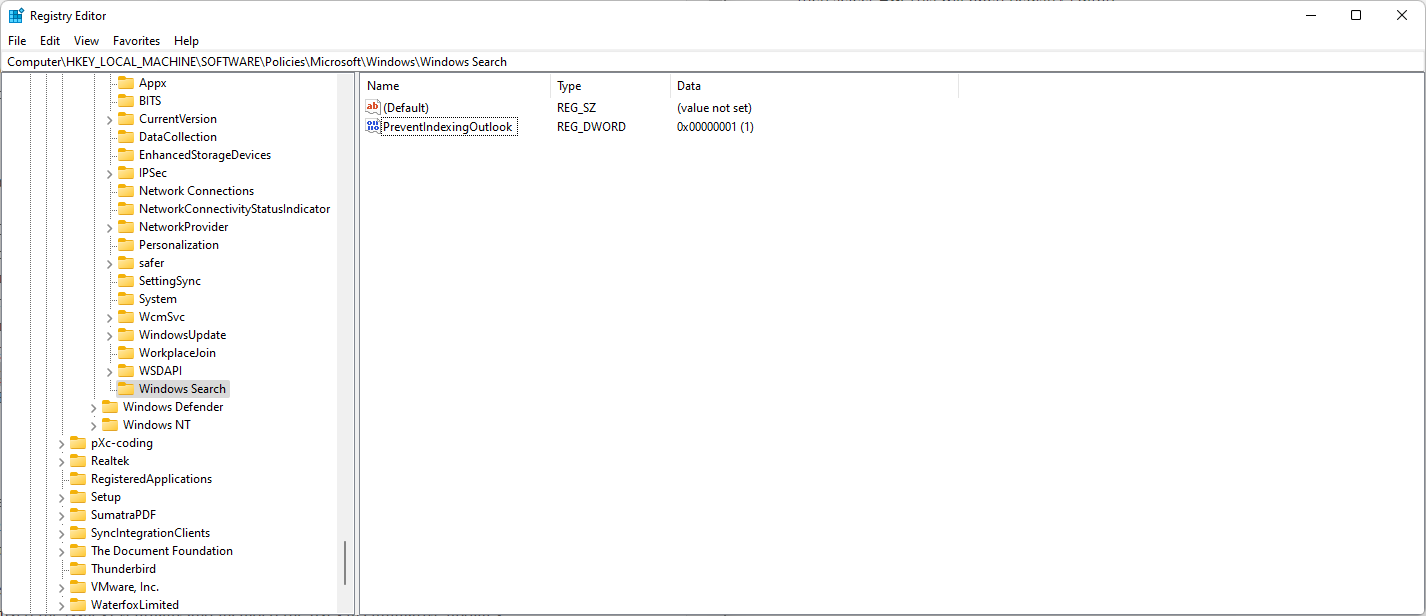
Microsoft recommends disabling Windows Desktop Search to fix Outlook search on Windows 11 (again)
If you run Microsoft's Outlook communication software on Windows 11, you may have noticed that searching is not always including the most recent emails. Microsoft explains on a new support page that […]

Microsoft is working on unifying Outlook into "One Outlook"
Several different versions and editions of Microsoft Outlook exist today; there are desktop versions of Outlook for Windows and Mac devices, the Microsoft 365 subscription-based version, versions for Android and iOS, and […]

Microsoft launches the new Outlook.com officially
Microsoft launched the new Outlook.com web interface today after eight months of beta testing and tweaking. Microsoft customers could opt-in to test the new interface early during that period and provide the […]

Outlook.com Beta with tabs, improved search, and more
Microsoft runs a beta right now on Outlook.com that users may participate in to gain access to upcoming features early. The company runs betas regularly on Outlook.com to test new features; usually, […]

Detect Outlook Ransomware emails with RansomSaver
RansomSaver is an add-in for Microsoft's Outlook messaging software that detects and protects against ransomware emails. Email is one of the main attack vectors of ransomware attacks. While there are other means […]

Office 365 may include Outlook.com Premium
Microsoft may add Outlook.com Premium as an included feature to Office 365 Home and Personal subscriptions soon. Microsoft's online email service Outlook.com is available as a free ad-supported version, and as a […]

Outlook Tools 3.0 released
Outlook Tools 3.0 is the latest version of the popular Outlook management and troubleshooting tool for Microsoft Windows devices. It is the first release of the program since 2010. We reviewed Outlook […]

Outlook gets advanced rules, inline replies and more in latest update
As popular as Microsoft's email service Outlook.com already is, it is still playing catch-up in several areas when compared to Google's Gmail service. That does not mean that Outlook does not offer […]

You can now use "+" email aliases on Outlook.com
Google some years ago introduced "+" aliases to Gmail which enabled you to use address variations without changing your email address at all. It allows you to add additional text to the […]

How to access Outlook.com email accounts using IMAP
Microsoft did enable IMAP support on Outlook.com a couple of days ago improving the connectivity of the company's email service significantly. Previously, Outlook.com users only had the option to enable POP3 connectivity […]

Outlook.com changes the way message history works
Microsoft has replaced Hotmail, its popular online email app, by migrating users to its Outlook.com service, an online version of the Office suite desktop email application. Last night the software giant began sending […]

Microsoft to switch linked accounts off on Outlook.com
The Microsoft Outlook team announced today that it made the decision to remove linked accounts on Outlook.com in favor of email aliases. Linked accounts are third party email accounts that have been […]

Goodbye Hotmail! Microsoft completes Hotmail to Outlook migration.
For some time now Microsoft has been maintaining two email services at the very same time. First the established Hotmail email service and then the recently released Outlook.com email service. Hotmail users […]

Outlook.com alias sign-ins now enabled
Microsoft made several big announcements today. Earlier this day we looked at the two-step verification feature that the company is currently rolling out to provide Microsoft account owners with additional security options […]

How to rename your Microsoft account
Back when Microsoft launched the email service outlook.com publicly it shipped with a feature to rename your Microsoft / Windows Live account. I unknowingly did so at that time and switched from […]

Configure Outlook.com to always, or never, use SkyDrive for attachments
When it comes to sending files via email, users have quite a few options at their disposal to do so. Most - if not all - email providers limit the maximum attachment […]

Outlook.com: ad-free for $19.99 per year
Many Internet services displays advertisement on their websites and use it as the main revenue generating source. The revenue that is generated is then used to cover the hosting costs, pay authors […]

Microsoft Outlook 2013 deprecated feature list
Before you switch to Microsoft Outlook 2013, the company's latest version of its popular messaging client that can do a lot more than just sending and retrieving emails, you may be interested […]
Outlook.com cookie hijacking issue
Users of outlook.com or hotmail.com, Microsoft's two email services, should take note now. Information are stored in cookies when you use the site including whether you have successfully authorized your account or […]
Too many devices syncing with Microsoft account reports
Reports are coming in that some Microsoft account users who use the company's mail clients are receiving errors related to a device synchronization limit that they have reached. Depending on the device […]

Outlook.com can Connect to your Facebook and Twitter Accounts
Microsoft rolled out Outlook.com recently and it's slated to eventually replace the aging and reputation-challenged Hotmail service. Â For now, users can choose to upgrade or not, but eventually it will become required. […]

Configuring Outlook.com for maximum security and privacy
We have reviewed Microsoft's new mail service Outlook.com a few days ago, and even explained how you can migrate your Gmail emails and contacts to the new service. Today, I would like […]

How to migrate your email from Gmail.com to Outlook.com
Microsoft launched the new outlook.com mail interface on the last day of July 2012 with the intention to replace its traditional email service Hotmail with the new service eventually. Hotmail users currently […]

Microsoft pushes out Outlook.com mail preview
Todays craze in the tech world is Microsoft's launch of outlook.com, a preview of an email service that may replace Hotmail eventually, or act as a completely independent service. No on knows […]
