
Yahoo Mail Beta, Faster, Unlimited Storage

Yahoo today unveiled a new version of their online email client, improving the performance, search and spam filtering as well as unlimited storage, mobile and social media integration.
Every Yahoo Mail user can switch the interfaceto Yahoo Mail Beta with options to go back to the old Yahoo Mail (available under Help > Return to original mail). Yahoo users can sign up for Yahoo Mail Beta from the official beta page at features.mail.yahoo.com. Logged in users can instantly work with the new interface and features. Users who are logged into the old interface need to log out and in again in that tab to see the Yahoo Mail Beta interface.
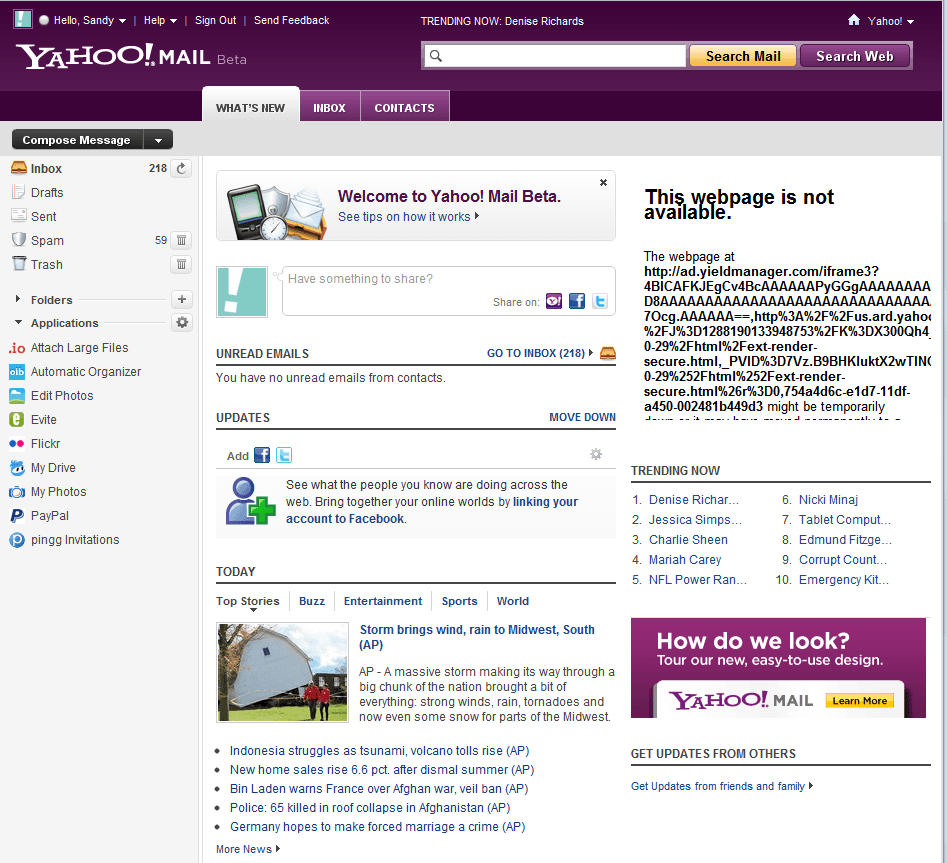
The design has changed quite a bit, which is likely the first thing that users will notice. Yahoo Mail Beta feels very responsive, which is likely because of the speed improvements. Especially the search is now a lot faster, with additional options to narrow down search results by sender, date, folder or unread and flagged.
Introducing Your New Inbox
Another interesting new feature is the ability to display message previews right in the main folders. A click on Show preview splits the email pane to make room for a preview of the selected email on the same page.

See Who Else Is Online

With an improved Search design, it’s easier to find emails quickly.
- Click on a name to start an instant message.
- Right-click to see more options.
Search Your Inbox

- The Search box now appears at the top of the page.
- Narrow your results by clicking on one or more filters on the left of the Search Results view.
Multitasking

- You can work on an email and check your inbox mid-thought–just click back and forth on the tabs.
- Instant message or even text someone while you’re emailing, without ever losing work.
There is also a demonstration video showcasing some of the new features.
Yahoo! Mail @ Yahoo! Video
Have you placed around with the new beta interface? What's your opinion so far?
Advertisement


















Beta does not accept my phone pics or mail.Why, i like beta, please help
I don’t know as it isn’t english
I cannot get the text color button to work in Google Chrome.
yes ,I also cannot get the text color button to work in Google Chrome.
I’ve tried twice to set up a Yahoo Mail account. No luck. Neither one lets me log in and I can find no way to get help with it. Weird.
AND I can’t set up an a forum account on gHacks either. Weirder yet.
My opinion? Simple. I HATE purple!
“This webpage not is available” … LOL
Long live the hosts file! I don’t block Yahoo’s servers, though. The least I can do for using Yahoo’s excellent e-mail for free is allow banners from Yahoo servers. No third party servers, though.
I don’t deal with sufficient amount of mail to supply all my accounts :) , still this new Yahoo! Mail looks interesting indeed.
Still with ads and “social-thingies”? Then no, ill stick with my o2.pl.