
Mirror Websites on your Hard Drive

It is sometimes a good idea to keep a local copy of a website on your hard drive. A reason could be that you fear the website will be taken offline in the near future and you want to save valuable information. Another one could be that you want to save it on a computer that does not have Internet access all the time. This can be excellent for information sites, e.g. a site that teaches you programming, or one that offers other information that you want accessible at all times.
Getleft is a simple website downloader that downloads the websites that you want to browse offline. All links will be converted to relative links which means you don't have links that point to urls but to the local files. It's able to resume downloads and also able to follow external links.
After you have installed and started Get Left, you are presented with a basic interface. Here you can use the enter url button to add websites that you want to have access to locally to the program. The application then pulls the site from the server and displays all links and elements in an interface.
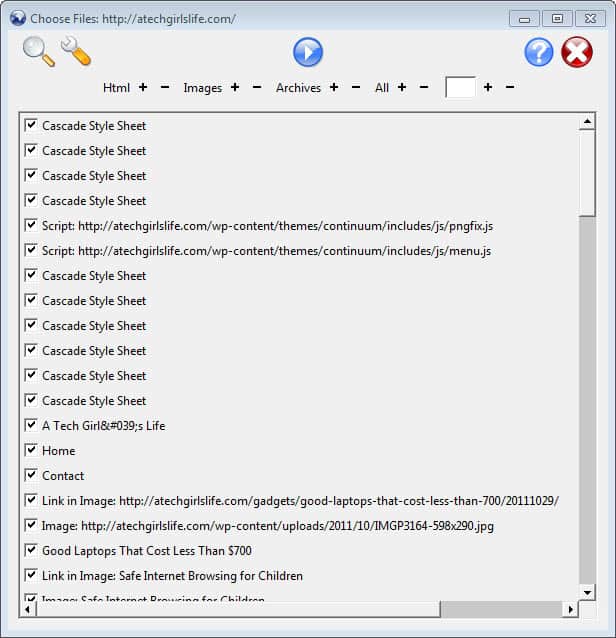
Filters are available at the top that let you define what you can download using the application. A click on the wrench icon opens the options menu where you can define the levels of links that you want followed. By default, only the selected page and all pages linked from that page will be downloaded. If you need a complete mirror of the website, select additional levels that you want the program to crawl for you.
A click on the download button saves all web pages and the elements they use to display their contents to the local PC, so that you can access the websites locally. The mirror is then accessible from the hard drive, even if no Internet connection is available.
The program has been designed to create offline copies of websites that you do not have control over, but you can use it to backup information from your own sites as well. While it is usually better to download the data from the server directly if you have access to it, it may sometimes be handy to have an offline copy of your website that you can browse directly.
Advertisement


















Dont do it Paps! It s a trap! If I were you, I would buy me a pizza
as always blog with interesting things
also check Expresso for vg regexp trai
needed to weed through some DHTML menu.
http://www.codeproject.com/dotnet/regextutorial.asp?print=true
Luke most people prefer graphical user interfaces :P
Maybe I’m a little old school but what’s wrong with:
wget –mirror -p –HTML-extension –convert-links
It will do exactly what you said getleft is supposed to do and more.
Httrack is another freeware utility which has more options than getleft. It´s the best web mirroring tool I have found so far.