
ID3 Tag Remover

There is usually no need to remove the so called ID3 tags of audio files. Actually there are only two scenarios that do make sense. The first is if you encounter lots of audio files with wrong ID3 tags and the second if you want to remove either ID3v1 or ID3v2 tags from the audio files to ensure that all use the same tagging method. ID3 tags make it possible to store meta data in audio files. Meta data includes the song title, the album and artist among other information.
ID3 Kill is a free Windows software that can recursively scan through directories and perform file operations on audio files.
Usage is pretty straightforward. You point it at a directory and check a few boxes to configure the options. It is possible to include subdirectories in the scan. The main options are to remove ID3v1 and / or ID3v2 tags from all audio files that you throw at the program.
Other options include to clean m3u and pls playlists, to ignore file attributes or to display a message after the run is finished.
Update: ID3 Kill has been discontinued. You can download the last version of ID3Kill directly from our servers: ID3 Kill
Update 2: An alternative to ID3 Kill is ID3 Tag Remover which you can also use to bulk remove mp3 tags from selected mp3 files. Once you have started the program you can drag and drop mp3s that you want to remove tags from.
You can select to remove ID3v1, ID3v2 or both ID3 tags from all selected audio files. Once you have added the files, and made the selection, you can click on the remove button to have all files processed by the application automatically. The open source program works fine on all recent versions of the Microsoft Windows operating system.
Advertisement





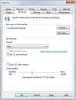
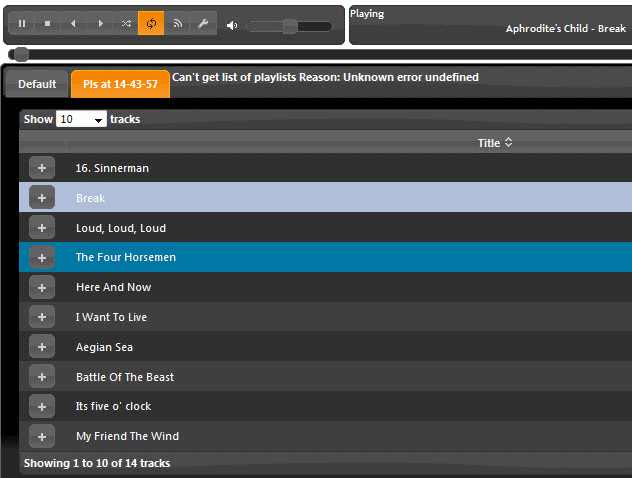

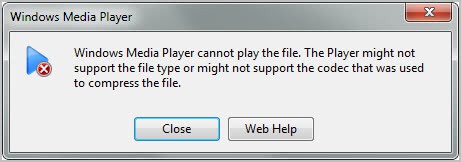









Have just stumbled onto this program and so far it has worked ok but, i keep getting error codes coming up, the main ones that seem to be coming up are ERROR #2 and been as thou there isn;t a list of these’s codes to fall back on can anybody enlighten me and other people who might have the same error come up, what the error means or a list of the errors would be great.
There is another very good scenario which makes perfect sense for changing, removing or altering standard metadata tags and adding other tags. Simply put, ‘they are not the tags or tag order I want.’ That should be sufficient reason to give users of metadata for their own files and uses to include or exclude tags for whatever reasons and preferences they may have. Standard tags may be necessary when one’s files are used by others or in other systems. But for ourselves, our own preferences of what tags appear in our metadata should be an option in any program (Audacity for example) that employs or edits them. Why shouldn’t users have the choice?
Is there something like that on android?
I use ID3Kill and is very useful.
it didn’t do anything. file names are unchanged.
it didn’t do anything. file names are unchanged.
Thx!!!
Works, I needed this a lot :D.
Now my 400+ songs library is not full of tags from windows media player.
Thanks a lot :)
I’ve been using ID3 Kill for a while now and i’m sorry to say that too many times it left my mp3 files damaged and unplayable. I would not reccomend it.
Thanks man!
Hi Martin,
Thank you very much for the software, it works like “spreading soft butter on a bread”, 1200+ tag cleared in few minutes on my Windows 7 64 bit OS.
gracias, danke, merci, obrigado, dhanyavad
Kawaljeet
Will this work to remove the hidden google play tag that prevents you from uploading mp3’s purchased with one google account into another google account? The message I get is “Song was purchased with another Google Play account.” and Google Uploader won’t import.
I do not know to be honest. Converting should do the trick though I guess.
Thanx a lot 4 your useful software
U saved me from doing remove a 487 mp3 listed for my ipad
cheers
Works like a charm. Completed in few minutes. Thanks very much
ok cool this works but just one problem! i just want the album art gone. not the album name, or artist/artists, or track number etc. just the album art. i really dont wanna have to got through all my songs filling in the blanks. i tested it on one track and it removed everything.. making it show up as unknown on my players.
Great! Cheers from Portugal
Thank you so much I love you bro YouTube block my Videos because of copyright Problems Now I can trick YouTube :D
Here is the Download link “ID3 Kill”
http://www.headstrong.de/files/id3kll14.zip
Where to download this from ?
I need this, i have used it earlier, but i am not getting a download link for this.
Google is giving worst search results ever!
Thanks is not enough
For tagging mp3s I use another German software, ID3-TagIT, excellent, which handles everything including ID removal. But ID3KILL will come in handy immediately here since I know I have some mp3s still tagged ID3v1 as well, whilst I wish to have them all only ID3v2 tagged, and that batch processing will be the best solution.
mp3tag does a great job removing tags and adding them too :)
HI THERE, WELL I HAVE DOWNLOADED THE ID3KILL AND I FRANKLY I CAN’T GET IT TO WORK, I VE WINDOW 7 AND I WOULD LIKE SOMEBODY TO EXPLAIN TO ME OUT ID WORKS.- I’VE A QUANTITY OF ID3 TAGGED FILES…- I LOAD THE ID3KILL, CLICK THE ” GO ” BUTTON, AFTER A SHORT WHILE A LITTLEWINDOW COME OUT AND TELL ME THAT THE TAGS HAVE BEEN REMOVED… BUT WHERE? THE OLD FILE IS STILL THE SAME AND THERE’S NO INDICATION OF ANY OUTGOING ……..-PLEASE SOMEBODY HELP ME…A BIG THANKS IN ADVANCE
same here
same. it DOESN’T clean anything.
not very pog