
Cleanup Vista after Service Pack 1 installation

Users who download and install the service pack 1 for Windows Vista are most likely not reverting to the old state their computer was in unless something stopped functioning properly after the service pack installation.
It is possible to uninstall the Service Pack again when that happens, but it is not really recommended to do so, especially since it is the requirement to install the second service pack for the operating system as well.
If everything turns out well you may like the following tip [found on Digital Inspiration] that cleans Windows Vista of old system files that are no longer needed because they have been replaced with newer versions.
The old files are kept in place just in case the user wants to revert back to the old system. The great thing about this tip is that Microsoft is providing the Windows Vista Cleanup Tool which is installed during service pack 1 installation.
The name of the file that you need to execute to cleanup Vista after the Service Pack 1 installation is vsp1cln.exe which is short for Vista Service Pack 1 Cleaner. Just execute it from the command line and select yes when you are asked if you want to continue.
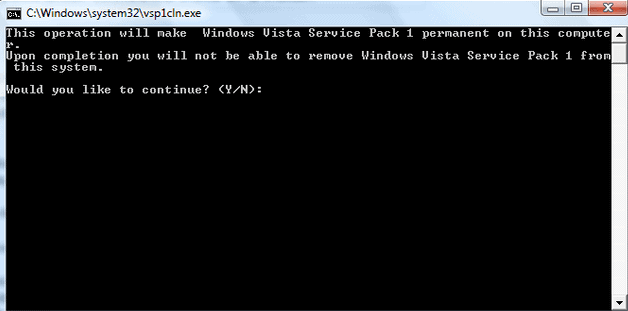
The old files will be removed from the system which frees up some disk space. The only drawback of this utility is that you cannot go back to Windows Vista pre Service Pack 1 afterwards as the files required to do so are removed during the clean up operation.
Please note that removing the files from the system will prevent you from uninstalling the service pack again. It is therefore highly recommended to work with the system for a while to make sure that everything is in working order before you remove the files from the computer.
Similar options to free up disk space after the installation of service packs are available for other Microsoft operating systems as well. I have released information on how to clean up after installing Windows 7 service packs to recover disk space on that system as well. Never versions of Windows come with a Disk Cleanup tool which can also be used to remove files left behind after the installation of a service pack on a system.
Advertisement

















Nice, it frees 800+MB disk space for me!