Your watch history is off on YouTube: what it means and how to fix it
"Your watch history is off" means YouTube has no watch history to base recommendations on, so it removes the recommended videos from your Home feed and shows a search bar and a link to settings instead. It appears when you are signed in, YouTube History is paused, and there is no significant prior watch history. Turning YouTube History back on in your Google account brings recommendations back as you watch videos again.
This guide explains why YouTube shows the message, how to turn watch history on or keep it off, why history can appear to turn itself off, and how to get a useful Home feed without full history tracking.
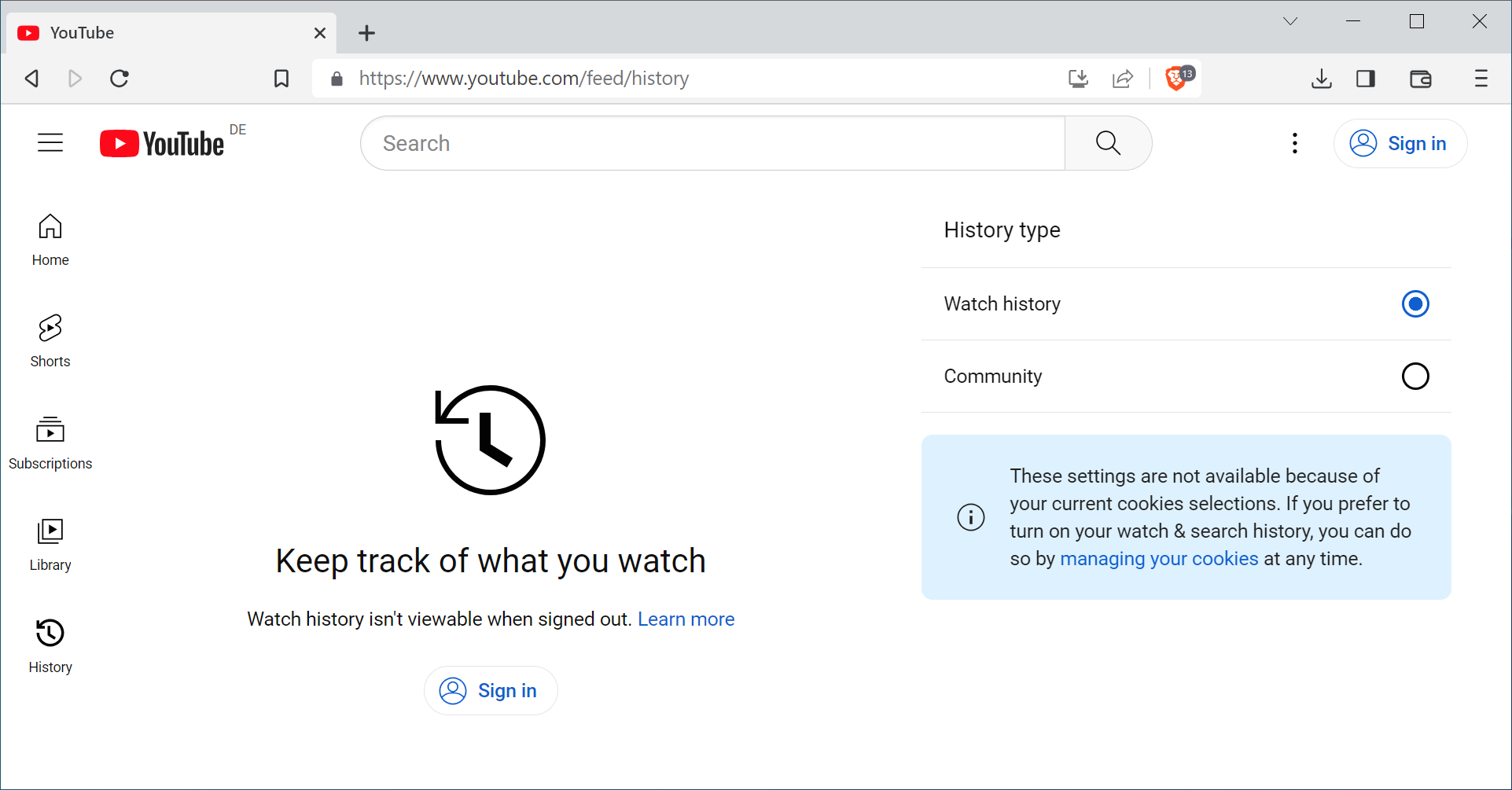
What does "Your watch history is off" mean on YouTube?
The "Your watch history is off" message on YouTube is a notice that features which depend on watch history are disabled for your account. YouTube's watch history help page states that if you have no relevant or significant recent watch history and do not want recommendations based on past activity, features such as homepage recommendations are removed.
YouTube introduced this behavior on August 8, 2023, in a support forum announcement reported by 9to5Google. The company said that if watch history is off and there is no significant prior history, "features that require watch history to provide video recommendations will be disabled", with the Home feed as the main example. The stated goal was to make it clearer which features rely on watch history.
Three conditions usually apply when you see the notice:
- You are signed in to a Google account on YouTube.
- YouTube History (watch history) is paused for that account.
- The account has little or no saved watch history, for example because it was deleted or the account is new.
Search, the left-hand guide menu, the Subscriptions feed and channel pages keep working. Only the recommendation surfaces that need history are emptied.

How to turn YouTube watch history back on
You turn YouTube watch history back on in the YouTube History control of your Google account. The quickest route is the link in the notice itself, which opens the setting. On a computer, or in any mobile browser, the steps are:
- Open My Activity for YouTube and sign in with the account you use on YouTube.
- Select the Controls tab in the left sidebar (or open Activity controls and find YouTube History).
- Turn YouTube History on. You can choose whether to include the videos you watch and your YouTube searches.
- Return to YouTube and watch a few videos. The Home feed fills again once there is enough history to work with.
Recommendations do not return instantly. Because the original history may have been deleted, YouTube needs new activity before Home shows videos again. Subscribing to channels and liking videos helps the feed recover faster.
On a TV or game console, YouTube places Pause watch history and Clear watch history in the app's Settings, according to YouTube's watch history help page.
Why does my YouTube history keep turning off?
YouTube history usually seems to turn itself off because you are looking at a different account, profile or mode than the one where history is enabled. The YouTube History setting belongs to a Google account, so check these points in order:
- Wrong account or channel: if you switch between a personal account and a Brand Account channel, each has its own activity settings. Confirm the account under your profile picture.
- Signed out: when you are signed out, YouTube offers a separate Pause watch history option under History on youtube.com, which applies to that browser rather than your account.
- Incognito or private mode: activity in the YouTube app's Incognito mode or a private browser window is not added to your account history.
- Cleared cookies or privacy extensions: tools that clear site data on exit sign you out, which brings back the signed-out state.
- Work, school or supervised accounts: an administrator or a parent may control history settings. Ask whoever manages the account.
- Another device paused it: a pause made on a TV, console or phone signed in to the same account applies everywhere.
If the toggle is on in Activity controls and the notice still appears, give YouTube time: the message is tied to having no significant history, not only to the switch.
How to get recommendations without keeping full watch history
You can keep a working Home feed while limiting what YouTube stores by leaving history on and using auto-delete. In My Activity, open YouTube History, select Manage history, then Auto-delete, choose a time range, and confirm. Older entries are removed on a rolling basis while recent activity still powers recommendations.
Other controls that shape the feed without turning history off:
- Delete single videos from history so they stop influencing suggestions.
- Use Not interested or Don't recommend channel on Home, as described in YouTube's recommendations help page.
- Pause history temporarily while researching a topic you do not normally watch, then resume it. YouTube itself suggests this use case.
- Use the Subscriptions feed as your main view if you only want videos from channels you chose.
If you want no tracking at all, the empty Home feed is the expected result. Our guide on clearing and disabling the YouTube watch and search history covers that setup, and you can delete your wider Google activity history in the same session.
Watch history off versus watch history on
The difference between the two settings is a trade between privacy and recommendations. This table summarizes what changes on a signed-in account:
| Feature | History off, no prior history | History on |
|---|---|---|
| Home feed | Notice, search bar, no recommended videos | Personalized recommendations |
| Search | Works | Works, can use past searches |
| Subscriptions feed | Works | Works |
| History page | Videos watched while off are not saved | Videos saved, can be deleted |
| Data stored in account | No new watch entries | Watch entries, optional auto-delete |
Many users who pause history do so to keep a clean feed rather than for privacy. For them, auto-delete plus feedback controls is usually a better fit than the empty Home page.
FAQ
Does turning off watch history delete my existing history?
No. Pausing only stops new entries from being saved. Existing history stays until you delete it, and if a lot of it remains, YouTube may keep showing recommendations.
Can I remove the "Your watch history is off" message without turning history on?
Not through a YouTube setting. The notice replaces recommendations by design, so the options are to turn history on or to use Search and Subscriptions instead of Home.
Is the message the same on the YouTube app and the website?
Generally, yes. It is tied to your account's YouTube History setting rather than to one app, so it can appear on the website, the mobile apps and other devices signed in to the same account.
Related: getting rid of the "Before you continue to YouTube" prompt, sorting your YouTube subscriptions

that why all you there must shit on youtube
Turn on watch history. I don’t. They shut down my shorts button. Still saying turn on your watch history. I’m not a customer to them. I am an individual to be manipulated. I don’t suppose this has anything to do with gov telling social media they want info on everyone and what they’re watching.
YouTube is a bizarre business model that seems to try its hardest to sabotage its product with rubbish ad interruptions. Now even more self sabotage by hiding content. With history on I was getting irrelevant ads so turned it off for several years. Certainly not turning it on just to get suggestions that are just as irrelevant as the ads.
You must pay to watch add free – £13 a month, crazy price
You must record your history – so YT can send you more stupid videos you watched only once.
You must have a Google Account
You must – do as Google tells you.
Creators, have you seen an increase in revenue since these new rules were introduced?
I thought not!
Creators if you are sponsored, do you really want revenue from adverts (that are often not related to your video) as well?
my watch history has been off for years, and it has NEVER been an issue – until now. WHY, youtube? WHY?
but yeah, youtube keeps making the user experience worse and worse and worse, and that’s why i REFUSE to throw any money their way. that means no superchats, no paid-for services, no premium, no nothing.
oh, and let’s not forget that they keep censoring me for no reason whatsoever, and that a couple of years ago they simply deleted my whole account. poof, gone. again, for no reason whatsoever.
Viewers will logout to see a feed of suggested/popular videos, they will not be able to ‘Like’ or comment.
Creators will lose Likes and Interaction in the comments, and therefore income (Yeay YT saves money!)
OR people will stay logged in an NOT watch popular vids, only subscribed ones – Creators lose views and income (Yeay YT Saves Money!)
I am not concerned about YT knowing what I watch, I am concerned that one day soon my account will be hacked and the history might be used to create false conclusions and a political ‘frame’ which will be used against me by nefarious actors.
I already provide YT with ‘Likes’ and subscriptions to indicate that a creator has done a good job.
‘Likes’? The ‘like’ button doesn’t exist. I only click the ‘dislike’ button on videos, these days, ever since the incompetent, * at Google’s YouTube decided to remove the numbers of ‘dislikes’ from public view. If ‘dislikes’ are only to be seen by uploaders, then I make sure they see them by clicking that button on every video I watch. From their blatantly fascist censorship practices, to their neglect of building a user friendly interface, Google and YouTube deserve every bit of criticism, and pain (getting shot up in 2017) they’ve experienced.
I use a few YT videos for educational purposes–learning some skill, for instance. I rarely, if ever, sign in to YT.
Amazon Prime–another example–provides my watch history, a history that I can turn off/delete; however, having the watch history available has proved remarkably beneficial for me. Even my orders over the years.
Gosh! People actually sign in to YT to watch a video?
Am I supposed to? The site has never asked me to.
Puzzzled!
Anybody who pays for Google, or Amazon, deserves to have the stupid shaken out of them.
Why “puzzled”?
Have you ever wanted to post a comment or ask a question under a video?
What is puzzling here…?
@bruh–That’s sort of the thing–what puzzles me.
I’ve made comments under a video, so I must have logged in; however, I’ve never encountered any issues with a watch history, and I don’t remain logged in.
I guess I could go check it, but I find a “watch history” a great tool–privacy issues may be disconcerting for some. I don’t find Google to be that intrusive. The Ostrich mentality? Perhaps.
In other words, YT has never been an “in your face” site where I absolutely had to “disable recommendations” based on a few videos; and it’s certainly not a site where I sense I better log in to delete my watch history.
Others obviously have issue with YouTube.
I never login to youtube even though I do watch videos from time to time so it’s highly unlikely that the site will bombard me with anything since they don’t know who I am. Also, I’m always logged into a VPN including when I’ve logged into YT.
As for the ‘recommended’ videos I suspect that those are the ones which contain the most ads and should be avoided at all costs for that reason alone.
Martin, “Google users ma[y] change the Watch History …”.
Isn’t it what all users mainly going through the YT website do? (not counting the animals gargling with tons of “shorts”)
Stupid decision just to force users to enable watch history…
I won’t enable watch history, and I won’t buy any of the ‘services’ provided by the incompetent, * at Google.
I never use the Home tab on YT. I always go to my Subscriptions tab and watch videos from the subscribed channels.