
BlizzTV, All-In-One E-Sports News App

I came into contact with E-Sports back in the day when UT99 was first released by Epic. I played several leagues, mostly CTF at that time and enjoyed the competition tremendously. Back then E-Sports was not really ready for mainstream, maybe with the exception of Korea and their state religion Starcraft.
I quit after the overhyped Unreal Tournament successor came out, which turned UT from a competitive team game into soulless eye candy. E-Sports on the other hand thrived and became mainstream eventually.
BlizzTV is an all-in one E-Sports news app. The desktop application pulls news and media from various sources on the Internet and displays those in the application interface.
Listed in the last beta version are Feeds, Videos, Events, Podcasts, BlizzBlues and Streams. The name indicates it already, most of the pre-configured streams are linked to Blizzard and its popular franchises Warcraft and Starcraft. The application is on the other hand customizable, more about that after the break.
The software updates its information regularly, and indicates additions and news with a small mail icon and a system sound.
Lets take a look at the categories before we delve into the options.
- Events - List today's, upcoming and past Blizzard game events. This includes Battlenet games, leagues and cups.
- Feeds - News feeds from Blizzard sites and third party sites, only titles are readable, articles open in the default web browser.
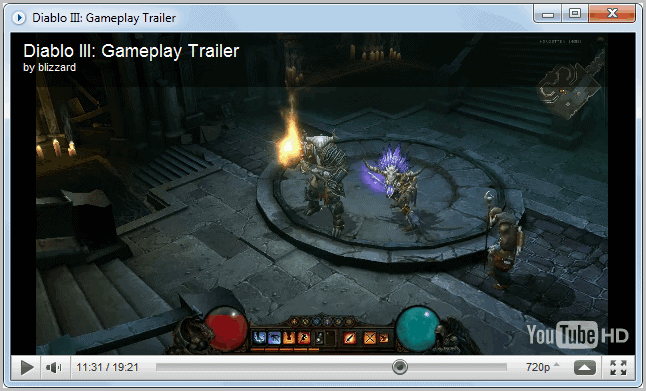
- Videos - Youtube videos of
Blizzard games, play directly in the application. - Blizzblues - Blues are official Blizzard employees in the Blizzard game forums. Their latest posts are listed here.
- Podcasts - Audio news and reports that play directly in the application window.
- Streams - Live game streams are linked here.
You are probably thinking right now why you should bother with the application if you do not play any Blizzard games. The answer is customization. Several news streams can be customized to suite your gaming preferences.
The categories Videos, Podcasts, Streams and Feeds can be customized. Video providers can be added from Youtube or BlipTV. A click on Catalog displays a list of available options including the World Cyber Games, Intel Extreme Masters or ESL.tv. These providers are then added to the video listing and you will be informed about updates via the application's notification system.
It is similarly possible to add feeds, podcasts or streams to the program. All sections offer a catalog button that lists pre-selected items and options to add custom feeds, streams and podcasts manually.
Events and the BlizzBlues category cannot be modified but disabled if they are not needed.
BlizzTV is a godsend for Blizzard gamers, especially those who follow E-Sports or play actively in clans and teams that compete in leagues or events.
Gamers who do not play Blizzard games on the other hand need to customize the program before it becomes useful. It still has some strong points, but most feed readers and news applications can handle those as well.
BlizzTV is currently offered as a beta version for Windows. The program requires the Adobe Flash Player and Microsoft .NET Framework to be installed on the system. It will launch the installers if those programs are missing on the system.
Update: BlizTV is no longer available. I suggest you take a look at other services such as own3d or Gamesports.
Update 2: Both services are not available anymore. You can head over to Twitch for example to watch e-sport events or games live.
Advertisement

















Thanks for finally writing about >gHacks Technology News » BlizzTV, All-In-One E-Sports News App <Loved it!