
System Restore Point Analyzer review

System Restore is a function in the Windows operating systems since Windows ME that creates so called Restore Points so that users can go back to a previous state of the system.
This is important when changes to the system or an attack make the system unresponsive in a way or another. In recent versions of Windows, restore points are created automatically on certain operations such as Windows Updates.
There is however the danger that malicious files are saved during that process as well which means that they would be restored when the user wants to revert the system to a previous state.
System Restore Points are created when several events trigger. Those are for example the initial booting of the system, before program installations and every 24 hours of uptime. System Restore is enabled by default.
Restore Point Analyzer is a forensic tool that can determine the original paths and file names of files stored inside restore points. It has been created by the company Mandiant and was used by one of their forensic experts to determine if a client's notebook had been compromised.
A simple xml file in C:\WINDOWS\system32\Restore called filelist.xml is responsible for file inclusions and exclusions and it is immanent to check if this file has been altered in any way. The best way to do this is to make a copy of the file when System Restore is activated for the first time. You can then use a simple File Comparison tool like Winmerge to compare both files.
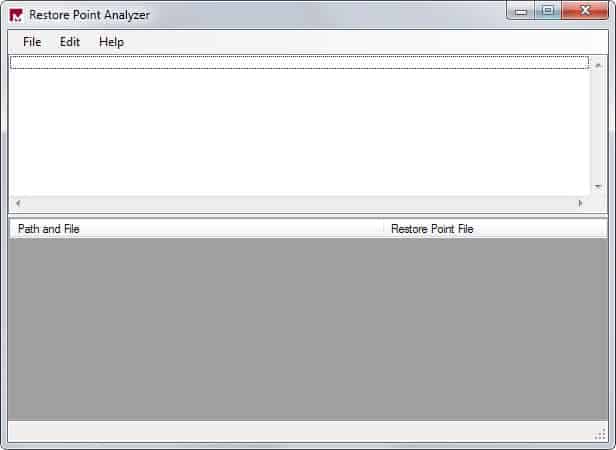
Restore Point Analyzer helps in determining when a file was added to System Restore, it's name and location on the system. This gives the analyst excellent information if the intruder was clever enough to delete the files that he did use to gain access to a computer.
The software can list all of the files in a System Restore directory. Unfortunately though those files are not listed with their original name but with a seemingly random name. The file change.log keeps record of those changes and can be consulted to find out the new file name of the file that you are looking for.
I suggest you read the excellent White Paper that is available on the Mandiant website as well to receive further information on the process.
Update: Mandiant has been acquired by FireEye. It appears that Restore Point Analyzer has been abandoned by the company. We have uploaded the most recent version of the program to our own server. Click on the following link to download it: (Download Removed)
Note that we don't support it in any way.


















when i put up the system restore to restore my system, the box is blank.
ca you help me?
i need to restore my system.
thanks doug
Sure I can do that ;)
Thanks for the tip, Martin.
I thought RivaTuner was only for NVIDIA GPUs (I have an ATI Radeon X1900 XT) – but apparently that’s not true (anymore).
I just installed it, but I’m not sure what to tweak – so how about a blog posting on this topic… ?! ;)
As a side note. I use Rivatuner to reduce the fan speed which means that I do not hear my graphics card in 2D.
Interesting – I’ll certainly take a look at that,
But I’m generally not a big fan of Windows’ System Restore – in fact, I’ve deactivated it by default. That’s because I somehow don’t trust it to properly restore the system without any non-obvious flaws/leftovers/artifacts (which I admit is a bit paranoid).
However, the other day a friend came by to check his graphics card, which he thought was broken, in my PC. I wisely activated System Restore and created a Restore Point beforehand, as I was afraid the new graphics card might mess with my settings – which indeed it did.
So after checking that device for errors*, I used System Restore to revert to that previous point, and it worked like a charm!
Bottom line: System Restore is much more useful/reliable than I thought.
* it worked fine on my PC, by the way – so apparently the errors were caused by dust blocking the cooler; lesson learned (now my own, newly clean graphics card is less noisy as well)