
Microsoft Security Essentials Beta Downloads

Microsoft today announced the availability of the new Microsoft Security Essentials 2.0 Beta, the next big version of the well acclaimed Windows security software. The beta was announced over at the Windows Team Blog with a link to Microsoft Connect to download the 32-bit or 64-bit edition of the application.
A problem with the downloads exists at the moment. Most users can only download the programs partially, even if they try different browsers such as Firefox, Internet Explorer or Google Chrome.
We have tried to download both versions in the last couple of hours ever since the beta was announced. The only way it worked for us was to download the Microsoft File Transfer Manager first, before downloading the releases using the file transfer manager.
Before we explain how to download the latest beta of Microsoft Security Essentials Beta we would like to take a short look at the new features of Microsoft Security Essentials 2.0 Beta
What's new in Microsoft Security Essentials Beta 2.0
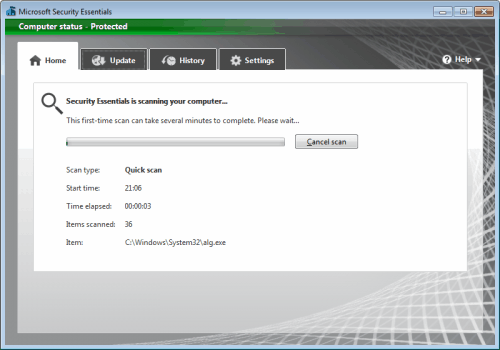
- Windows Firewall integration – During setup, Microsoft Security Essentials will now ask if you would like to turn the Windows Firewall on or off.
- Enhanced protection for web-based threats – Microsoft Security Essentials now integrates with Internet Explorer to provide protection against web-based threats.
- New protection engine – The updated anti-malware engine offers enhanced detection and cleanup capabilities with better performance.
- Network inspection system – Protection against network-based exploits is now built in to Microsoft Security Essentials.
How to download Microsoft Security Essentials Beta
- Download Microsoft's File Transfer Manager, link is listed above. Make sure Internet Explorer is closed, install the transfer manager and open Internet Explorer afterwards. We have used Internet Explorer 8 for the downloads.
- Open the Microsoft Connect website, this will prompt a Windows live login form. Log into Windows Live, or create an account if you have none at hand
- A Microsoft Security Essentials Beta is displayed, will all kinds of information about the beta and the software. A click on the Download Microsoft Security Essentials Beta link will open the download options.
- Select either Microsoft Security Essentials Beta for 32-bit or Microsoft Security Essentials Beta for 64-bit
- Now click on Download selected file(s) using FTM, to initiate the download in the Microsoft File Transfer Manager
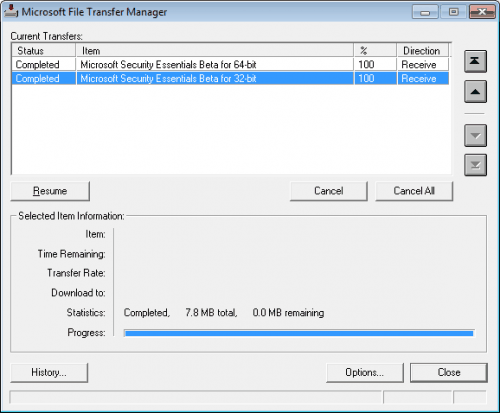
We have uploaded both files for your convenience to file hosts on the Internet, download links below:
Just download Microsoft Security Essentials 2.0 Beta from the links above, if the downloads at Microsoft Connect fail all the time.
Update: Microsoft Security Essentials 2.0 Final released
Advertisement

















hello i need one software security
V2 is coming! And I thought it’ll end up like Windows Defender, which was never updated later then 1.1
good evening…first of all, i’d like to compliment you on your site…secondly i wanted to thank for the link to version 2 of the security essentials…i had tried earlier and finally gave up with the convoluted procedure…harris