

The internet weather has been turning somewhat cloudy in recent years and by saying that I don't mean to start another discussion about (important) Net neutrality here but rather to bring up […]

To grow accustomed to the way M2 sorts e-mails, one has to first get rid of prejudice created by most other e-mail clients about how this kind of application is meant to […]
Just like Martin, I prefer using keyboard shortcuts wherever feasible and after reading several latest articles of his about this topic, an idea struck my mind. Although the following tip is dead […]
Wondering how much traffic can be pulled through the network you're working in during certain period of time or how quickly your network components work? Yeah, be a networking proffesional or a […]
Having a strong will and motivation, it's amazing how much one can learn from tutoring resources shared by both amateur and professional contributors on the web, be it traditional tutorials enriched with […]
Hardly anybody does without English nowadays, especially when dealing with tech stuff, and it's therefore quite a good idea to at least keep it up or possibly even elevate your current language […]

Making any website temporarily appear the way you want instead of the way its designer meant it to is rather easy if you use Opera and (not quite necessarily) have at least […]

Opera uses the entire screen to show contents of a page and doesn't waste a single pixel on the screen for displaying anything else. This is definitely great for stretching the space […]
I had been overlooking some minor inconveniences related to file transfers in Opera which were from time to time sort of negatively interfering with the efficiency of my work in this marvelous […]
Are you a fan of "Bridge to Terabithia" movie? Are you fond of IT stuff? Both? Then check this out. None? Then check it out too, you might come to like it […]

A friend of mine asked me recently if I knew that it was possible to view real-time air traffic in Google Earth. I had to admit that I never heard about this before, the only thing that came close to it was the website where users could listen to live air traffic communications. He send me the link to the website which offered this service and told me that he was currently tracking a flight of a friend who was vising New Zealand.
If you are a fan of dark-room type apps and editors which provide much more comfort in comparison with the regular ones in terms of eye strain as well as more intuitive controls, you don't wanna pass this one. Since the first port of the original Mac OS's darkroom type editor was created, several other progs and online services with similar features have appeared.

Spam is a pain and we all got used to the necessity of fighting it every single day spending our valuable time on deleting junk mails and undergoing additional security measures like captchas and many others. Is there any way to transform daily wasted time and effort spent on these measures for good purposes instead of regarding them as a necessary evil? You bet there is.
Assuming you have some kind of headset or at least a cheap mike with speakers in the worst case, I bet you've already tried using some voice-over-IP services and you may have liked it except its being rather inflexible, heavy and maybe even complicated to set up.
English pwns. Whether you like it or not, we all need it daily. Those who additionally enjoy learning this interesting language could appreciate a few tips on how to improve their skills even more. Since I still need to keep learning as well as revising what I've already learned, I've been visiting some websites and services of ESL type and I'd like to share a few of those I came to like the best.

I'd like to share my view of a very fine low-end (maybe mid) personal audio/video player I've bought recently, the Teac MP-450. I was lucky enough to get a 40% sale on it in an online store so that I got an awesome player for a really low price, great deal indeed. Nevertheless, even if you have to buy it for the usual price at about 100-130$ (1GB version), it's still worth the money I would say. Now to the main features.
Knowing the position of every single particle in the whole infinite universe at the moment, you would be able to predict the future precisely some people say. Well, since our far advanced 2.0 technology is (and will remain for a while) still too lame to do such experiment at present, there's no way to make predictions like that. But hey, who says we can't attempt to guess what happens in the near future?
You may have gone through some stressful and exhausting periods lately when arranging everything for nice and quiet x-mas time, trying to find just the right presents for your friends and family and so on. Now you probably want to rest a little bit and enjoy the days off as much as possible. You might appreciate some kind of stimulant that would help you loosen the tension and concentration accumulated in your mind and body..
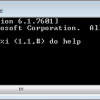
We always try to lower our CPU usage as much as possible for a normal use. Still, there are situations like testing purposes when we may want our CPU to be 100% busy to test its behavior. This is usually tightly related to overclocking and probing the CPU cooling system capability along with it. Of course you can always use benchmarking applications to give your system some harsh time but it's not necessary when you know how to increase CPU load all the way up to 100% easily in a few seconds. Note that this has only been tested on single-core computers, it prolly won't work with multi-core CPUs.
Ever wanted to download multiple podcasts / videocasts or similar files that are for example attached to RSS feeds without having to download each of them manually from the website? Having bought a new mp3 player, I needed to download multiple episodes of my favorite podcast English as a Second Language links to which I have been collecting for some time but didn't have much free time to listen to them. It would be insane to have to follow each link to the website and then manually download the podcasts one after one, repeating this procedure several hundred times...
After installation Opera's default settings show the progress bar which displays information about how the current page is loading in its simplest form - as a small rectangular bar that only appears when a loading process is active. This bar however is not revealing enough information for advanced users who are interested in what exactly is going on when a website refuses to load.

Now seriously. Have you ever received a document (a clean one) with an extension you never heard of and didn't even know what application you were supposed to use to open it? That's not a problem any more due to applications and online services that can understand varied file formats and display the contents of those files for you. Of course, you can't edit such files with viewers because their only purpose is to display the contents of the document. But hey, better that nothing, ain't it...
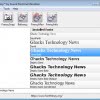
Stuffing your system with tons of fancy fonts may not be the best idea because, as you probably know, the number of installed fonts can rapidly change the speed at which your system loads. Your system may have become slower without you even knowing it because many applications do install their own fonts that they (do not) need which adds to the size of your fonts folder.
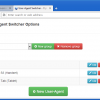
As a proud Opera user, you probably let your browser identify itself as Opera browser by default. Although most websites do work and display more or less properly in Opera, there are still many of them which don't comply with the standards and contain many non-standardized code segments (usually working in IE only) thus confusing the standards-based browsers which leads to improper appearance of the site in the end.

Not long ago, my system popped out a dialog saying "Error" in the title and offering two ways to go in form of two buttons below it - Yes and No. I was trying hard for a while to find out about the right answer but I never really did find it because I did not know what the error was all about. I suppose I've saved the world by choosing the right answer, the world didn't blow up after all... And now seriously :)

After two previously mentioned services, I'd like to add another web desktop provider to the "list". A German company well-known for developing advanced audio and video editing software decided to offer their own "portable desktop" to those who register for free. I've tried it myself and I can honestly say it looks promising, although it's still a beta version. Magix's applications are very stylish and pleasant and this free service doesn't make any exception to that rule.

Yes, this article is a little out of the box but I'm pretty sure that most of tech geeks (and sci-fi fans ;) would be interested in this matter, that's why I wanted to share the info. Additionally, IF true, this project would in my honest opinion become a revolution easily comparable to the birth of the internet. Some time ago I've read about a brand new concept of a microwave engine designed especially for spacecraft propulsion. A bunch of smart heads from the UK lead by R.Shawyer invented a simply looking yet very complicated (from the view of mathematical and physical theories) prototype of a propeller that uses microwaves to generate thrust and by doing so compensate the power of gravity...
Web 2.0 and new technologies coming along with it caused a big boom of advanced online services that were often able to substitute software installed on your own computer. Taking security and privacy concerns aside that naturally arise when using such services on the web people got used to it rather quickly and several web 2.0 applications saw a huge burst in users shortly after they could be used by anyone.

It's been a long time since Wildbits started to provide an amazing and free music identification software called Tunatic which helped me many times identify a song I loved. This happened for instance when I recorded Internet radio streams without information about the artist or the song name. I bet you've happened to be in such situation too.

Yesterday I was looking for a way I could create some nice buttons for a website of mine. I needed people to pay attention to that button and make it stick out so that it would not be overlooked. Instead of downloading a utility for that purpose, I found a fine online button generator that let's you create original buttons for your website or for other purposes as well. Of course it is possible to create buttons in Photoshop or similar programs but I bet it would take you much longer if you're not a pro. And beyond that, not everyone can afford such programs.
A great feature called SpeedDial has been recently added to Opera. It's a solution providing quick access to your "Top 9" websites and it's faster than using Bookmarks. However the limited number of sites that you can add does not make it a universal feature to speed up surfing in general.
I'd like to share my experience with an uncommon navigation device I bought few weeks ago. There were two reasons why I started to consider buying a tablet. At first, I wanted to try something different than the old-style mouse. I also needed it to be more precise than the mouse so that I could use it for some web graphics and drawing (I assume you have tried to draw something with mouse and know what I mean).
The original Windows explorer undoubtedly lacks many features a lot of us would like to see and provides some that we don't need at all on the other hand. That's one of reasons why I mostly use a file manager instead (Frigate3, would recommend as a very good choice even though it's not 100% stable).
TeraCopy is a nice shell enhancement for Windows replacing the original copy popup with a more advanced version. It integrates itself into the context menu so that you work as usual and don't need to run additional external applications for the same process. TeraCopy gives you more options to copy or move files, e.g. a pause/resume function, error recovery and an dynamically adjusted buffer.
This one is for those of you, who have a website and would like to display the contents of a RSS feed on that website. It does not really matter if you want to display your own feeds on a different part of your blog or feeds from other websites. FeedFlash is a nice service that takes feed urls and places them in a nice looking and scrollable widget that can be embedded into websites.
I really like the idea of an open and decentralized standard which allows you to sign in to
multiple websites without entering your username and password over and over again on every site that requires you to login to
vote (digg.com), comment, or participate in other means. There are so many sites where you have to login to use basically the same features that you used on another site just before you visited the new one.
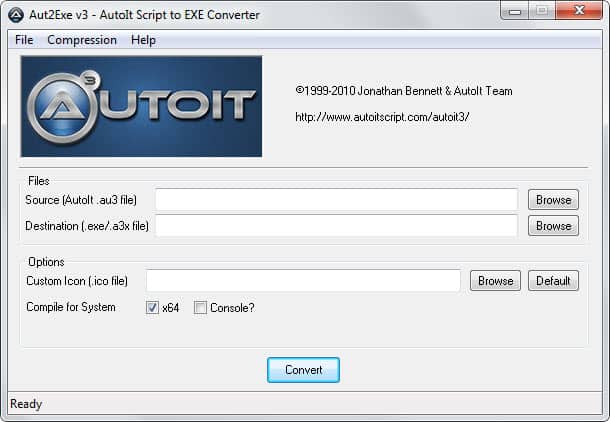
Creating "session files" can help you speed up your work and also give you a tiny little bit of rest by preventing you from doing repetitive tasks every day again and again. For example, when you work on some kind of project (webdesign, audio, video, graphics), maybe you often start some sort of programs at once, together, like say |:Paintbrush - Photoshop - ColorPickerTool - ImageViewer:| or maybe |:Audacity - MusicPlayer - FrequencyAnalyzer:| and so on.
