
Google Translate Interface Updated

Google Translate is one of the most popular automatic translation services on the Internet. It is not only available at the official Google Translate website but also as a mashup in various other online applications and even lots of desktop software programs including the Google Chrome web browser.
Google recently updated the interface of the translate service which is now using Ajax to display translated results without page reloads. The direct display of the translated text makes it even more comfortable to use.
Long term users of Google Translate know that it is possible to copy and paste text into the web form at the service right away. There are however other options including one to paste an url into the form or to upload documents to get them translated.
The new interface displays translated results immediately if text is pasted into the form or if a text document is uploaded using the upload form.
Websites on the other hand are still loaded separately with Google Translate controls displayed in the header. The new interface looks a lot cleaner than the old one and we had the impression that everything loaded faster.
Users who want to try the new Google Translate interface can visit the website to do so.
Update: Google launched a new design for Translate. Take a look at the screenshot below which shows its interface after pasting text into the form for translation.
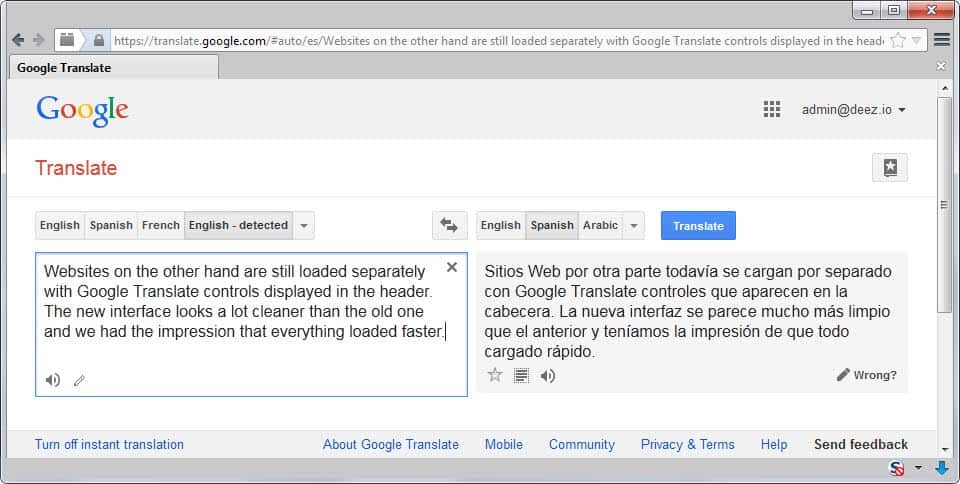
A selection of popular languages are displayed right away that you can switch between. A click on the down arrow icon displays all supported languages.
Another interesting feature is the option to listen to the original or translated text, and to improve the translation if it is wrong.
Translated text can be saved to the phrasebook to store it permanently. This can be useful if you need access to the translation at a later point in time.
Advertisement

















all I wan to know is WHY ON EARTH I CANT CHANGE MY GOOGLE TRANSLATE INTERFACE LANGUAGE FROM THAI INTO ENGLISH
Thanks for upgrade, I see Thai translation added and Google more competitive.
Before I had to link to Babelfish.
Hi Martin,
Confirm, it looks cleaner and loads faster than before, so a change to the better; too bad it’s not the case with google.com (search box).