
Save Printer Ink With Printliminator Bookmarklet

Printing out articles or other information on a website has usually the effect that a lot of elements are included in the print out that are not necessarily needed. This waste of printer ink can be reduced by removing the unnecessary elements from the page layout before printing the relevant information.
The Printliminator bookmarklet offers an easy way of removing elements from a website before printing it. The bookmarklet needs to be executed while the website is active. It will display some controls in the upper right corner of the screen. The main controls on the other hand are available with the mouse. Elements on the page will be marked with a red rectangle by moving the mouse around.
Website before optimization for print:
Website after optimization to save printer ink:
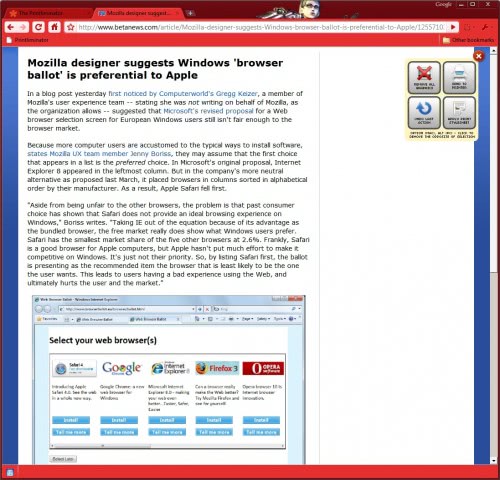
A click with the left mouse button will remove the active red rectangle from the website. This includes all elements that are contained in the rectangle at that time. The rectangle will be removed and if that clears a row in the page the remaining content will be moved up. It usually takes a few seconds to remove all elements on the website that are not needed for the print out. This can save a lot of printer ink especially if print outs are generated on a regular basis.
The controls in the upper right corner can be used to instantly remove all graphics from the page, to undo the last action, send the website to the printer or apply a printing stylesheet which will remove some elements and maximize the text to the web browser window. Printliminator should work in all web browsers that support bookmarklets.
Advertisement
















With Firefox, I accomplish the same thing with the NukeAnything add-on. It is very handy, indeed, for eliminating text, graphics and other page elements I don’t want included when I print the page.
See: https://addons.mozilla.org/en-US/firefox/addon/951