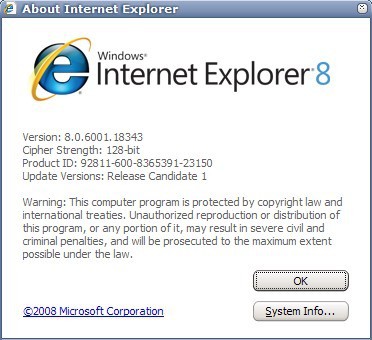
Yesterday we mentioned that Microsoft would release the final version of Internet Explorer 8 later that day on the official website.
ADVERTISEMENT
They did that which surprised many tech savvy users as it was generally given that the release would be in the second half of this year and not the first. Even more interesting is the fact that Microsoft is not only distributing it as a web download but also through official update channels like Windows Update.
Microsoft has released Internet Explorer 8 for various Windows operating systems including Windows XP and Windows Vista but Windows 7. Windows 7 users who want to download Internet Explorer 8 are greeted with a message telling them that they will not be able to download Internet Explorer 8 for Windows Beta at this time.
Internet Explorer 8 Download
It is however very like that Internet Explorer 8 will be included in upcoming Windows 7 builds (update: indeed, Microsoft did include Internet Explorer 8 natively so that Windows 7 users do not need to download the browser as it is already installed on their system).
Microsoft is offering a selection based download of Internet Explorer 8 on the official site that lets users pick their language and operating system from a list. Here are some download links for Internet Explorer 8 English:
Windows XP 32-bit (link)
Windows XP 64-bit (link)
Windows Vista 32-bit (link)
Windows Vista 64-bit (link)
Windows Server 2003 32-bit (link)
Windows Server 2003 64-bit (link)
Windows Server 2008 32-bit (link)
Windows Server 2008 64-bit (link)
Those links are direct download links to Internet Explorer 8. Just pick your operating system and the download should start immediately. Users who prefer other languages should follow the link that I posted above that leads to the official site with the language choice pulldown menu. Select the desired language for Internet Explorer 8 from the list, and then the operating system you want to download the web browser for.
Update: Download links are still working. Windows Vista and Windows Server 2008 users should consider downloading and installing Internet Explorer 9 instead for their operating system as it has been released for it as well and is considered to be superior to IE8.
Does Internet Explorer Cost Money? and when i try to download internet 8 it says i already have a form of internet,i had it before but i did a scan on my computer and it deleted the internet.im so lost
Martin Brinkmann said on June 12, 2012 at 11:44 am
My internet explorer is not working when iwill open is showing intwrnet explorer is blok or novigration is not suport somthing like this some time i m not open my yahoo also please salve my problum sir.
For windows 7 users internet explorer comes up as an update. A simple un installation reverts internet explorer 8 to be available.
To do this Under “Programs and Features” (start and search the quotes). Uninstall an update from the left pane. Then uninstall “Windows Internet Explorer 9” under the “Microsoft Windows” section
i just downloaded ie 9 for windows 7 and hate it, i want to go back to ie 8 , but i cant for some reason it cant find previous versions, does anyone know where i can find ie 8 for win 7? thanks
Well, now win 7 ships with ie9….and I cannot install ie8 back on it. Tried 4 different install files thus far. ‘ie8 is not compatible with this operating system’…really? One went all the way through and asks for a reboot then nothing…nothing in prog files…nothing.
Retried….and retried…..yes its the 32 bit and i tried the vista 32 bit, xp 32 bit, etc.
hello sir.
My internet explorer is not working when iwill open is showing intwrnet explorer is blok or novigration is not suport somthing like this some time i m not open my yahoo also please salve my problum sir.
If you like Trident Engine ,I suggest use the Avant browser.The download is relatively small, the interface is extremely stable, mouse gestures and dockable tabs. Pop-up and ad blocking are excellent. The
ability to block ActiveX, images, Java, and more “on the fly” is superb.
how do i install internet explorer 8.0 on my computor? i’ve trying to do it for the pass 2days. because the old internet explorer i have is very slow thats why i want 8.0
Does Internet Explorer Cost Money? and when i try to download internet 8 it says i already have a form of internet,i had it before but i did a scan on my computer and it deleted the internet.im so lost
Maybay i have to write that i found the Compatibility View Internet Explorer 8 with the instruction to Click the Compatibility View toolbar button to display the website as viewed in Internet Explorer 7. But main explorer has not have Compatibility View toolbar button. Do you know how i get this one
I downloaded and installed MS-IE8 and found out that some websites like Ghacks, computer tips for a computer guy and instant fudas (and much more sites) are not working with MS-IE8. This is not nice news. Do you know Martin why that and when are Ghacks (and the outher sites) are starting to work with MS-IE8?















Hello friends
Does Internet Explorer Cost Money? and when i try to download internet 8 it says i already have a form of internet,i had it before but i did a scan on my computer and it deleted the internet.im so lost
Internet Explorer is free.
My internet explorer is not working when iwill open is showing intwrnet explorer is blok or novigration is not suport somthing like this some time i m not open my yahoo also please salve my problum sir.
Donwlond video porno
Donwlond video phil bi hai hindustani
not supported on operations sytem win 7. ie sux!
this is good for speed
i want to use fb so, how can i download ie8 in 139kb
i want to use IE8 how cn i download it
php with download
For windows 7 users internet explorer comes up as an update. A simple un installation reverts internet explorer 8 to be available.
To do this Under “Programs and Features” (start and search the quotes). Uninstall an update from the left pane. Then uninstall “Windows Internet Explorer 9” under the “Microsoft Windows” section
Reference: http://windows.microsoft.com/en-GB/windows7/how-do-i-install-or-uninstall-internet-explorer-9
internet explorar 8 pentru facebook
facebook ul meu nu trimite nesajul
Have new windows 7 but want internet explorer 8. The download website does not show a windows 7 option
i have the same problem :@ i want to go back to ie 8 how can i fix this
i just called ms customer help or whatever…they want to charge me…
hw cn i ie8 downloaded??????????????????????
i just downloaded ie 9 for windows 7 and hate it, i want to go back to ie 8 , but i cant for some reason it cant find previous versions, does anyone know where i can find ie 8 for win 7? thanks
i have the same problem :@ i want to go back to ie 8
Internet Explorer 8 ships with Windows 7, that’s why you cannot find it for download.
Well, now win 7 ships with ie9….and I cannot install ie8 back on it. Tried 4 different install files thus far. ‘ie8 is not compatible with this operating system’…really? One went all the way through and asks for a reboot then nothing…nothing in prog files…nothing.
Retried….and retried…..yes its the 32 bit and i tried the vista 32 bit, xp 32 bit, etc.
yes, i removed ie9 from windows features
No it did not ship with my Windows 7. I want to use IE 8 and cannot make it work or download it.
how can down load ie8??????????????????????????-
hello sir.
My internet explorer is not working when iwill open is showing intwrnet explorer is blok or novigration is not suport somthing like this some time i m not open my yahoo also please salve my problum sir.
yours.
imran.
If you like Trident Engine ,I suggest use the Avant browser.The download is relatively small, the interface is extremely stable, mouse gestures and dockable tabs. Pop-up and ad blocking are excellent. The
ability to block ActiveX, images, Java, and more “on the fly” is superb.
thank u
how to upgreade enternet explorer 7to enternet explorer 8?
how do i install internet explorer 8.0 on my computor? i’ve trying to do it for the pass 2days. because the old internet explorer i have is very slow thats why i want 8.0
Does Internet Explorer Cost Money? and when i try to download internet 8 it says i already have a form of internet,i had it before but i did a scan on my computer and it deleted the internet.im so lost
nothing
THANKSSSSSSSSSSSSS
an enchanting site
Maybay i have to write that i found the Compatibility View Internet Explorer 8 with the instruction to Click the Compatibility View toolbar button to display the website as viewed in Internet Explorer 7. But main explorer has not have Compatibility View toolbar button. Do you know how i get this one
I downloaded and installed MS-IE8 and found out that some websites like Ghacks, computer tips for a computer guy and instant fudas (and much more sites) are not working with MS-IE8. This is not nice news. Do you know Martin why that and when are Ghacks (and the outher sites) are starting to work with MS-IE8?