
Do Specific Data Backups With Tame

Tame is a specialized backup solution that can monitor applications and perform backups once those applications close. It would for instance be possible to monitor Firefox, Opera or Internet Explorer and make a backup of the profiles once the applications are closed by the user. Other variants include instant messengers and their logs, ftp clients, p2p applications and everything else that is writing data during use.
Tame is easy to use. Just install the application on your system and pick an application from one of the running processes. That application will be monitored from then on. The only other information that have to be specified are the folder that should be backed up after that process terminates and the backup folder that will contain the backup of the data.
That's pretty easy, ain't it? The While that is the main use of Tame it does offer another way to backup files. Next to the so called Program Closing Backups System Timed Applications are available.
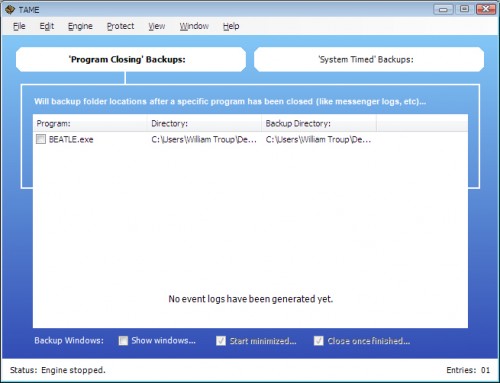
This comes closer to normal backup operations on a system. The user can specify a time, a folder that should be backed up and a destination folder for the backup data and the backups will be started at that time if the computer is running. Folders can be local folders or folders on a network or backup server.
Tame requires the Microsoft .net framework 2.0 or higher. No information on operating system compatibility. It runs fine on Windows XP Service Pack 3.
Update: Tame does not seem to be available anymore. I suggest you take a look at our Windows backup software overview for alternative backup solutions.
Advertisement

















I found my own way to backup.
working on a local computer but still with network, I use Dsynchronize and I schedule it in background when computer idles to mirror my source code to the network folder. and it works, and I’m happy.
If my computer crashes, I’ve everything essential up-to-date on the network.