
How to burn Bin images without cue file

I'm not exactly sure why someone would want to convert bin images to iso format, unless the cue file of the bin image is missing. Both formats, that is the iso and bin/cue format, are disk images that can be burned with virtually any CD or DVD burner and burning software. I'm still using the Nero 7 version that was supplied with my DVD burner and it can process both.
The problem with bin formats is that they rely on cue files that tell the burning software how to burn the CD or DVD image to disc. If the cue file is missing, the applications cannot find those information and refuse to burn the disc image.
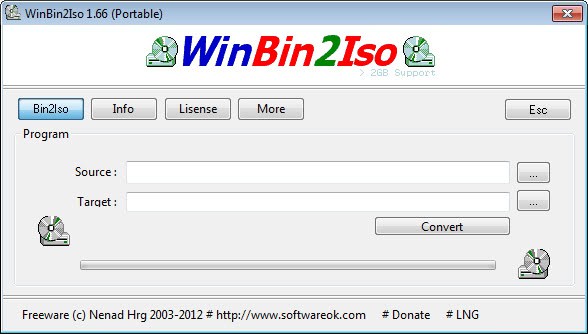
WinBin2Iso is a tiny 43 Kilobyte application that can convert bin images without cue file to iso images which can be burned normally. When you first start the program you are asked to accept the license agreement, and since it is initially displayed in German, you may first want to click on Lng to change the language to English or another language.
A click on Bin2Iso displays the menu that you can use to convert a bin image on your computer to iso format. Just select the bin image using the built-in file browser, and a target directory as well. A click on convert starts the conversion of the disc image format into the other.
Another option is Bin2Iso which has a size of only 12 Kilobyte and provides the same functionality. bin2Iso works in pretty much the same way, and it boils down to personal preference which program you use for the task.
Both applications convert the bin file to an iso file quickly. It usually does not take longer than a few minute to convert a full DVD image from bin to iso.
Advertisement

















It is hoped that you will have to work hard
me too I use same BlueRaja’s methode, just put the bin’s name in a “standard cue file” :
FILE “xxxxxxxxxx.BIN” BINARY
TRACK 01 MODE1/2352
INDEX 01 00:00:00
for SVCD it’s MODE2
I read that is possible to convert a bin to a iso or nrg just with a rename ^^, I never tested it.
You can also create your own .cue file – they are, after all, only text files.
we can also create cue files from a utility called
“make cue” to create the cue file of bin image