
Filedrop: copy files in networks without permission hassles

If your computer is connected to a network that multiple PCs are connected to, you sometimes may want to exchange files between those systems. It does not really matter if you own the systems you want to copy files between or if someone else is connected to the network. If you do not want to configure the home network or just connected your PC to a network and do not want to configure sharing options, you may use a program like Filedrop instead for that task.
All you need to do is install Filedrop on the systems that you want to copy files between to do so. The program is available for Windows and Mac OS X systems so that you can not only exchange files between two Windows PCs or two Macs, but also between Windows and Mac systems.
Once you have installed the program and started it, you will notice a drop zone that is being made available by it. You can move that drop zone around on the desktop and close it, but there are not any other options like configuring it to be always on top. The program will automatically discover other systems where Filedrop is installed on and display their names in the interface. To exchange files, drag and drop files on to the dropzone.
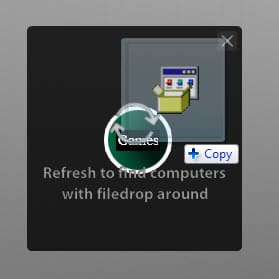
A notification appears on the other system that informs the owner of the system that a file transfer has been initiated from another system. Here it is then possible to accept or reject the exchange.
Files that are accepted on the receiving PC are automatically saved to the desktop from where they can be moved or executed.
Verdict
Filedrop makes it easy as pie to transfer files between computer systems that are connected to the same local network. All it takes is a simple drag and drop operation to do so. It is possible to transfer one or multiple files this way between Windows PCs and Macintosh systems.
The program could use a configuration dialog to modify the default save directory and other parameters, like a whitelist or blacklist of systems.
Note that Filedrop seems to use Adobe Air which seems to have been integrated in the program as it is not installed separately on the system. (via Caschy)


















There is a new major update of this app just came out: http://filedropme.com
What’s is added or changed in this release?
Filedrop has published the video about iOS app concept. Looks very promising: http://www.filedropme.com/ios
This build is much more stable and works more accurate. There is a new user interface and automatically update.
Nice app. Thanks.
I use Dukto R5 when I want to transfer files beetween network users.
http://www.msec.it/blog/?page_id=11
Thanks will take a look.
I’m sure your going to like it easy to use and simply put idiot proof… it’s not flawless but it’s straight to the point..
Run the client on 2 machines on yoru network and it will auto-detect the major feature is that I could enter your ip address to either chat or send files via Dukto client.