
Change the default Command Prompt directory

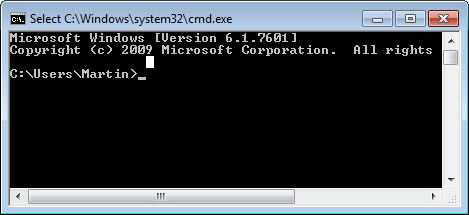
Whenever you open the Command Prompt in Windows you are taken to a default directory which is usually your /Documents and Setting/Username/ directory or /users/username/ directory in newer versions of the Windows operating system.
Most of the time you navigate away from it because you need to access files that cannot be accessed from there, or only by adding the full path of it to the query which is not that practicable.
You can change the default command prompt directory, the directory that you start in when you open the prompt using the following tip. I have set mine to c:\windows\system32 but it is up to you which directory you select as the default command prompt directory on your system.
The change requires you to modify a value in the Registry. To do so press the Windows and R key at the same time to open up the run box on the system. Type in regedit and tap on the enter key on the keyboard to load the Registry Editor. You may receive an UAC prompt on newer versions of the operating system which you need to accept before the Registry Editor opens up.
Navigate to the key HKEY_CURRENT_USER\Software\Microsoft\Command Processor and search for the String Autorun in the right window.If you can't find the parameter there right-click on Command Processor and select New > String. Name the string Autorun and click ok. Now double-click the new Autorun entry that you find on the right and enter the following string.
CD /d c:\windows\system32
Replace c:\windows\system32 with the path that you want the command prompt to start in. The changes take effect immediately after you have made them in the Registry Editor. I suggest you keep the editor open and open a command prompt window to see if the new path is showing up when you do so. The easiest way to do so is to press Windows-R, type cmd and hit enter on the keyboard. If something turns out to be wrong, go back to the editor and verify or change the path information there.
It makes sense to pick a directory that you run commands from regularly and that is not set as a system environment variable or user variable.














Heads-up: You might not find “Command Processor” in “HKEY_CURRENT_USER” but in “HKEY_LOCAL_MACHINE” in Windows 10 Pro.
Thanks for the fix. Hopefully it doesn’t mess with Cmake in catastrophic ways the next time I attempt to build something.
Wow thank you so much. All the other fixes of changing the environmental variables did nothing but this worked. No idea why it changed in the first place it certainly never opened in users in the past and what a useless directory to open in! Couldn’t even use any commands to change directory. I am so glad this is fixed and I don’t have to go fishing in my system32 folder for a usable copy of cmd.exe
The setting works but has (for me) an unwanted side effect:
Tools such as CMake start putting their output in the directory named by the Autorun entry instead of the directory in which CMake is run. I imagine this is from CMake running a subprocess and moving the subprocess current directory away from the target directory.
I like this hack but it undercuts tools I need. For that reason I’m out.
thanx alot it works very well
thanks alot dear it works..
Thank you, it worked perfectly on my Windows 7 as well:)
Nice one thanks
Nice thing.Thanks……….
thats so easy to tweak!
@ Rj
When here in the registry editor …
HKEY_CURRENT_USERSoftwareMicrosoftCommand Processor
… right-click in the white space, if there is no variable named “Autorun” and click “New” in the menu which was opened after the right-click. Name the variable “Autorun”. Select “String” from the choices of the type of variable and click OK (or whatever button there is that signals to add the variable). You should then see a variable called “Autorun” in the margin. Double-click on it and in the “Value:” textbox, put …
CD /d X:Y
… where X is your current drive and Y is the folder you want the default prompt to be. If you do not understand this, just ask and it shall be given unto.
– magicyte
Ummmm i dont c autorun…can anybody help me, im so nooob at this kinda stuff.>=|
I dont c autorun???
Hi,
thank you so much
Hi Rarst
You can open command prompt from a drive by shift right clicking the drive and clicking on the open command prompt here on the popup menu
Kent
>Does anyone know how to do it from the command prompt w/o regedit though?
Well, cmd help points to those registry settings… If you really want to play around it you can just make .bat (.cmd) file that runs console and goes to directory needed. Something like this:
cmd /k cd “c:\”
I actually had a different starting directory and wanted to get back to c:\
This regedit definitely worked for me.
Does anyone know how to do it from the command prompt w/o regedit though?
sorry im pretty newb. whats this thing that obi posted do? if its complicated then either dont worry or link me to something. thx.
then do it manually
xp wont let me add to reg.
can not import, not a reg script, only import binary reg. files.
anubhav, it does work. You’ve got to create the key if it isnt there, create it as a string then edit it to the path.
Hey anubhav, that does work.
Thanks Martin.
no this does not work
Nice hack! That’s really clever :)
No it has not yet Obi, thanks for mentioning it.
Well I’m not sure if this hack was on ghacks allready, but to get a Shell-Context-Menu entry to open the command prompt in a choosen folder, just save this:
;start here
Windows Registry Editor Version 5.00
[HKEY_CLASSES_ROOT\Directory\shell\cmd]
@=”Open Command &Promt here…”
[HKEY_CLASSES_ROOT\Directory\shell\cmd\command]
@=”cmd.exe /k \”cd %L\””
[HKEY_CLASSES_ROOT\Drive\shell\cmd]
@=”Open Command &Promt here…”
[HKEY_CLASSES_ROOT\Drive\shell\cmd\command]
@=”cmd.exe /k \”cd %L\”
; end here
into a file (commandprompt.reg) and add it to your registry.