
Add-Ons for Internet Explorer 7

Internet Explorer comes equipped with a similar technology as the Firefox browser that allows developers from all over the world to create add-ons for the browser. It may not be as easy which explains why there are not that many available yet, but I suppose it is better than no extension support at all.
Ieaddons is the name of the site and looks and feels like a typical slow-loading Microsoft website. Add-Ons are categorized in the four categories Security, Time Savers, Browsers and Entertainment.
Each category has some subcategories that finally contain the links to the add-ons. Many of the add-ons listed are not free and if you do not plan on paying for add-ons, I suggest you do enable the freeware option so that only free extensions are listed on the page. As an example, the privacy subcategory of security has 39 entries; If you choose only freeware add-ons the list is reduced to 14 extensions.
Microsoft introduced a rating system and comments system on their add-ons website and I highly suggest you read the comments before you install an add-on.
There are of course not that many add-ons available at the moment but the list will surely grows with time. I dislike the fact that freeware and commercial products are mixed in the list but since you can filter out all commercial addons from the list, it does not really matter that much.
It is still a nice idea to take a look at the add-ons and install and test some of them. I stick with Firefox nevertheless for now as it is the better overall browser.
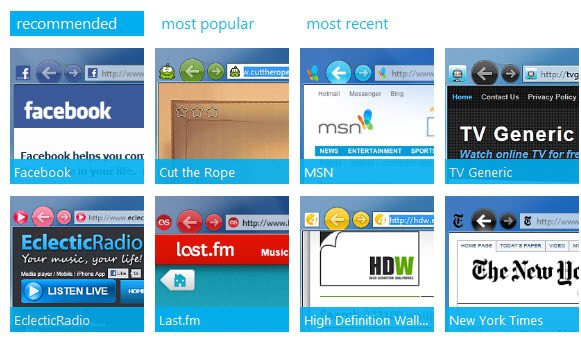
Update: The Internet Explorer Gallery has finally been updated. It is now also offering add-ons for newer versions of Internet Explorer. Microsoft improved the page loading times of the website, and added new categories to it which was much needed.
The site lists recommended, most popular and most recent extensions for the Internet Explorer browser on its front page, from where they can be downloaded and installed, or pinned to the Windows taskbar (provided that Windows 7 or newer operating systems are used).
Advertisement











Nice