
BlueGriffon HTML Editor

When I have to create a new website I usually rely on scripts like WordPress that offer the core framework and are setup in a few minutes tops. The beauty of it is that I can then concentrate on the content after I have made some theme and plugin modifications. Very easy to to and done in less than 30 minutes with some experience in setting up WordPress blogs.
Sometimes though WordPress is not an option, which is for instance the case if no database is available which the blogging platform requires. Plain HTML sites or pages are then an option. I usually hack them right into notepad but some users may prefer an HTML editor for that.
BlueGriffon is a free portable HTML editor for Linux and the Windows operating system that can be used to create websites in a graphical user interface.
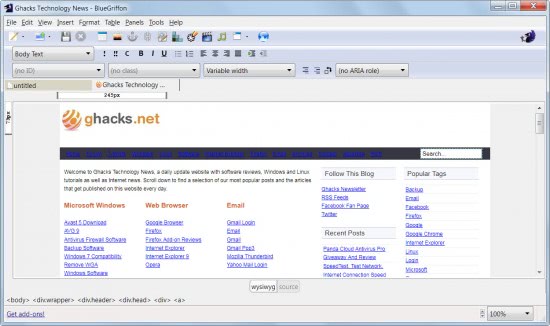
The HTML editor uses Firefox rendering engine and an option to display any website directly in its interface. That's great for testing HTML code on the site or "borrowing" contents from it.
The editor comes with the usual features and options one would expect. A lot of HTML elements are selectable from top including tables, links, images, forms, text formatting options, media. Stylesheets are supported as well and it is always possible to switch between the what you see is what you get editor and the source editor.
The editor does not seem to support projects with multiple pages at this point in time which means that users who need to create several pages for the same web project need to do some extensive copying and pasting to do so.
The use requires knowledge of HTML elements even if they are selected from the menu in the WYSIWYG editor as the program offers no explanation of their functionality. Adventurous users can use trial and error to find that out but it definitely helps to know the majority of HTML elements to avoid this situation.
BlueGriffon is available from the project website for Linux and Windows.
Advertisement

















A french site of BlueGriffon http://bluegriffon.fr
Seems like Add-on page (with a price tag) is answer to missing features http://www.bluegriffon.com/