
Manage, Share, Edit And Publish Photos With Element Photo Gallery

Managing photos has never been that easy for computer users. From sophisticated desktop applications like Google Picasa or Windows Live Photo Gallery to popular online photo hosting services such as Flickr, users are guaranteed to find the perfect solution for their photos.
Element Photo Gallery is a desktop application for Windows that is not as heavyweight as Picasa or Windows live Photo Gallery. The 2 Megabyte program can manage multiple albums on the system easily.
New photos are loaded by selecting a folder or photos directly. Import works pretty much automated from that point on. Users with photos in many different folders will notice that an option to crawl subfolders is missing during import, each folder has to be selected separately.
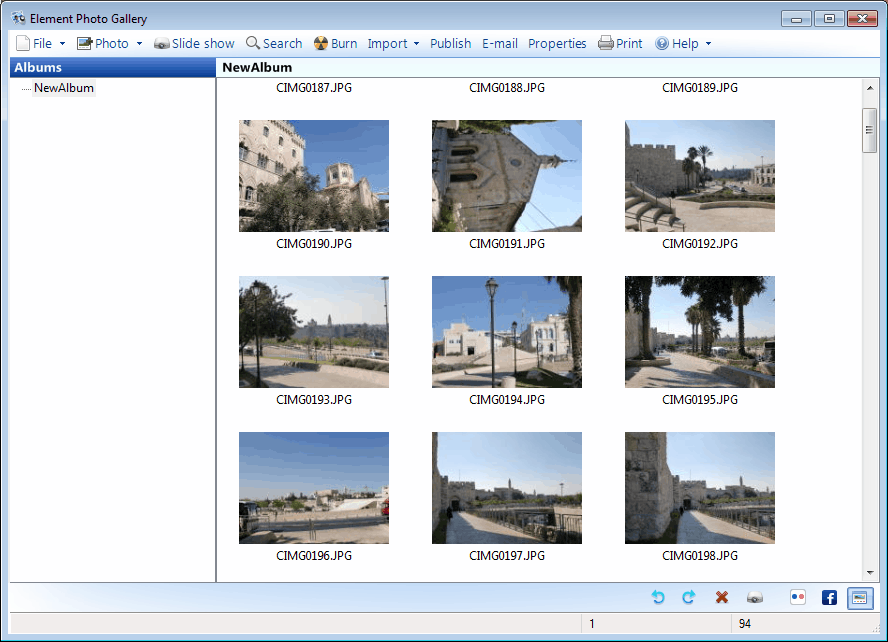
Photos are scanned and displayed as thumbnails in the program interface. A double-click opens a larger view of the selected photo, with options to change or edit the title, time taken or description. The same menu offers basic photo editing options like adjusting the colors, size or dimensions of the photo. And the notorious red eye removal is available as well.
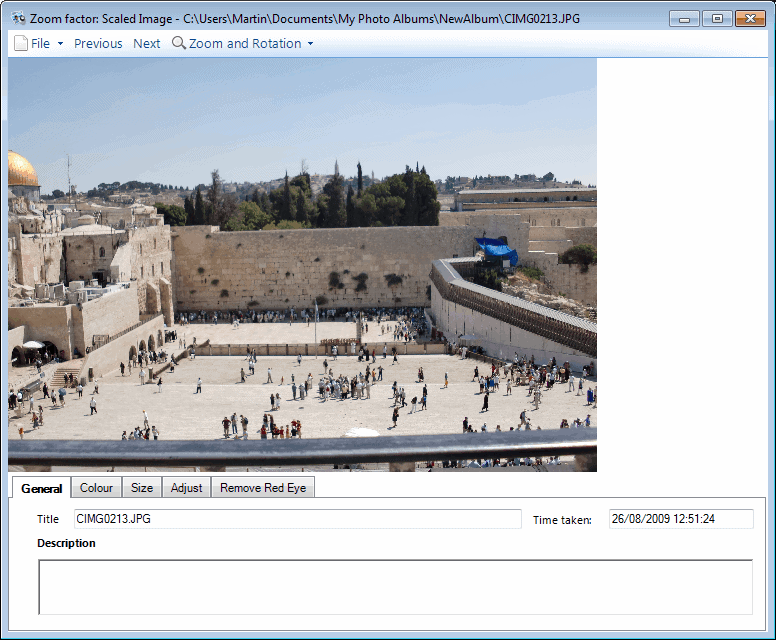
The photo preview window offers additional options to zoom in and out of the current photo, rotate it or navigate to the next or previous photo in the photo album.
On the publishing side, there are options to burn photo albums to CD or DVD, post images to Flickr or Facebook, email them to other users, create a basic HTML web gallery or print them on a local printer.
Finally, there are options to search the photo collection and to view a slideshow of the photos in the selected album.
Element Photo Gallery is a lightweight photo management software for the Windows operating system. It offers a lot that users want to see, without going overboard with the feature set.
It is probably best suited for medium sized photo collections. The program can be downloaded directly from the developer website over at Element Software. The program requires the Microsoft .net Framework 2.0 installed.
Advertisement

















Search this gmail i.d
Very nice picture.