
Free font editor built into Windows

Eudcedit.exe is a font editor built in Windows 2000 and newer versions of the Microsoft Windows operating system including Windows 10. It supports the creation of unicode characters which users and developers can then integrat into files. The abbreviation EUCD stands for End User Defined Characters.
Private characters are symbols which only work on the machine on which they're installed and correctly allocated. This may be useful if characters such as a company logo or foreign script have to be included in documents frequently, as it is more efficient than using images for that.
End User Defined Characters Editor
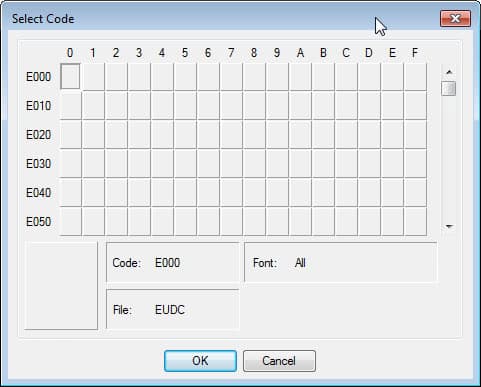
Eudcedit.exe comes with only a few tools (a few simple shapes, a pencil, a brush and an eraser!), but it does provide you with options to create private characters in a fairly simplistic manner.
To use Private Character Editor, go to run and enter 'eudcedit.exe'. You can also hit the Start button, type cmd.exe, and hit the Enter-key to launch the Command Prompt interface. Type the name of the program and hit enter to start it.
You can alternatively start it from the system32 directory where it is located in. Once it is open, you have to find an empty code point (an unused Unicode character) to use. Then, it is quite self-explanatory. After the character has been saved, to insert it, use the Character Map, which is built-into the Windows operating system as well. To open the character map, click on start, enter character map and select the program from the list of options. Windows 8 users need to enter character map on the startpage to open it.
Some virus scanners highlight this file as a trojan, but it comes with Windows so that is fairly unlikely.
It is definitely worth noting that any characters you make on Private Character Editor will not work on any other computers, but it may still be useful should a symbol frequently be used.
The program has been integrated into newer versions of Windows as well. Both Windows 7, Windows 8 and windows 10 come with the private character editor as well. Functionality, as far as I can tell, has not changed at all though.















What’s the point of creating a character if it won’t BEHAVE like a character? My first attempt didn’t come out the right size in a test MS Word document, it wouldn’t align with the rest of the characters in MS Word, it didn’t allow for meaningful spacing like a real character, the software provided no means of naming or describing the character, and—possibly worse of all—the character is shackled to the originating computer instead of belonging to me, almost as if a loving mother’s child were kidnapped and sold into white slavery. What did I ever do to forfeit my First Amendment rights?