
Change the Print Spooler Directory

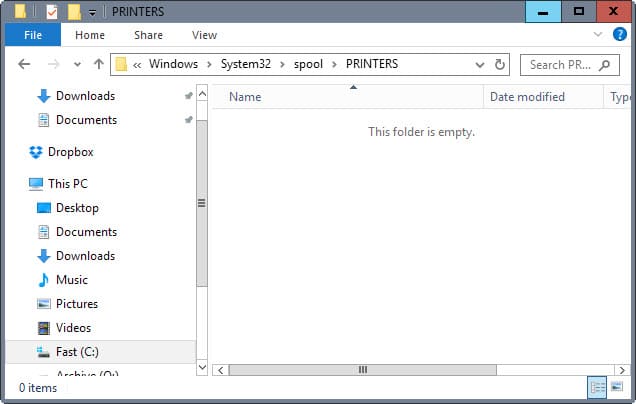
The default Print Spooler directory of a Windows operating system installation is located in /windows/system32/spool/PRINTERS on the system partition.
Changing that directory to another one can have several positive side effects. It could speed up printing if you move it to another hard drive which normally reduces the slow down users experience when printing documents.
This is especially true on older systems that do not have 4 or more Gigabyte of RAM and fast hard drives. The benefit is similar to the one that you may experience when you move the Windows Pagefile to another drive. If your main hard drive is slow or always taxed to the maximum, you may want to move data away from it to remove bottlenecks.
Changing the Print Spooler directory is an easy task. It can be done by changing the default directory in the Windows Registry.
I highly suggest you create a backup of the Registry before you manipulate it which you can do from inside. Just select the Computer hive or any other hive, in this case the HKLM hive, and export its contents via the File menu to the local system. If something goes wrong along the way, or if you prefer to restore the old directory, you can simply run the .reg file to do so at any point in time.
Press Windows-R, type regedit and hit enter to load the Windows Registry editor. Please note that you may get an UAC prompt depending on the operating system and security policies on it.
Navigate to the key HKEY_LOCAL_MACHINE\SYSTEM\CurrentControlSet\Control\Print\Printers and change the value of the key DefaultSpoolDirectory from C:\Windows\system32\spool\printers to another directory of your choice.
You can change the setting from the Control Panel alternatively. Open it and select the Printers and Faxes entry here. click on File then Server Properties and change to the Advanced tab. Type the path of the new directory for the Spool folder and save the changes.
The setting can be alternatively changed in the Control Panel. Double-Click Printers and Faxes. Click on file, Server Properties and change tot he Advanced tab. Type the path of the new directory in the Spool Folder box. Note that you need to click on View devices and printers in newer versions of Windows instead under Hardware and Sound.
If you only want to change the directory for a selected printer, you can do that as well. Locate the specific printer in the Registry by looking through the Printers subdirectory there and check if the value SpoolDirectory exists.
If it does not exist create it anew for the printer by right-clicking and selecting New > REG_SZ and name it SpoolDirectory. Double-click the new value afterwards and enter the new path of the print spooler directory that you want that printer to use.














Thanks.
Changing the spool directory and apply permissions works for me.
I found an easy to follow guide (with screenshots) here:
http://cyberst0rm.blogspot.com/2011/05/how-to-change-location-of-print-spooler.html