
Edit Internet Explorer 7 Favorites in Fullscreen

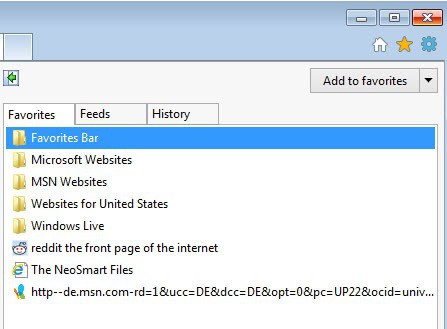
I do not like the way all major browsers display and let you manage the bookmarks and favorites. Internet Explorer 7 displays the favorites either in a sidebar or a tiny window and it becomes really annoying if you have to edit a lot of favorites from time to time. I do add a lot of websites to the favorites at work because that is the only computer that I'm forced to use the Internet Explorer.
A far better way to edit Internet Explorer 7 Favorites would be to hold the shift key when clicking on Organize Favorites. This can only be done if the menu toolbar is displayed in Internet Explorer 7 so make sure it is. Pressing the shift key while clicking on Organize Favorites opens the favorites which are located in your Windows profile folder allowing you to edit them in fullscreen and without hassles.
A major advantage of that view is that you can sort the favorites by name or date making it much easier to sort them quickly. It is also possible to select more than one favorite at once and move it into a new folder which is not possible in Internet Explorer.
It is possible to access the folder where the Internet Explorer 7 favorites are saved directly. You can find it in your Documents and Settings \ profile name \ Favorites folder.
Update: Please note that there is another option to manage favorites in Internet Explorer. Favorites are stored in a folder on the system which you can open in Windows Explorer or using another file browser. You find them under C:\Users\username\Favorites on newer versions of Windows. Here you can move, delete or edit the names of all favorites. You can create folders if you like, move favorites in and out of folders and manage everything in a window that you can resize any way you want.
Advertisement














Thanks for the tip.
However if you are to edit a large bunch of URL it is not really easy. It wold be nice if an alternative FILE EXPLORER would display line by line all entries of the BOOKMAK folder and for each line let you read all fields of that URL and modify it if required.
Actually an extension to the “windows file explorer” with a feature like: DISPLAY, then SELECT DETAILS where you could display the http://www.somesite.de stuff. And most of it be able to edit that content.
Indeed you can do it by selecting PROPERTIES line by line. But it is awkward!
Works in IE8 beta 2! Solved a problem for me.
Awesome tip! I had no idea this existed. MS should provide this in IE as a selection. Thank you!!!!!
This tip is fabulous…so much easier than that silly little window.
Now, please tell me how to stop source messages when my mouse hovers over a photo or other file in which the message must be embedded? The script pops up and is unwanted, blocking my view. Thank you for knowing something about computers !
I’m trying to find the location of Favorites in IE7. A microsoft update wiped out whatever I had wherever it was.
The tip to hold down the Shift key while selecting Organize Favorites in IE made my day. I use Firefox at home and it’s so much easier – so this tip will reduce the bad words I mumble at IE at work. Note I said reduce, not stop… Thank you!
for firefox type :
chrome://browser/content/bookmarks/bookmarksManager.xul
in your browser to edit the bookmarks in a bigger screen estate.
You could add above to your bookmarks and set it up to something like ‘bkm’ as shortcut.