How to send GIFs on iPhone
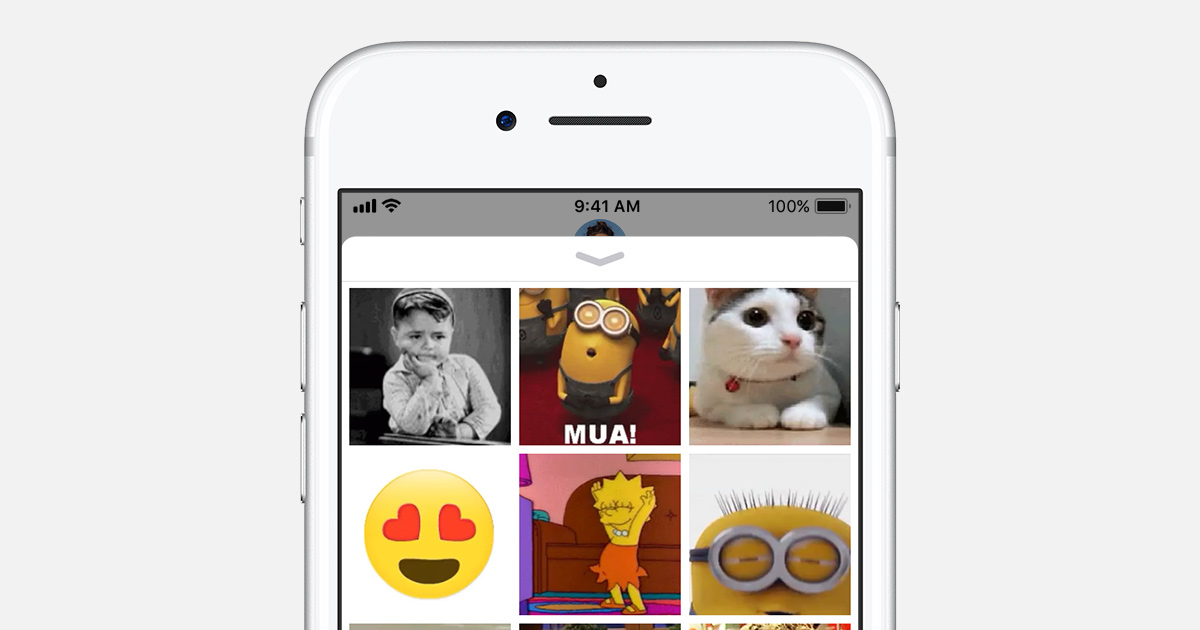
To send a GIF on iPhone, open Messages, start or open a conversation, tap the plus (+) button, then tap #images. Tap Find images, type a keyword, tap the GIF you want to add it to your message, and tap Send. If #images is not available in your region, install a GIF app such as GIPHY and send from its iMessage extension or share sheet instead.
This guide covers the built-in #images method, sending GIFs with GIPHY, sending GIFs you have already saved, how to save GIFs you receive, and what to check when #images is missing.

Does iPhone have GIFs built in?
Yes, iPhone has a built-in GIF search in the Messages app called #images. Apple describes it as a way to find and share GIFs with your contacts, and according to Apple it is installed by default in iOS 18. You do not need to download anything as long as #images is offered in your country or region.
Apple lists #images as available in these countries and regions:
- United States, Canada
- United Kingdom, Ireland, France, Germany, Italy
- Australia, New Zealand
- India, Singapore, the Philippines, Japan
Outside these markets, #images may not appear in the Messages app drawer at all. In that case, a third-party GIF app is the way to send GIFs from your iPhone (see the GIPHY section below). If you want a refresher on the format itself, our explainer on what a GIF is and how it works covers the basics.
How to send a GIF in Messages with #images
Sending a GIF with #images takes five steps from any conversation in the Messages app. These are the steps Apple documents:
- Open Messages, tap the Compose button and enter a contact, or open an existing conversation.
- Tap the plus (+) button next to the text field.
- Tap #images. If you do not see it, swipe up in the app list to see more apps.
- Tap Find images, type a keyword such as "birthday" and tap search.
- Tap the GIF to add it to your message, add text if you like, then tap the Send button.
You can add a GIF to a text message this way: the GIF sits in the message field with whatever you typed, and both go out when you tap Send. To move #images closer to the top of the list, open the plus (+) menu, touch and hold the #images icon until it shrinks slightly, and drag it to a new position.
How to send GIFs on iPhone with GIPHY
GIPHY is the best-known third-party option for sending GIFs on iPhone, and it is the fix when #images is unavailable or lacks the GIF you want. The free GIPHY app from Giphy, Inc. requires iOS 15.6 or later, and its App Store listing includes an iMessage extension and a keyboard extension.

To send a GIF from inside Messages with GIPHY:
- Install GIPHY from the App Store.
- Open a conversation in Messages and tap the plus (+) button.
- Swipe up to see more apps and tap GIPHY.
- Search for a GIF, tap it to add it to the message, then tap Send.
You can also open the GIPHY app itself, find a GIF and use its share option or copy it to the clipboard, then paste it into Messages, WhatsApp, Instagram or another chat app. If GIPHY does not show up in the plus (+) menu, go to Settings > Apps > Messages > iMessage Apps and make sure it is turned on. For animated stickers rather than GIFs, Giphy also offers a separate GIPHY Sticker Extension for iMessage that requires iOS 17 or later.
How to send a GIF you already saved
A GIF that is already in your Photos library can be sent like any photo. In a Messages conversation, tap the plus (+) button, tap Photos, pick the GIF and tap Send. The same works from the Photos app: open the GIF, tap the share button and choose Messages or another app.
This is the easiest way to reuse a favorite reaction GIF, because you do not have to search for it again each time. It also works with GIFs you saved from the web or received from friends. To share a GIF with nearby Apple devices instead of a chat, AirDrop works from the same share sheet; if it fails, see our guide on fixing AirDrop on iPhone.
How to save a GIF on iPhone
To save a GIF someone sent you in Messages, open the conversation, touch and hold the GIF, then tap Save. Apple says the GIF is saved to the Photos app, where you can send it again later from the Photos picker or the share sheet.
GIFs found on websites can usually be saved the same way: touch and hold the image in the browser and choose the save option. Note that some sites serve animations as short videos rather than real GIF files, so what you save may not be a GIF. In GIPHY, you can also save GIFs to your favorites in the app so you can find them quickly.
What to do if #images is missing on iPhone
If #images is missing, a common reason is that your keyboard language or region is not one Apple supports for the feature. Work through this checklist:
- Check Settings > General > Language & Region and make sure your region and keyboard language are supported, as Apple recommends.
- Open the plus (+) menu in Messages and swipe up to see the full app list, since #images may sit below the first row.
- Go to Settings > Apps > Messages > iMessage Apps and check that #images is turned on.
- Update iOS, then check again.
- If none of this helps, use GIPHY or another GIF app from the App Store.
FAQ
Can I send a GIF from iPhone to an Android phone?
Yes. You can add a GIF in Messages and send it to a contact who uses Android. How it plays depends on the recipient's messaging app and carrier, so if it arrives as a still image, try sending it through a chat app both of you use.
Is #images free to use?
Yes. #images is part of the Messages app and costs nothing to use. The GIPHY app is also free on the App Store.
Can I send GIFs on iPad too?
Yes. Apple's #images instructions apply to both iPhone and iPad, and the steps in Messages are the same.
Related: Send photos as documents in WhatsApp, Change a contact photo on iPhone, Set up Apple Pay on iPhone

yeah sure… they are always the victims and it is only against them ????
Believe them 100% and never question anything. This lawsuit sounds like the type you heard when people were eating batteries.
What does this article about Musk/Tesla have to do with computing, devices, phones?
More irelevant filler.
No, they didn’t lmao.
https://twitter.com/vxunderground/status/1706523877478670542
“Operating systems will be required to let the user choose the browser, virtual assistant and search engine of their choice. Microsoft cannot force users to use Bing or Edge. Apple will have to open up its iOS operating system to allow third-party app stores, aka allow sideloading of apps. Google, on the other hand, will need to provide users with the ability to uninstall preloaded apps (bloatware) from Android devices. Online services will need to allow users to unsubscribe from their platform easily. Gatekeepers need to provide interoperability with third-parties that offer similar services.”
Wonderful ! Let’s hope they’ll comply with that law more than they are doing with the GDPR.
We all live in digital surveillance glass houses under scrutiny of evil people because of people like Musk. It’s only fair that he takes his turn.
@The Dark Lady,
@KeZa,
@Database failure,
@Howard Pearce,
@Howard Allan Pearce,
Note: I replaced the quoted URI scheme: https:// with “>>” and posted.
The current ghacks.net is owned by “Softonic International S.A.” (sold by Martin in October 2019), and due to the fate of M&A, ghacks.net has changed in quality.
>> ghacks.net/2023/09/02/microsoft-is-removing-wordpad-from-windows/#comment-4573130
Many Authors of bloggers and advertisers certified by Softonic have joined the site, and the site is full of articles aimed at advertising and clickbait.
>> ghacks.net/2023/08/31/in-windows-11-the-line-between-legitimate-and-adware-becomes-increasingly-blurred/#comment-4573117
As it stands, except for articles by Martin Brinkmann, Mike Turcotte, and Ashwin, they are low quality, unhelpful, and even vicious. It is better not to read those articles.
How to display only articles by a specific author:
Added line to My filters in uBlock Origin: ghacks.net##.hentry,.home-posts,.home-category-post:not(:has-text(/Martin Brinkmann|Mike Turcotte|Ashwin/))
>> ghacks.net/2023/09/01/windows-11-development-overview-of-the-august-2023-changes/#comment-4573033
By the way, if you use an RSS reader, you can track exactly where your comments are (I’m an iPad user, so I use “Feedly Classic”, but for Windows I prefer the desktop app “RSS Guard”).
RSS Guard: Feed reader which supports RSS/ATOM/JSON and many web-based feed services.
>> github.com/martinrotter/rssguard#readme
GateKeeper ?
That’s called “appointing” businesses to do the state’s dirty work!!!!!
But the article says itself that those appointed were not happy – implying they had not choice!!!!!!
Rreedom of Association is one of our most important rights. Some people think it’s Freedom, but no, I say Rreedom is far more important. There are many STATE-MANDATED associations that save jobs, that’s right MANDATED. I can’t name any of them, but rest assured they are bad, because saving jobs are bad, and people having jobs leads to dictatorship!!! Anyone who disagrees is too radical for Ghacks maybe, because I’m not sure.
Don’t tell me!
Ghacks wants the state to step in for STATE-MANDATED associations to save jobs!!!
Bring in the dictatorship!!!
And screw Rreedom of Association – too radical for Ghacks maybe
Martin, [#comment-4569908] is only meant to be in: [https://www.ghacks.net/2023/07/09/how-to-send-gifs-on-iphone-two-different-ways/]. Whereas it appears duplicated in several recent random low-quality non relevant articles.
Obviously it [#comment-4569908] was posted: 9 July 2023. Long before this thread even existed… your database is falling over. Those comments are supposed to have unique ID values. It shouldn’t be possible to duplicate the post ID, if the database had referential integrity.
AI is stupid, and it will not get any better if we really know how this all works. Prove me wrong.. https://www.youtube.com/watch?v=4IYl1sTIOHI
Martin, I would appreciate that you do not censor this post, as it’s informative writing.
Onur, there is a misleading statement “[…] GIFs are animated images …”. No, obviously you don’t seem to have take much notice of what you were told back in March regarding; Graphics Interchange Format (GIF).
For example, https://www.ghacks.net/2023/03/31/whats-gif-explanation-and-how-to-use-it/#comment-4562919 (if you had read my replies within that thread, you might have learnt something useful). I even mentioned, “GIF intrinsically supports animated images (GIF89a)”.
You linked to said article, [Related: …] within this article, but have somehow failed to take onboard what support you were given by several more knowledgeable people.
If you used AI to help write this article, it has failed miserably.
EMRE ÇITAK posts are useless because they are fraught with inaccuracies and are irrelevant.