
Make The Most Out Of Pinterest With These Browser Add-ons

Web browser add-ons can improve your Pinterest experience significantly. Let me give you a quick overview of what the service is about. Pinterest lets you pin photos and videos to online pinboards. These are publicly accessible, and all Pinterest users can comment on them, share them or pin them to their pinboards as well. Links to the original site the photos or videos were found on are retained, which makes it a visual bookmarking service as well.
There are three options to pin photos or videos to your own pinboard. You can use the bookmarklet and run it on the page that contains the photo or image, paste the web address of the page on the Pinterest site into a form, or pin an item that has been posted by another Pinterest user.
When you look at browser extensions, you will notice that Google Chrome got the bulk of it, while both Firefox and Opera only one each. Lets take a look at the add-ons:
Pinterest Add-ons
Pin It Buttons - Instead of having to use the bookmarklet, these extensions add a button to the browser that you can click on to pin a photo or video on that website. Chrome: Pin It Button, Opera: Pinterextension, Firefox web browser: Pinterest Pin Button.
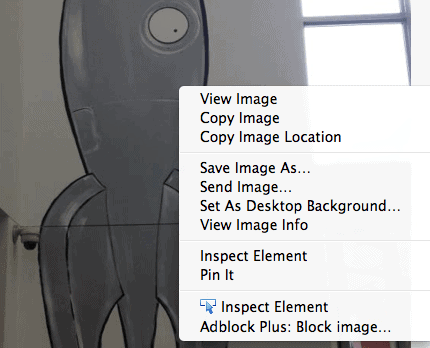
Right-click Pinning - These add a right-click context menu option to pin the selected item to one of your Pinterest pinboards. Chrome: QuickPin, Firefox: PinImage
Keyboard shortcuts - Adds a shortcut to pin items on a page with a keyboard shortcut. Chrome: Pin It!
Image Zooming - Lets you zoom in on images right on the Pinterest website without having to click on the item. Works similar to Hover Zoom. Chrome: Pinterest Zoom
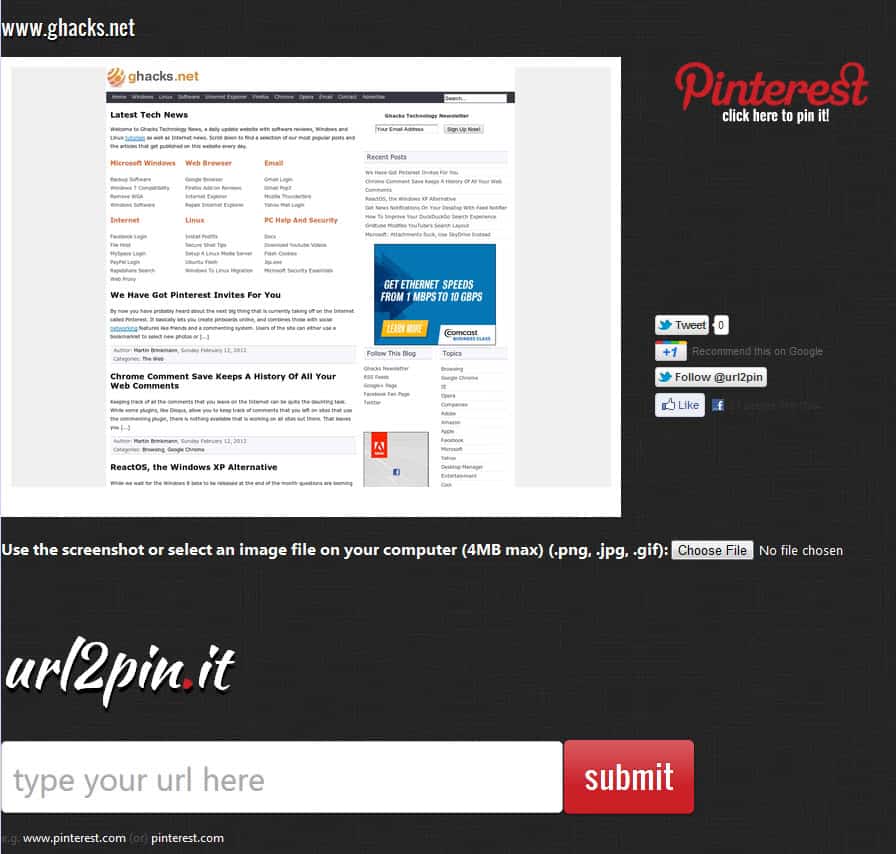
Pin Screenshots - Lets you pin screenshots of web pages that you are currently on, or upload photos from your desktop to pin those. Chrome: Screen 2 Pin
Closing Words It is interesting to note that there is no userscript, and only one Firefox add-on available for a popular service such as Pinterest. Google Chrome on the other hand has been blessed with extensions in comparisons. Is it because many developers are using that browser now? What's your opinion here? Also, let me know if you come across other add-ons for Pinterest. And if you are not currently a user, you can grab your Pinterest invites here.
Update: We had to remove some Pinterest extensions as they were removed by their authors from the Google Chrome Web Store.
Advertisement


















I tried to add the pin button to my browser. It resulted in a message saying it was not available. Is it supposed to work in Opera?
The extension has not been updated for years. I suggest you try some of the Chrome extensions instead as they should work in Opera as well.
Check out this Chrome extension I built that lets you pin a page even if it doesn’t satisfy the image/video requirements. It lets you pin with an image of a cat instead.
https://chrome.google.com/webstore/detail/pin-it-all/fgkahiidpmgafgcfiodnkecmecddgldk
Yes i was looking to instal the”Pinterst” button, when I looked it up to add the Pinterest button, it brought me to this page, where I just down loaded google, but where in the World is the “Pinterest” Button OFFER!!!!Help.
I’m a writer and very into radio streaming, and the growth of Pinterest is a little heartbreaking for me. I loathe that Facebook is so image-focused and shallow. Most of the content I want to create and share is music or text, and Pinterest, even more than Facebook, de-emphasizes these mediums. I was hoping more people would jump on the Tumblr bandwagon, but now I’m at a loss. Where do people who don’t want videos and pictures go? Where do people go to share thought-provoking articles and good music? Don’t get me wrong, lots of sites exist just for this (I mostly use Blip, Hypem, SixtyOne for music, but there are tons) but these are niche sites. Pinterest has gained mass appeal, and it is completely picture-focused.
Pinterest is a new social site and it’s popularity is ever increasing ,I am new to it and I like it as well, thanks for the article Martin.
You should also try Easypinner on chrome https://chrome.google.com/webstore/detail/nhjgdejhenjieggedkonojglkjlfpgib (I’m the developer)
Chrome extensions are very intesting, I am currently using add circle for G+. Pinterest extensions will help users to browse web in new and exciting way. That’s great share.
Popular? I’ve only heard about it for the first time yesterday…
Had a look and said “what’s the big deal?”
Great article Martin, Do you know or one of above add-one’s or maybe one outer makes it possible to post .gif ( That will work after been posted as a .gif file.) picture files on Facebook?
I do not think they accept gifs Paulus.
> Image Zooming – Lets you zoom in on images right on the Pinterest website without having to click on the item. Works similar to Hover Zoom. Chrome: Pinterest Zoom
I don’t know how long its been true, but Hover Zoom is already zooming Pinterest
That’s great.