
What's iGoogle And How To Return To Google Classic Search?

Imagine the surprise of a close relative when they were greeted by an iGoogle page instead of the classic Google homepage after opening their web browser.
The search page looked slightly different. The Google logo now read iGoogle and a message below the search box told them that they have been signed out and needed to sign in to see "their stuff".
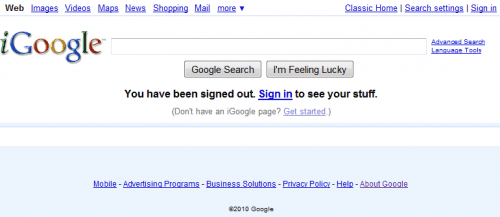
Reloading the page or pointing the browser manually to http://www.google.com/ did not help as the iGoogle page was loaded and displayed again.
So what is iGoogle? IGoogle is Google's version of a customizable homepage. It requires a Google account and the user needs to be signed in to take advantage of the features of the homepage.
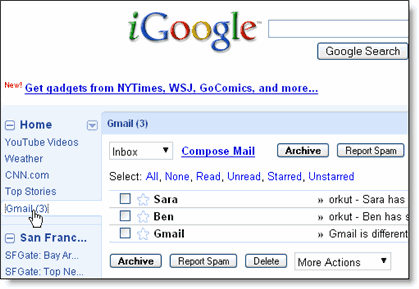
The page can be customized with gadgets that display information on the homepage. This ranges from weather information to Gmail messages, latest news stories from popular newspapers like the New York Times or Wall Street Journal or RSS feeds from favorite websites.
Google seems to be setting a cookie that determines where to redirect the user when the Google homepage is opened. Users can either delete the cookie to return to the classic Google homepage or click the Classic Home link at the top right corner of iGoogle to be taken to the standard homepage.
Google remembers the setting and will open the classic home page from that moment on.
Advertisement


















I am a regular user of google. It is so good. But, I can not search information through Google Classic. I use uc browser in my nokia 7210 supernova. Please allowed me to search througi goole classic.