
Norton Removal Tool

I have been using Norton products in the past and was always astonished how resource hungry those products were. They surely looked professional which was the main reason why I did install them but they slowed down the system and were really hard to remove from the system as well.
Norton Internet Security 2006 for instance slows down system start of the average PC by more than 40 seconds which is one of the reasons why I think that it is not worth it. A lot of great, resource friendly applications exist that can fully replace most Norton applications and I would recommend to make the switch.
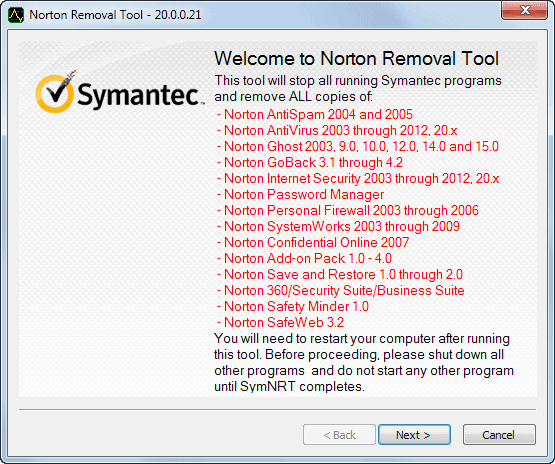
The Norton Removal Tool is helpful because it can remove a failed installation, damaged or unwanted Norton product from your system. I would even suggest to run this application after using the default uninstallation process just to make sure that all files and settings are gone as well.
A lot of computer systems and notebooks ship with (trial) versions of Symantec or Norton products as well and I would suggest to uninstall them using the program if the default uninstaller for whatever reason fails to remove the program completely or at all from the system.
Alternatives vary of course depending on the Norton product that you are using. I suppose the antivirus software is the most common one which can be replaced by AntiVir for instance. Just write a comment if you are looking for a recommendation for another product.
You can download the latest version of the Norton Removal Tool from the Symantec Support website. Here you need to first select your product from the list of available choices - note that security and other Norton software is listed here - to be taken to a secondary page where you find the download link and instructions on how to run the application on your computer system.
You can remove the majority of Norton products using the application, including Norton 360, Norton Password Manager, Norton Ghost or AntiVirus.
You do not need to specify the product that you want to remove as it will uninstall and remove all supported products from the PC. This can be an issue if you just want to remove one product but keep others that you have installed.
So, make sure you do not need any of the Norton products installed on your system before you run the removal tool.
Advertisement

















Processing MSI’s proved not to be a gang up in my case. It just took about 9 minutes. I’d just hang on for a while.
SOLVED:” Processing MSI”s by product code” I was unable to install NIS 2010. Norton removal too was hanging at the MSI. Went to Norton Community forum and got answer there!
Go to C:\ProgramData and delete all the Norton folders out of there
worked for me.
Norton Internet Security 2010 30 day trial
Windows 7 Final
Used the removal tool as I had tried a previous trail version. I really like the new 2009 Internet Security and 2010 versions from Norton. Very low on resources and very responsive. A big turnaround from previous Norton products that were resource hogs and difficult to get rid of. Here is my problem which I see has been an issue with others. I run into a hang with the removal tool at ” Processing MSI’s by product code” When I try to install the 2010 30 trial it starts up and then disappears. I tried the 2009 version and it installs without any problem. I really like this product and keep coming back to it. I’ve tried trials of Kaspersky, BitDefender and ESET but I feel Norton is by far a better product and so does PC Magazine this year. Not sure why I can’t get this installed.
Just get NOD32. You’ll be suprised to see real Anti-Virus in action…
Uninstalled Norton some time ago and speeded up my pc by about 500%. Still some stuff left in there but I’ve had such a bad experience with Norton that I even hesitate to use their removal tool. AVG does a much better job IMHO. I use FireFox and have not had any spyware or virus issues (touch wood!) since I removed Norton. I reckon I can live with the last vestiges still in my registry. Over time I’ll find all of it and delete it manually.
I’ve got exactly the same problem – software hangs up and stops on processing msi’s by product code.
Can anyone help?
I am trying to remove norton from my vista machine, but the software hangs up and stops on processing msi’s by product code.
What can I do to get this stuff to finish
Can Anyone Tell me exactly what norton was meant to do. Just went to the states for a holiday with my wife and got roped into trying to make my sister in laws pc run faster. Install spybot straight away and it found over 4500 pieces of spyware which I thought Norton Internet Security was supposed to stop. So besides taking the piss with subscription charges, scaning which usually takes about three hours I can’t see what it is meant to do
Once upon a time I wanted to do a backup with Norton Ghost of what I thought was my best Windows installation so far (THE BEST Windows installation worldwide in fact…). ;) Well, Norton Ghost ruined it. I had to reinstall Windows.
What a coincidence, I just used this removal tool last evening. Worked wonders. Vista couldn’t remove Norton because it couldn’t find a “specified module”. Removal tool took it right off.
Last Norton product i used was Norton Ghost but i have left Norton out in the cold completely now as i use Acronis True Image Home instead and it works just fine. As AV i use AVG Free Edition and it works ok for a free version + it doesn’t makes your PC behave like a snail on drugs so to say.
Sorry to say but my experience is that Norton products have been worse not better since Win95 days when i started to use NAV.
For Internet security i use Firefox with NoScript installed so i can choose which sites i trust to use scripts and which i don’t.