Is Opera GX Safe? Security and Privacy Compared With Chrome
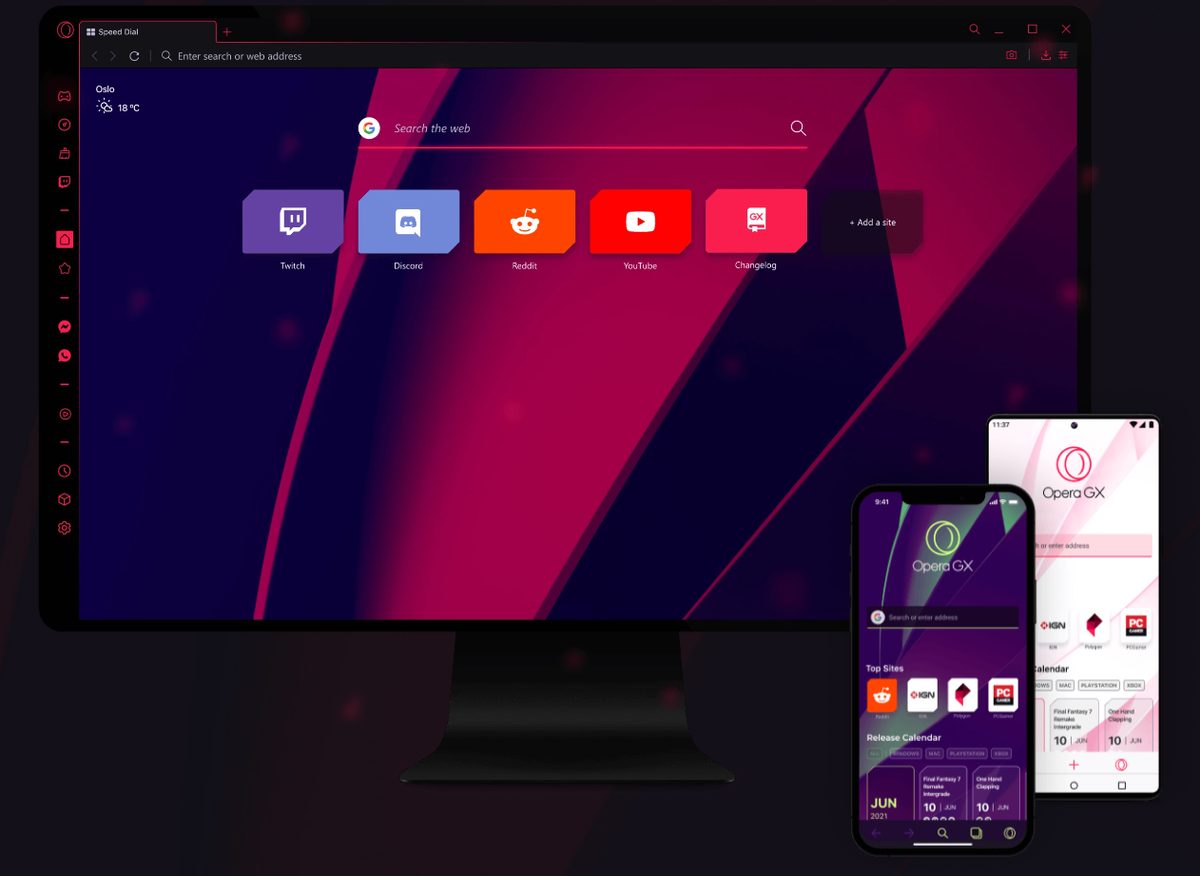
Yes, Opera GX is safe to use when you download it from opera.com and keep it updated. It runs on the same Chromium engine as Google Chrome, isolates each site in its own process and receives regular security patches. It adds a free browser VPN, an ad blocker, a tracker blocker and cryptomining protection that Chrome does not ship. The main trade-offs are privacy related: ownership, optional data sharing and how much you trust Opera's VPN.
This guide explains what makes Opera GX safe, where its limits are, how it compares with Chrome on security and privacy, and which settings to check after installing it.

Is Opera GX safe to use?
Opera GX is a legitimate, safe browser built by Opera, the browser company headquartered in Oslo, Norway. It is not malware or adware. According to Opera's annual report filed with the SEC, its browsers incorporate technology from the open-source Chromium project, so Opera GX inherits the same core engine security work that protects Chrome, Edge and Brave.
Opera lists these protections on its Opera GX privacy and safety page:
- Isolated processes: every site runs separately, so a compromised page should not expose data from other tabs.
- Security updates: the browser is patched against new threats, and Opera runs penetration tests, internal audits and a bug bounty program.
- Encrypted DNS: DNS-over-HTTPS hides your lookups from your internet provider.
- Vetted add-ons store: extensions in Opera's own store are reviewed before listing.
- Site permissions and data control: you decide which sites get camera, location or cookie access and what is deleted on exit.
The real risk with Opera GX is the same as with any browser: fake installers, malicious extensions and phishing pages. Download it only from opera.com or your platform's official app store.
Opera GX privacy features: VPN, ad blocker and tracker blocker
Opera GX bundles privacy tools that other browsers leave to extensions. The free Opera GX VPN needs no account, has no data limit, offers up to six locations and encrypts traffic between the browser and Opera's servers with 256-bit encryption. Opera says it keeps no logs of VPN activity and cites audits by Deloitte and Cure53.
Two limits matter. First, the free VPN only protects traffic inside Opera GX, not your games, launchers or other apps. Full-device protection is the paid VPN Pro product. Second, a no-log claim is a promise from the provider; an audit raises confidence but is not a guarantee.
The other built-in tools are switched on under Settings, then Privacy protection:
- Ad blocker: blocks ads before they load, which also cuts exposure to malvertising.
- Block trackers: a separate toggle that stops many third-party tracking scripts.
- NoCoin (Cryptocurrency Mining Protection): enabled under Privacy protection, Manage lists, and stops sites from using your CPU to mine crypto.
- Private windows: no cookies, cache or history are saved after you close the session.
Opera GX also has gimmicks with a privacy flavor, such as the Fake My History feature, which replaces your browsing history with a fictional one. Treat it as a novelty, not a security control.
What data does Opera GX collect?
Opera GX collects some optional usage data, and you can opt out during setup or later in Settings. Opera says the optional categories are your country, newsfeed activity, website categories, usage statistics and crash reports. It states that it does not collect your exact location, full browsing history, what you type, or data from VPN sessions.
Opera says browser data is stored on European servers, mainly in the Netherlands and Poland, with VPN infrastructure also in the United States and Singapore.
Ownership is the point many privacy-minded users weigh. Opera's SEC filing describes it as a controlled company whose controlling shareholder belongs to Kunlun Tech, a Chinese internet group. That does not make the browser unsafe in a technical sense, and there is no public evidence in the filing of misuse, but it is a fair factor if you prefer a browser developed by a non-profit or an organization you trust more. For a lower-trust setup, turn off optional data sharing and use the browser without signing in to Opera sync.
Is Opera GX safer than Chrome?
Opera GX is not fundamentally safer than Chrome, but it offers more privacy protection out of the box. Both use Chromium, so engine-level defenses such as sandboxing and site isolation are similar. The difference is in the extras and the default settings.

| Feature | Opera GX | Google Chrome |
|---|---|---|
| Engine | Chromium | Chromium |
| Malicious site warnings | Built-in protection and patches | Safe Browsing (Standard by default, Enhanced optional) |
| Ad blocking | Full ad blocker built in | Only blocks intrusive ads on sites that fail the Better Ads Standards |
| Tracker blocking | Built-in toggle | Needs settings changes or extensions |
| Cryptomining protection | NoCoin list | No dedicated list |
| VPN | Free browser VPN, no account | Needs a VPN extension or app |
| Data model | Optional usage data, opt out available | Tied closely to your Google account if you sign in |
Chrome's strongest card is Safe Browsing Enhanced protection, which scans suspicious downloads in depth, warns about threats Google has not seen before and alerts you when a password appears in a breach. The cost is that Chrome sends more browsing data to Google in that mode. Chrome's ad filtering only removes ads on sites with abusive ad experiences, so most ads still load unless you add a content blocker extension.
Is Opera GX better than Chrome for gaming and performance?
Opera GX is better than Chrome if you want to control how much of your PC the browser uses while you game. Its GX Control panel includes a RAM limiter that sets hard memory caps, CPU control that throttles background tabs, a network limiter that caps the browser's bandwidth so downloads do not wreck your ping, and Hot Tabs Killer, which closes the heaviest tabs in one click.
Chrome has no comparable caps. Its closest feature is Memory Saver, which frees memory from inactive tabs but does not let you set a hard limit.
Chrome is the better choice if you rely on Google services, want the largest extension library and the fastest access to new web features, or use Enhanced protection as your main phishing defense. Opera GX can install most extensions from the Chrome Web Store too, so extension choice is rarely a deal breaker.
Is the regular Opera browser safe?
Yes, the standard Opera browser is as safe as Opera GX. Both come from the same company, use the same Chromium base and share the built-in ad blocker, tracker blocker and free browser VPN. Opera GX adds the gaming layer on top, including GX Control and its mods and themes.
If you do not need the gaming extras, the regular Opera browser gives you the same protections with less going on in the interface. Check helper components after installation, such as the Opera Browser Assistant, and remove what you do not need.
How to make Opera GX safer after installing it
A few minutes in Settings make Opera GX noticeably more private.
- Download the installer only from opera.com, never from a third-party download site.
- Open Settings, then Privacy protection, and turn on the ad blocker and Block trackers.
- Under Privacy protection, select Manage lists and enable NoCoin (Cryptocurrency Mining Protection).
- Turn off the optional data sharing categories you do not want to send to Opera.
- Set what is cleared automatically when you close the browser.
- Use the free VPN for public Wi-Fi, but remember it does not cover other apps.
- Install only extensions you actually need and review their permissions.
If you prefer your own resolver, see our guide to enabling DNS over HTTPS in Chromium browsers.
FAQ
Is Opera GX spyware?
No. Opera GX is a mainstream browser from a publicly listed company. It collects some optional usage data, which you can turn off in Settings, and the official installer from opera.com contains no malware, though you should review optional helpers such as Opera Browser Assistant.
Is the Opera GX VPN a real VPN?
It encrypts browser traffic and hides your IP address from the sites you visit, but only inside Opera GX. For system-wide protection you need Opera's paid VPN Pro or another VPN app.
Can Opera GX use Chrome extensions?
Yes. Because it is built on Chromium, Opera GX can install most extensions from the Chrome Web Store as well as from Opera's own add-ons store.
Related: how to speed up the Opera browser, Proton VPN browser extensions for free users

You have an error.
Opera doesn’t have a true vpn
Their “VPN” is a proxy that is routed through Poland. It’s not really safe to use as your traffic isn’t secured, it’s just rerouted end point.
Opera GX rules, smaller memory footprint, faster in many areas, muuuuch better looking and…it doesnt forcibly remove control and if it wants to it actually asks you first, unlike Chrome which treats you like an unruly child.
For a quite long time this has been a pretty reliable site for all “common Joe”. But it looks it is all gone now. Shame people, real shame…
Shocking, “vicious” article.
Do not take anything in that article seriously
– Google crome, whose mission is to advertise, collect personal information, and sell it to third parties, is secure and reliable!?
The viewpoint of “secure” and “reliable” is wrong!
– What’s more, a VPN is safe!? Most VPNs are unreliable and rather risky.
Who is Eray Eliaçik?
ghacks.net has become a double standard of Jekyll (Good faith) and Hyde (Bad faith).
“Ghacks Technology News” is no longer trustworthy.
““Ghacks Technology News” is no longer trustworthy.”
err, it is – just avoid articles that aren’t from Martin or Ashwin – all the other guys are softonic stooges
I don’t trust Opera (or by extension Opera GX) ever since they were acquired by a Chinese investment group in 2016. Personally, I use Vivaldi, which was created by the original Opera developers.
You shold know, that Opera is a Europe-based company, headquartered in Oslo, Norway. Although not a European Union member, Norway has adopted key EU legislation, including the General Data Protection Regulation (GDPR). As such, Opera users’ data is protected by the GDPR’s robust framework and strict regulations. And, because Opera is a European company, this means that this protection is extended to Opera users outside of the EU as well – we are essentially exporting GDPR protections to the world.
Opera is also a publicly listed company, trading on the NASDAQ stock exchange (OPRA). This is another guarantee for users, because public companies are obligated by law to be transparent and disclose information about all their activities. Opera shareholders and the public can access Opera’s quarterly reports just like with any other listed company.
This also means that Opera is, in fact, the only browser company that anyone can own by purchasing shares in it.
Opera is a European company, data protection is extended to users outside of the EU as well (GDPR)
https://blogs.opera.com/security/2023/07/debunking-spyware-misinformation/
Meta was fined a record $1.3 billion and ordered to stop transferring data collected from Facebook users from the EU to US.
https://www.nytimes.com/2023/05/22/business/meta-facebook-eu-privacy-fine.html
CONCLUSION: They found out that Meta is transferring data to the US, but transfers to China are ‘invisible’??
proprietary garbage
The only reason why I always hated Opera and couldn’t ever switch to it was because weird decisions for obvious profit, like they don’t let you add a custom search engine and set it to default, you only can set default the search engines they have pre-defined based on your region’s partners.
Also, there are many weird things like you can’t use Shift+Del to remove history items, quickly.
Also, normal Opera with the new UI seems better since it supports Tab Groups, but since they don’t use native Chromium UI, you can’t use any extension to expand their capabilities like some extensions do it.
Also, the whole sounds and splash screen is annoying. But it has nice features, I still wish they had one version, and you could just push a button and switch to ‘game’ and ‘normal’ and then, there wouldn’t be these weird differences like how GX has profiles but normal doesn’t, or didn’t last time I tried.
The most important feature of the browser to me is to fake my browsing history when i DIE.
Ads don’t make you unsafe wtf. Disgusted by disinformation like this.
Yes, and Covid is fake news…
Never heard of malware that is delivered through online ads? And let’s not even start about the tracking…
if you don’t know the information, please don’t post.
It is not that ‘ads’ are unsafe per say, which are mostly for tracking users and sell people’s information, but many people use ads to push malware… so… at least research 5 minutes on the internet before saying anything.
https://www.bleepingcomputer.com/news/security/hackers-push-malware-via-google-search-ads-for-vlc-7-zip-ccleaner/