
Popular Windows XP TV Themes

My article yesterday explained how to patch the file uxtheme.dll in Windows to be able to add custom themes to Windows. Today I'm going to introduce popular TV Themes for Windows XP that you can use if you have patched the file. You will see some wonderful creative themes centering around a tv show or character, wonderful if you are a fan and would like to use a theme that brings you closer to the show or the character.
Expect Windows XP themes of Spiderman, Superman, Batman, Dragonball, The Simpsons, Fantastic 4 and The Flash. Let me explain how you install those themes. Once you have patched the uxtheme.dll you need to unpack the themes that you download into the Windows/Resources/Themes folder. When that is done double-click the .mstyles file which should open the Appearance tab in Display Properties. Click Apply and you are all set.
You sometimes have the choice between several styles for Windows and Buttons as well as Color Schemes. Use the pulldown menus on the left to see if that is the case for the selected theme.
Update: The themes are no longer available on the site and have been removed from this article as a consequence. We would like to present you with two alternatives though. Theme XP hosts almost 1500 different themes for Windows XP, sorted into categories such as Sports, TV, Fantasy or Science Fiction.
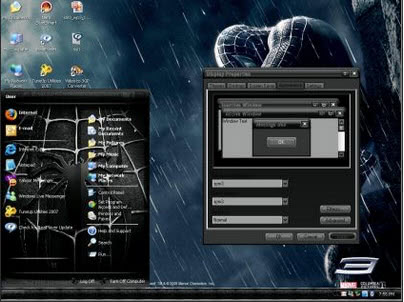
All themes are displayed with a desktop screenshot and size information so that it is easy to pick the themes you are interested in.
Customize.org is the second website. It offers more than 500 different Windows XP themes and related information like walkthroughs on how to install the themes on your Windows PC. All themes here are displayed with thumbnails as well, and you can use tags to find specific themes.
Advertisement














