
Chrome Gets Per-Site Permissions to Run Quicktime, Java Plugins

Update: Google is fading out plugin support in Chrome. Chrome won't support so-called NPAPI plugins anymore at the end of 2015 with no option to get the functionality back.
Big news today for the Google Chrome crowd. A post on the Google System blog outlines a recent change in the browser that affects the Java and Quicktime plugin, and maybe even other lesser known plugins.
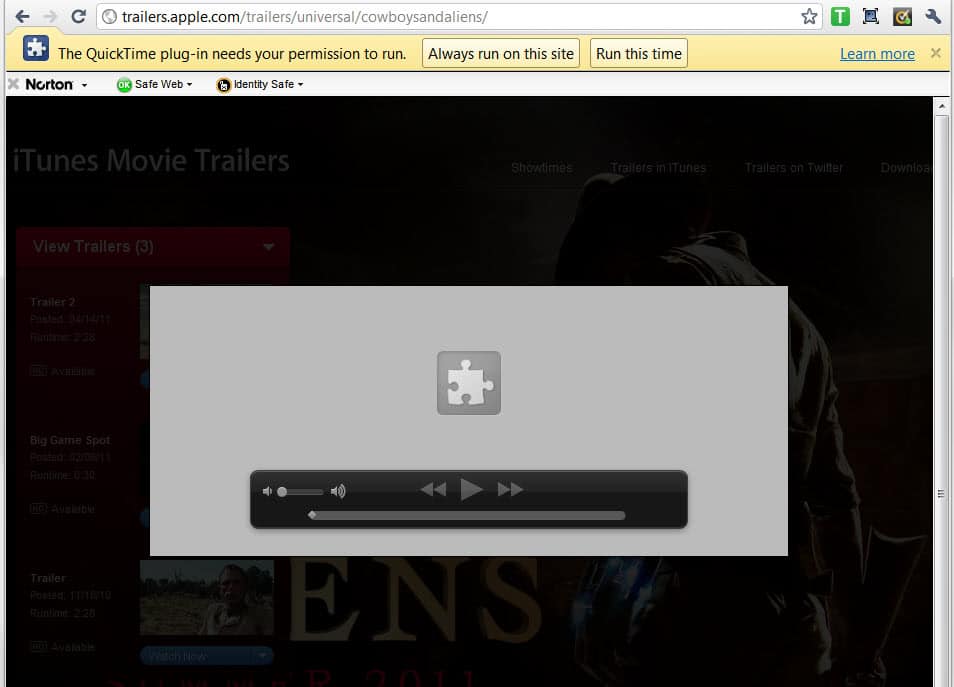
Probably the easiest way to demonstrate what has been changed is it show you a screenshot of Apple's popular trailer website. As you may know, trailers on that site work only if the Quicktime plugin is installed in the web browser.
If you visit a trailer like this one in Google Chrome you get a notification at the top of the browser. It reads: The QuickTime plug-in needs your permission to run. Options are to always run the plugin on the site, run the plugin this time, load a learn more page or close the notification.
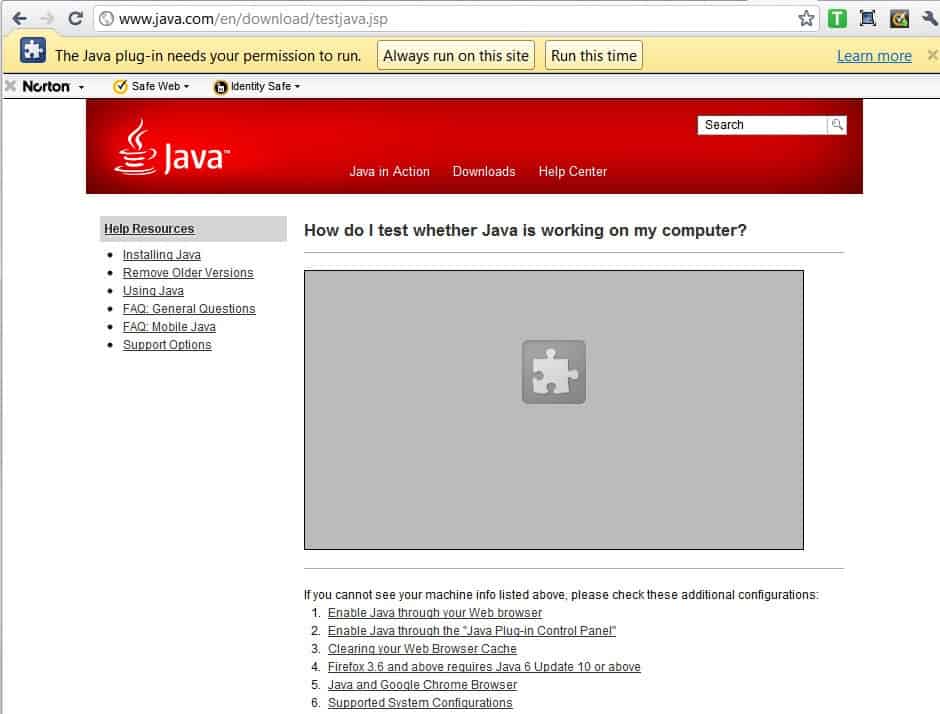
A similar alert is shown when you open a website that requires Java, for instance to play games or run web apps that require the technology (The Java plug-in needs your permission to run).
The Silverlight plugin is on the other hand not affected by that change. The selection of always run on this site enables the plugin for that site so that the notification is not shown anymore if you open other pages or the very same page on that domain.
Run this time on the other hand enables the plugin for this moment but will display the very same notification if you reload the page or switch to another page of the domain that requires one of the plugins.
The concept is similar to that of the NoScript extension for Firefox with the difference that NoScript does not allow or disallow plugins but only scripts that utilize plugins.
The core reason for the change according to Google is to protect Chrome users from vulnerabilities discovered in plugins that the majority may not use at all. And since that majority seems to be indifferent or unaware of the risks and has those plugins installed, it was necessary to implement a safety mechanism to protect them.
Chrome users who are visiting websites regularly that require one of the plug-ins on the other hand need to enable the plugin for every website that they visit regularly. Depending on how many websites they visit that make use of those plugins, it may take quite some time to get everything up and running again.
There is no option or setting available to enable the plugin for all websites, which is a slap in the face of users who make sure their plugins are up to date.
The missing option to always enable the plugin is a serious issue for users who make use of those limited plugins.
What's your take on the issue?
Advertisement















I have finally found how to get –always-authorize-plugins to work and stay working. You have to copy and paste exactly and leave a space before and after, you need 2 dashes like I have not one. Haven’t had any annoying pop ups since
Thanks for posting your solution.
http://support.google.com/chrome/bin/answer.py?hl=en&answer=1247383
Copy and paste as shown
The option sucks, because no matter how many times I tell it to “Always run on this site”, it just keeps popping the damn bar again & again on the same site! And everything is up-to-date!
See Google? You keep hiring towel heads and chinks who mess up everything they touch.
I added your weblog to bookmarks. And i’ll read your articles much more often! Before this, it would be possible for the government to arrest you just based on whatever you were saying, if they didnt like it.
My partner and I absolutely love your blog and find almost all of your post’s to be exactly I’m looking for. Would you offer guest writers to write content available for you? I wouldn’t mind writing a post or elaborating on some of the subjects you write related to here. Again, awesome blog!
Fortunately, I found a way to disable once and forever this sheer nonsense:
“[Google Chrome folder]\chrome.exe” –always-authorize-plugins
It was quite time.
This is another one that doesnt always work
This does not always work. I have been doing this for a long time and some days it works but most not
And just where do I copy and paste this to? The JavaScript?
Marc, this must be added to the end of the string that you use to launch Chrome (right click the Chrome icon -> “Shortcut”. tab -> “Target”).
This is what you should put there:
“C:\Documents and Settings\Administrator\Local Settings\Application Data\Google\Chrome\Application\chrome.exe” –disk-cache-size=1000 –allow-outdated-plugins
As you can see, from the time of my first post, the text changed.
I think this is a great move. I hate it when a site loads some annoying video or some crap when all I want is to get at the information.
And to all the whiners: is it really that hard to click a button ONCE per SITE? it only takes a fraction of a second…talk about laziness.
ABSURD policy, to put it bluntly.
It is simply incredible that I have to authorize Java on EVERY new site that I visit and that there is no way to permanently disable this warning!
If they don’t fix it, I’ll move to other browsers.
This is a serious problem that the chrome team overlooked. There should be a way to enable a plugin for all sites. Switiching to Safari until they do.
This is a load of shit! Means I won’t be using Chrome anymore, I won’t put up with constantly having to answer a permission question every time I load a website. Piss on you Chrome! You HAD something fairly good…..
I totally agree. I love google chrome, and, am just getting used to using it. I love the passwords it keeps for me, and lots of other stuff. BUT, I am so blasted tired of clicking “allow”….I am considering changing. I don’t understand what changing involves, I don’t really understand computers that good. BUT, I will try!!
Chrome will never be safe as long as it uses inferior Webkit browser engine which is easily hacked, like taking candy from a baby..
http://www.zdnet.com/blog/security/safarimacbook-first-to-fall-at-pwn2own-2011/8358
http://www.zdnet.com/blog/security/charlie-miller-wins-pwn2own-again-with-iphone-4-exploit/8378
http://www.zdnet.com/blog/security/pwn2own-2011-blackberry-falls-to-webkit-browser-attack/8401
Can it be that bad if no one is breaking it at Pwn2Own? Google tossed in an extra $20,000 to anyone who could hack it. No one even tried… http://browserland.com/google-chrome/pwn2own-chrome-is-the-most-secure-browser/?replytocom=4951
Finally, Chrome is almost as safe as Firefox with NoScript. But with that Sandboxie software gHacks reviewed a while ago, one doesn’t need to worry as much with browsers anymore. As long as you don’t store your passwords in the browser, even Safari is safe with Sandboxie. Can you folks tell, I LOVE Sandboxie!!
(No, I do not work for Sandboxie :)