Record more than 4000 internet radio stations

If you are looking for an easy way to record internet radio stations look no further. Phonostar is a free radio player and recorder that comes preconfigured with more than 4000 radio stations.
Phonostar tries to automatically determine the audio source that can be used to record songs and loads the interface afterwards. Top stations are selected and a double-click starts the playback of that station. Please note that all top stations seem to be in German, conduct a search to find English stations which are supported by the application as well.
Phonostar has more than 2100 English stations in it database including such famous ones as digital imported radio. If your favorite stations are missing you can simply add them by clicking on On Air and selecting Add radio station or open stream url.
Before you are ready to record songs - with a click on the record button - you should enter the recording settings and change the default format from .wav to .mp3 to save space on your hard drive. Click on recording in the left pane and select mp3 as the file format.
Click on Options > Settings afterwards and check the Recording settings there as well. Change the default dir for the recordings if you do not have enough space on c:\ like I do. Everything can remain as is. To record simply click the red button in the left pane and the recording process starts.
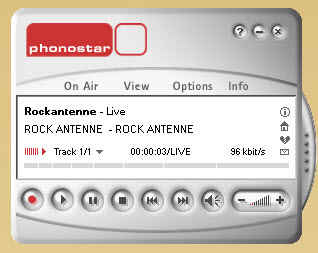
I did not find a way (unfortunately) to change the way the recorded files are named. Some programs are able to save information like artist, song title and album when recording and it seems that Phonostar is not able to do that. This is clearly a disadvantage.
Phonostar is nevertheless a fine program that makes it easy for even inexperienced users to record songs of internet radio stations.
Tips
- If you notice issues recording a particular station, try modifying the buffer size the program uses under Connection Settings. Here you should also limit the number of connection attempts it makes (unlimited by default).
- The program can play the last station during launch automatically. You need to activate the feature under General Settings.
- You can add or remove stations from your favorites to have them available directly on launch.
Update: The program website is still available, but the downloads are not anymore. It is not clear if this is a temporary issue or an indicator that the program has been abandoned by its developers. I suggest you check out our stream ripping guide for a list of viable alternatives.
Update 2: Downloads are available again and the program works just fine.
Advertisement