Diablo 4 High Resolution Assets: Worth It or Not?
Diablo 4 high resolution assets are an optional PC download of sharper textures for characters, gear and environments. They are worth it if you play at 1440p or 4K, have a graphics card with plenty of video memory and can spare roughly 40 GB of extra disk space. At 1080p, on a small SSD or a slow connection, skip them: the standard textures look good and the game plays the same.
This guide explains what the pack changes compared with the normal install, who benefits at each resolution, and how to add or remove the assets later in Battle.net or Steam without reinstalling Diablo IV.
What are Diablo 4 high resolution assets?
Diablo 4 high resolution assets are a separate texture package that the PC installer offers as a checkbox under the game content options. When it is ticked, the game downloads higher resolution versions of the textures on characters, armor, monsters and the world, so surfaces keep more detail on large, high pixel density displays.
The pack does not add content, quests or features, and it does not change gameplay. It only affects how sharp textures look. That is why the installer lets you leave it out: the base install already contains everything you need to play, including new seasons and features from the Diablo 4 roadmap.
On Steam, the same content appears as a separate optional item for Diablo IV that you can toggle in the game's DLC settings. On Battle.net, it is part of the install options for the game.
Diablo 4 high resolution assets vs normal textures
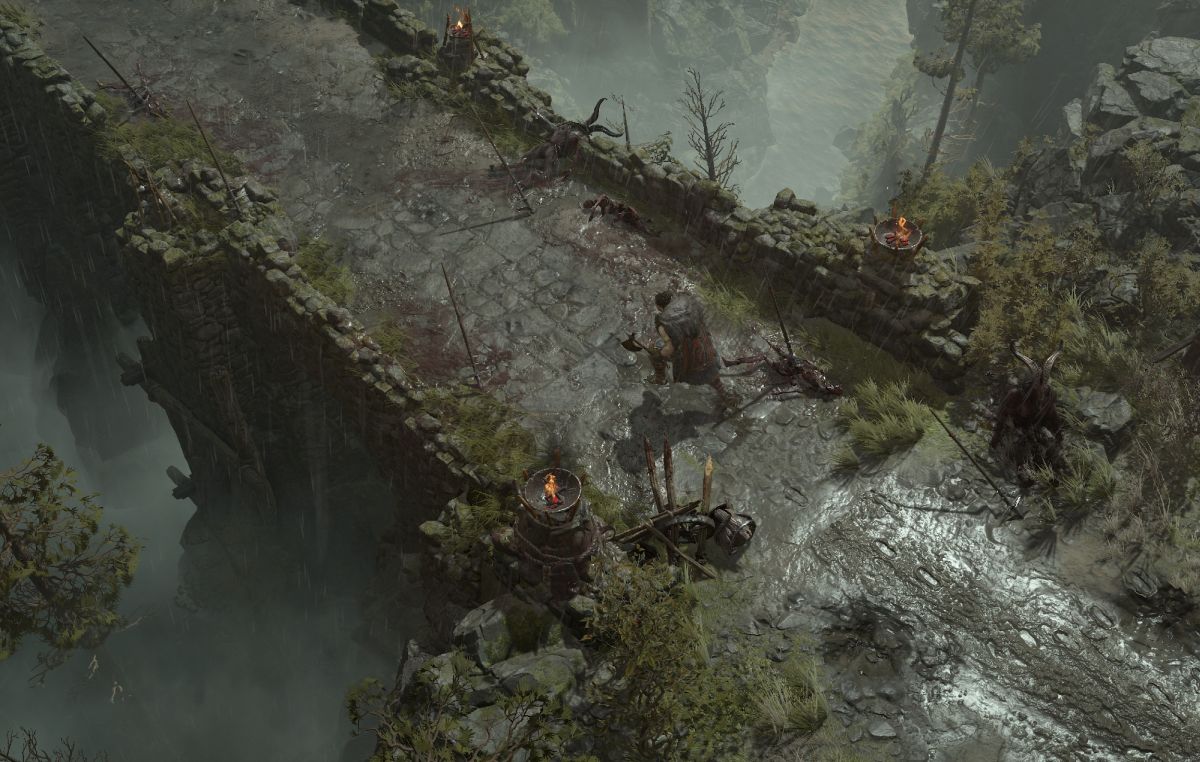
The difference between Diablo 4 high resolution assets and the normal textures is small but visible: high resolution textures look crisper on character models, armor detail, ground surfaces and walls, while the normal textures can look slightly soft or muddy on a large 1440p or 4K screen.
Diablo IV uses a zoomed out isometric camera, so most of the time you see textures from a distance. That shrinks the gap compared with a first person game, where textures fill the screen. You notice the pack most in the wardrobe and character screens, in towns and in close zoom, and least in hectic combat.
| Attribute | Normal install | With high resolution assets |
|---|---|---|
| Texture detail | Good, softer up close | Sharper surfaces and gear |
| Extra download (launch figures) | None | About 40 GB |
| Video memory use | Lower | Higher, demanding at top texture settings |
| Gameplay | Identical | Identical |
At launch in 2023, the full install was about 85 GB with the pack and about 45 GB without it. Seasons and the Vessel of Hatred expansion have changed the total since then, so check the size the installer shows before you decide.
Are Diablo 4 high resolution assets worth it?
Diablo 4 high resolution assets are worth it when your display, graphics card and storage can all take advantage of them. If one of those is the bottleneck, the pack costs space and bandwidth without a visible return.
Use this quick check:
- Display: 1440p or 4K monitor, or a large TV. At 1080p on a 24 inch screen, the gain is hard to see.
- Graphics card: a card with a generous amount of video memory. If the game stutters or textures pop in after you enable the pack, lower texture quality or remove the assets.
- Storage: an SSD with room to spare. Blizzard lists an SSD with 90 GB free in its official PC requirements for all tiers, including Ultra 4K.
- Connection: a fast, uncapped connection. On a metered or slow line, download the base game first and add the pack later.
For Ultra 4K at 60 fps, Blizzard's requirements list a GeForce RTX 3080 or Radeon RX 6800 XT and 32 GB of RAM. If your PC is well below that, the normal install is the better choice.
Diablo 4 high resolution assets at 1440p
At 1440p, Diablo 4 high resolution assets are a reasonable upgrade if you have the disk space and a graphics card with ample video memory. 1440p has about 78 percent more pixels than 1080p, so textures are drawn larger on screen and the extra detail starts to show, especially on armor sets and in towns.
You do not need the pack to play at 1440p. A practical approach is to play a session without it, then open Options, Graphics and look at the texture quality setting and your frame rate. If textures look soft to you and your frame rate has headroom, add the pack using the steps below and compare in the same area. You can remove it again at any time, so the decision is not permanent.
If you also want to watch GPU memory while you test, Windows can show CPU, GPU and RAM usage natively through the Xbox Game Bar overlay.
How to add or remove high resolution assets in Battle.net
You can add or remove Diablo 4 high resolution assets in Battle.net through Modify Install, without reinstalling the game:
- Open the Battle.net app and select Diablo IV.
- Click the gear icon next to the Play button.
- Choose Modify Install.
- Tick the high resolution assets box to add the pack, or untick it to remove it.
- Confirm and let Battle.net download or delete the files.
During a first install, the option appears as a checkbox under the game content choices before the download starts. If Modify Install is greyed out while a download runs, pausing the download makes it available.
How to toggle high resolution assets on Steam
On Steam, Diablo 4 high resolution assets are handled as an optional item for the game:
- Open your Steam Library and select Diablo IV.
- Open the game's properties (right click, Properties) and go to the DLC section, or use the manage DLC option on the game page.
- Tick or untick the high resolution assets entry.
- Let Steam download or remove the files.
The Steam version still requires a linked Battle.net account to play. If you manage a lot of large games, it also helps to control when Steam updates games so big downloads do not land at a bad time.
FAQ
Do I need high resolution assets for Diablo 4?
No. The pack is optional and the game plays exactly the same without it. It only changes texture sharpness.
Do high resolution assets lower FPS in Diablo 4?
They mainly raise video memory use rather than GPU load. On cards with limited video memory, that can cause stutter or texture pop in, so lower texture quality or remove the pack if you see it.
Can I download the high resolution assets later?
Yes. Battle.net and Steam both let you add or remove the pack after installation, so you can start with the smaller download and add the textures when you have time and space.
Related: Diablo 4 launch times by time zone, Windows 11 optimizations for windowed games

Just more occult programming to shovel into the minds of the people disguised as entertainment (in minecraft of course).