Google country domains deprecated: how to get UK, French or other local results now
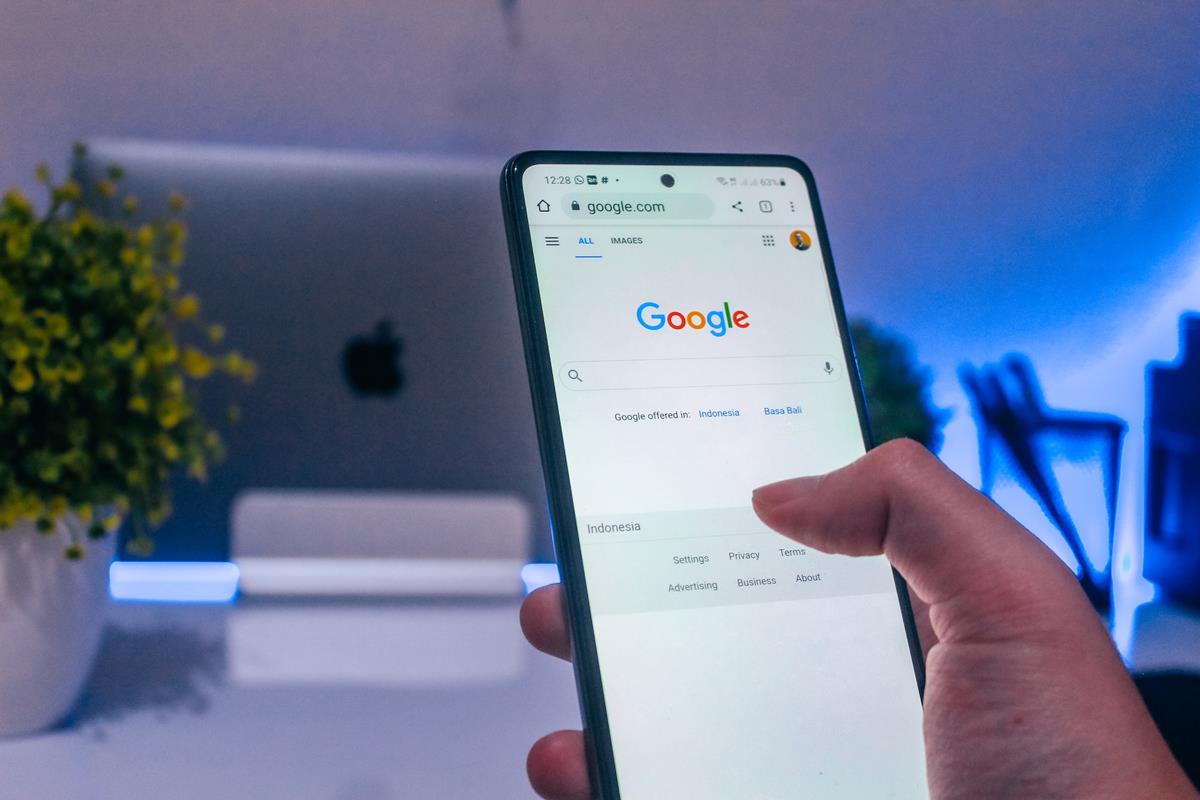
Google has deprecated its country-code Search domains such as google.co.uk, google.fr, google.de and google.co.jp. Since April 2025, Google has been redirecting these domains to google.com in a gradual rollout. Search results stay local because Google picks the country from your location, not from the domain. To get results for a specific country, such as the UK or France, you now change the region in Search settings instead of typing a different domain.
This page explains what changed, why Google retired the country domains, and how to get UK-only, French or Japanese-language results on google.com today.
What changed with Google country domains
Google country domains now act only as redirects to google.com. Google announced the change on April 15, 2025 on its The Keyword blog, saying that its ability to provide a local experience had improved to the point that "country-level domains are no longer necessary."
The key points from Google's announcement:
- Traffic to country-code top-level domains (ccTLDs) such as google.ng or google.com.br is redirected to google.com.
- The rollout is gradual and was planned to take several months.
- Some users are asked to re-enter Search preferences after the redirect.
- The change affects what appears in the browser address bar, not how Search works.
- Google says it does not change its obligations under national laws.
The old domains are not switched off. A user in France who types google.fr lands on google.com, which still shows a French interface and French results by default, unless the user has changed the language or region settings.
Why Google retired country-code domains
Google retired country-code domains because the domain stopped deciding which results you get back in 2017. Before that change, the domain you typed mattered: visiting google.co.uk from the US returned UK-oriented results. In 2017, Google switched to serving local results based on your location for everyone, whether they used google.com or a country domain, which made results on all domains identical for a given location.
That 2017 change had side effects that still apply. Travelers saw results for the country they were visiting rather than their home country, and the results language did not always match the query language. A visitor to Japan searching in English, for example, could get mostly Japanese results. ghacks covered the workarounds for that in a guide on getting Google results in a different language.
With the domain no longer influencing results, keeping dozens of country domains alive as separate entry points had no function left, so Google folded them into google.com. The visible result is a single address in the address bar for every country.
How Google decides your country now
Google decides your country from location signals, not from the domain you type. According to Google's help page on how location works in Search, it combines several signals when they are available:
- Device location, which can be precise on phones and tablets.
- Home or work addresses saved in your Google Account.
- Previous activity on Google sites and apps, if Web & App Activity is on.
- Your IP address, which indicates your general area.
The bottom of a Google results page shows which signal was used, with labels such as "From your device", "Based on your past activity" or "From your internet address". If the location is wrong, fix that first: changing the region setting alone does not correct a wrong location estimate. A separate, rarely changed setting is the country Google associates with your account for its terms of service; ghacks has a guide on checking the country Google links to your account.
How to get UK-only or French results without google.co.uk or google.fr
You get results for another country by changing the results region in Google Search settings. This replaces the old habit of opening google.co.uk or google.fr from abroad. Google documents the steps on its help page See results for a different country.
On a computer:
- Open the Search settings page on google.com.
- Scroll down to the Region Settings section.
- Choose the country or region you want, for example United Kingdom or France.
- Scroll to the bottom of the page and click Save.
In the Google app for Android:
- Tap your profile picture or initial at the top right.
- Tap Settings, then Language & region, then Search region.
- Tap the region you want results for.
Google notes that if a region is not listed, the feature is not available for your location. If results suddenly switch back to your physical location, open Search settings and check that the region is still saved.
How to get Google in English or Japanese for a given country
The interface language and the results region are separate Google settings, so you combine them to recreate a setup like "Google United Kingdom, interface language: English" or a UK region with a Japanese interface. Google's help page on changing your display language states that the display language does not change the language of your search results.
| Goal | Setting to change | Where |
|---|---|---|
| UK results while abroad | Results region: United Kingdom | Search settings, Region Settings |
| French results from the US | Results region: France | Search settings, Region Settings |
| Japanese menus and buttons | Display language: Japanese | Search settings, display language |
| English menus in a non-English country | Display language: English | Search settings, display language |
In the Google app for Android, the display language for results pages is under Settings, Language & region, Search language. Results language also depends on the query: searching in English generally surfaces English pages even with a foreign region set. If you prefer results with less tailoring, Google's Try without personalization option removes account-based signals from a single search.
What the change means for bookmarks, browsers and filters
The deprecation mostly affects bookmarks, browser search engine entries and network filters, not search quality. Use this checklist if something behaves oddly after the redirect:
- Bookmarks to google.co.uk or google.fr still work, but they pass through a redirect; update them to google.com.
- Custom search engine entries in a browser that point to a country domain can be edited to use google.com instead.
- If google.co.uk appears blocked, check whether a school, workplace or parental filter allows google.com but not the country domain, or the reverse; filters must now allow google.com.
- Some saved Search preferences may need to be set again on google.com after the redirect, as Google warned.
For users who also want to cut down on AI features while they are revisiting their Search settings, ghacks has a guide on using Google Search without AI Overviews.
FAQ
Can I still visit google.co.uk or google.fr?
You can type them, but Google redirects the country domains to google.com, so you end up on google.com with results for your location.
Does google.com show US results for everyone now?
No. Google serves local results based on your location, so a user in the UK sees UK-oriented results on google.com. Only the address in the address bar is the same for everyone.
Do Google Maps, Gmail or other services change too?
Google's announcement covers Google Search domains. It does not describe changes to other Google products.
Related: Google results in a different language, change your Google account country, Google Search without personalization

This is kind of a nothingburger as Google has ignored their own country-specific domains for several years. Their default these days is to give you results in the language of your location, regardless of which Google URL you used for the search. Their objective, of course, is to push you into personalizing your results by forcing you to set a language, thereby improving your trackability.
No effect on me, as I don’t use Google for anything other than the occasional map search – and when those are needed, I set the language myself each time, use Private Browsing / Incognito mode, etc.
@Ipcress,
> ” I don’t use Google for anything other than the occasional map search”
A semi-alternative to Google Maps is InstantStreetView [https://www.instantstreetview.com/], “semi” because it does connect to Google servers (may be narrowed to servers required for Google maps only with uBlock Origin), but alternative in that it’s far less heavy. Includes Maps, Satellite maps and Street View. Not as elaborated as Google Maps itself, but snappier (especially on old computers) and… no Google cookies if the user blocks 3rd-party cookies.
Other than Satellite and Street View, the 100% free of Google tentacles is the well-known OpenStreetMap, my choice here.
@Tom Hawack, thanks for the suggestion. My main reason for still occasionally using Google Maps is for transit info (my location is not covered by CityMapper etc), which InstantStreetView and OpenStreetMap lack.
I’m using a VPN as well as other measures, so my trackability remains limited. I live in a dictatorship, where getting one’s OpSec wrong has potentially greater consequences than Google tracking.
Cool!
@John Wold,
Sounds like you might benefit by signing up to a VPN. Then you can change your location to wherever you wish and not be dictated to by the likes of Google. I use Mullvad: https://mullvad.net/en
The change does mean that if the device is in Japan and that the user wishes to have interface+results in another language, he needs to specify it in Google’s options, which means a cookie is required to keep that pref, which means blocking cookies for Google will be an idea to forget, unless (but no idea when it comes to Google nowadays) the language can be added to the url parameters, as it was feasible in the past. If so, then the critic becomes obsolete.
Anyway, little old me ain’t concerned given little old me avoids Google, systematically.
Besides, put away privacy, just in consideration of basic easiness, clarity (at least when it comes to Google Search) I just deeply dislike the bloated Google Search pages, too heavy … the worst being that competitors copy the Google scheme, including “You may also be interested by …”, then a line of news, images, videos when searching the Web only, when News, Images, Videos are accessible from the very top navigation bar. Pollution. If I want news, images, videos, I know where to get them, it’s right on top of the page !!! Lastly, the fact of using half or 2/3 of the page’s width to display results, which obliges to scroll, scroll and scroll : let the page be, use its wideness! I refer to 12 search engines (except Google’s) and I have to redesign most of them with CSS in order to have a decent layout of search results …
Back to SearXNG, my default search engine at this time.
And Google ignores language/region specific settings, regardless of what you have set.
If I search for something in a specific language, it’s because I understand that language and I want the results in that language. Google still returns results in the language for the region I’m located (probably using my IP address).
So, if I go on holiday to a non English speaking country and use Google.co.uk, then I’m going to get results in a language that I don’t understand? I suppose I’ll have to log in then… What a load of Goo-pats! Can’t they just use the browser user agent?
@John Wold,
> “And Google ignores language/region specific settings, regardless of what you have set.”
As I said I haven’t used Google Search for years, yet I remember that language was a parameter you could pass along with the query.
For instance, wherever be your device,
[https://www.google.com/search?hl=en&q=%s] should open your quest in English.
As stated by [https://serpapi.com/blog/google-search-parameters/] :
“The hl parameter
It stands for a host language, and it determines the language used for the search. There are different versions of the ‘hl‘ parameters you can pass to a Google Search. The two-letter version is for all languages supported by Google. For example “hl=en” searches in the English language. There are also two letters followed by a hyphen and two letters or three-digit versions representing dialects. Examples of this kind are “hl=en-gb” representing British English, or “hl=es-419″ representing Latin American Spanish.”
Does this no longer work in your experience?
> “If I search for something in a specific language, it’s because I understand that language and I want the results in that language. Google still returns results in the language for the region I’m located (probably using my IP address)”.
Couldn’t agree more.
Lovely. And now goo’s failure is near completion. Powerful they have become, the dark side I sense.
While I’m sure it will make parsing easier for URLs it also enables and ensures geo-censorship.
I can’t tell you the number of times I’ve only found an item for sale in Japan and never in any other region.
Also some accredited news services (usually Governments in particular) don’t usually want to share what’s happening locally if you aren’t local.
Yes I know about VPN’s but we all shouldn’t have to do that.