Microsoft kills the Blue Screen of Death
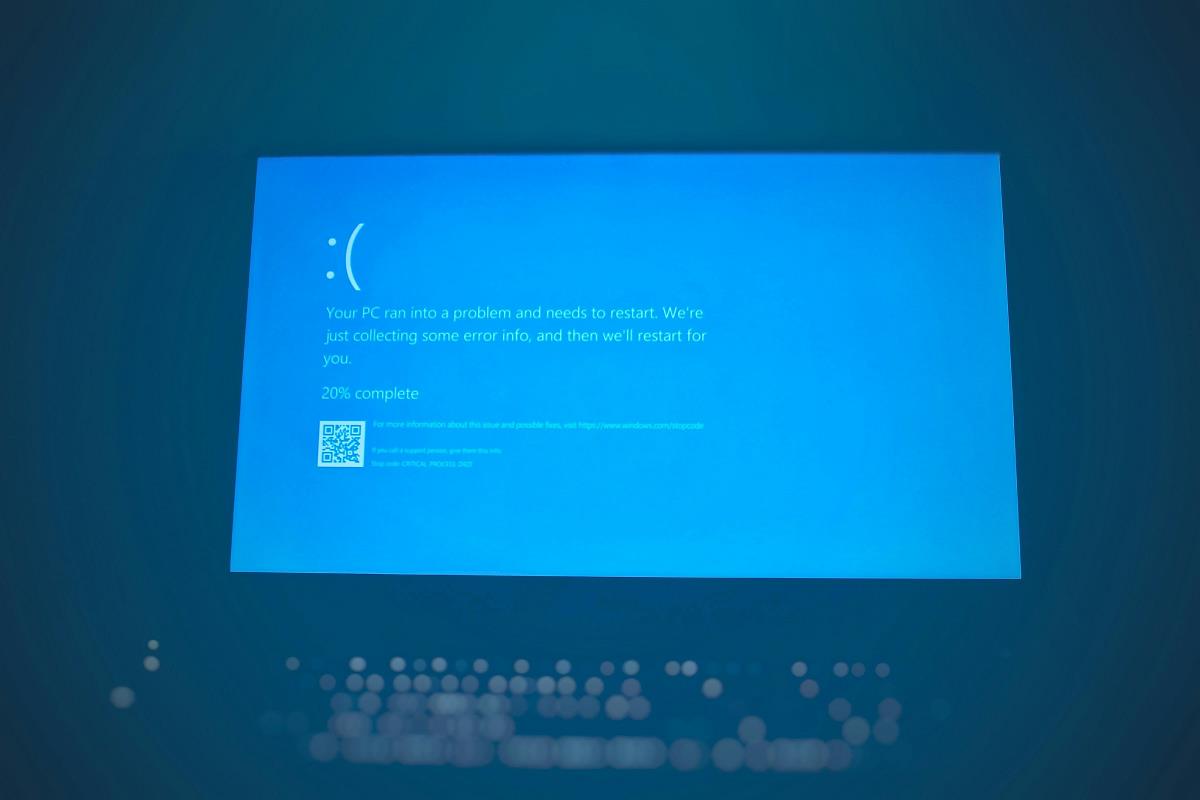
Microsoft says that the Blue Screen Of Death will soon be removed. That doesn't mean your PC won't crash, ouch!
The BSOD is being replaced by a Black Screen of Death, for real. Didn't they announce something similar in 2021? Yes, yes they did. But now it seems they are killing it, at last, it's dying. Maybe the Crowdstrike BSOD news was the final nail in the coffin? Farewell, I'll let it rest now.
Jokes aside, you are probably thinking, why replace that has been around for 40 years? Apparently the old BSOD design wasn't very informative, well you don't need to be a genius to figure that out. When Windows 11 24H2 was released, it came with improvements to crash dump collection during a BSOD, don't to about two seconds. Microsoft says that the new Black Screen has a simplified user interface along with the shortened experience. The background color is Black instead of Blue, it won't have the frowning face, or the QR code. Has anyone ever scanned it during a crash? Well, that's probably why it was removed.
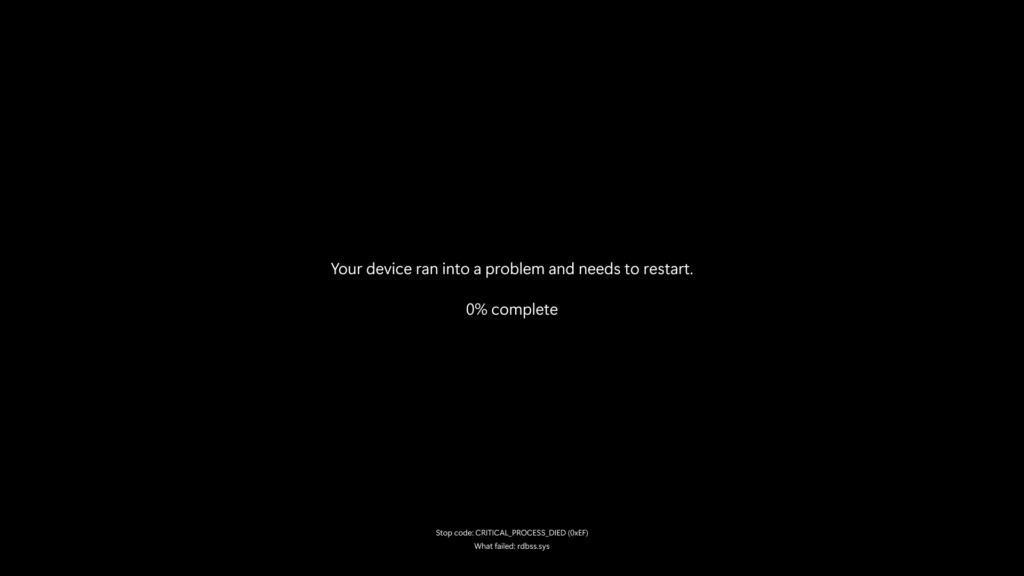
Microsoft says that the new UI improves readability and aligns with Windows 11 design principles, focusing only on the technical information on the screen. As you can see from the screenshot, the new Black Screen of Death will display a message that says, "Your device ran into a problem and needs to restart." But more importantly, the bottom of the screen displays the Stop Code, and tells you What failed.
Microsoft says that the new Black Screen will for unexpected restarts will be available starting later this summer for Windows 11 version 24H2. The Redmond company is also bringing Quick Machine Recovery (QMR). In case you missed it, QMR is designed to automatically fix PCs that don't boot.
QMR will be available alongside the new BSOD improvements, and supports all Windows 11 24H2 devices. It is enabled by default on Windows 11 Home, but Windows 11 Pro users can enable it if they want to. Microsoft is making some big changes to Windows Security, it is moving antivirus programs away from kernel-level access.

The green was okay; black is so bleak, total lack of creativity and innovation.
BSOD were nearly useless back then with error codes with hardly any info on it and now it is still useless with blacked BSOD.
I wish BSOD simply told us in who and what crashed in laymen terms and listed possible solutions to fix it right there in the BSOD.
Someone really should develop an install and forget open source app on Github that will modify BSODs to do just that.
Not sure that this was worth the time and effort MS put into it. Question – Will dump files still be created, and in the same place?
I am using the utility WhoCrashed.
Has been very helpfull in the few times I had a BSOD, it uses the crash info MS-Windows gathers (somewhere).
A recent boot-crash (trying to use a SATA3-card) obviously did not result in Crash-info, so no WhoCrashed-info.
The King is dead. Long live the King!
They have taken British motto.
This explains where the Windows team focus is on. Changing how the crash screen looks instead of actually making the OS crash less. Do I care if I see a Black screen of death or a Blue one? No, I don’t want to see either one. In the end the benefits to the end user end up being nil.
So you missed the new feature they’re working on “QMR” (Quick Machine Recovery). Looks like something that may fix random errors that stop things from booting, even if it works a fraction of the time that could be huge.
Reading comprehension takes a hit every day.
I don’t believe the new feature will be anywhere near as useful as Microsoft claims. Their recent exaggerations, or outright lying, about Windows 11 capabilities has become legend.
Yes, Didn’t you know windows 11 is 2-3x faster than windows 10 when used on a computer that is 7-8x faster?