Learn to Fly 2: How to Play the Penguin Flash Game

Learn to Fly 2 is a 2011 physics-based Flash game by Light Bringer Games, published on Kongregate, in which you launch a penguin off a snowy ramp, earn cash for every flight and spend it on sleds, gliders, rockets and payloads until you can smash the massive ice wall in your way. Because Flash Player reached end of life, you now play it through Kongregate's page, the Flashpoint Archive or the mobile follow-up.
This guide covers what the game is, its three modes, controls and upgrades, a flight strategy that works, and every legitimate way to play Learn to Fly 2 or its sequels today.
What is Learn to Fly 2?
Learn to Fly 2 is the sequel to the Flash game Learn to Fly, released on Kongregate on June 16, 2011 by the developer known there as light_bringer777 (Light Bringer Games). The premise picks up where the first game ended: the penguin who was stopped by icebergs is back for revenge, and this time the target is a massive ice wall plus a series of obstacles in the way.
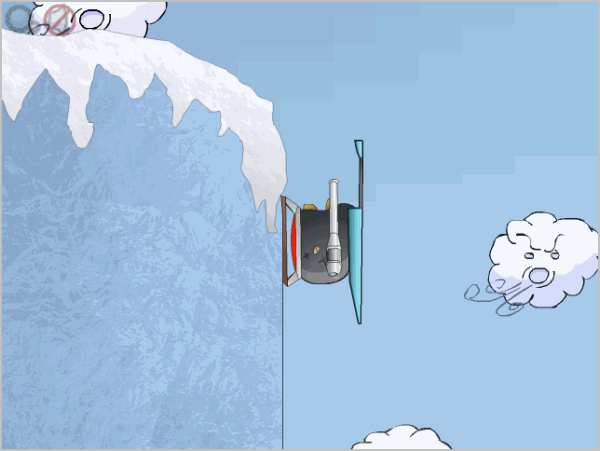
The core loop is simple. You slide down a ramp, launch into the air, and the game pays you for distance, altitude, speed and time in the air. That money buys better gear, and better gear means longer flights and more money. Bonus points from challenges and achievements unlock an extra shop that changes the physics in your favor.
The game was a hit: Kongregate lists it at 4.5 stars with about 32.1 million plays, and its last update there dates to November 1, 2018.

Learn to Fly 2 game modes
Learn to Fly 2 has three game modes: Story, Arcade and Classic. Each uses the same launch and upgrade mechanics but gives you a different goal.
- Story: the main campaign. You break through a set of five obstacles, such as a snowman and an iceberg, on the way to the ice wall. Payload upgrades matter most here, because you need enough punch to destroy each object.
- Arcade: you get a fixed budget and build the best flying machine you can with it, then try to beat the score. It rewards planning over grinding.
- Classic: the pure distance mode. There are no obstacles to destroy, only the challenge of flying as far as possible.
Most players start in Story mode, since it introduces the upgrades in a sensible order, and return to Classic once their gear is strong enough to chase records.
How to play Learn to Fly 2: controls and upgrades
You steer the penguin with the left and right arrow keys or A and D, and press the spacebar to fire your boost. Kongregate's game page also lists any key to activate special sleighs, mouse control as an alternative to the keyboard, and remappable controls in the options menu.
Your results depend on the ramp's length and height, which set your launch speed, and on four upgrade categories you buy between flights:
| Upgrade | What it improves |
|---|---|
| Sleds | Starting speed off the ramp |
| Gliders | Speed and time in the air |
| Thrust (rockets) | A boost in mid-flight, fired with the spacebar |
| Payload | Power to destroy obstacles in Story mode |
Better items get steadily more expensive, so expect to repeat flights to afford the next tier, especially in the middle of the game. The bonus shop, paid for with bonus points from challenges, can reduce air friction, improve gliding or raise the money you earn per flight. Spending bonus points on extra income early shortens the grind for everything else.
Learn to Fly 2 tips for longer flights
The most reliable Learn to Fly 2 strategy is to trade height for speed and back again. Climb as high as you can right after launch, dive to build up speed, then pull up to regain altitude once you are moving fast. Repeating that wave lets your glider carry you much farther than a flat flight would.
- Buy a better sled first: a faster launch makes every other upgrade more effective.
- Upgrade the glider next, since time in the air is what pays.
- Save rocket boosts for the moment you start to lose speed instead of firing them at launch.
- In Story mode, check whether you have enough payload before flying at an obstacle, or the run is wasted.
- Complete challenges whenever you can: the bonus points they award fund the bonus shop.
If the game starts to feel repetitive in the late stages, that is by design: the end game is mostly about staying in the air longer and clearing the last obstacles.
Where can you play Learn to Fly 2 today?
You can still play Learn to Fly 2 on Kongregate, offline through the Flashpoint Archive, or switch to the official sequels and mobile follow-up. Adobe ended support for Flash Player on December 31, 2020 and began blocking Flash content on January 12, 2021, so the original no longer runs in a browser the way it did in 2011.
| Option | Platform | What to expect |
|---|---|---|
| Kongregate game page | Web browser | The official home of the game; still offers a Play Now button, but player comments report glitches under Flash emulation and lost saves |
| Flashpoint Archive | Windows, macOS, Linux | Nonprofit preservation launcher for Flash games; search its database for the title |
| Learn 2 Fly: bounce and fly! | Android, iOS | Free mobile follow-up with ads and in-app purchases |
| Learn to Fly 3 | Windows (Steam) | Free-to-play sequel by Light Bringer Games |
Start with the Learn to Fly 2 page on Kongregate. If it misbehaves, the Flashpoint Archive runs Flash games locally through its own launcher, proxy and sandbox, similar in spirit to how the Internet Archive uses emulation to keep Flash content playable.
Avoid "unblocked" mirror sites and browser extensions that repackage the game: they are not run by the developer, often carry aggressive ads, and on school or work networks the right move is to follow that network's rules.
Learn to Fly 3 and Learn 2 Fly: the sequels
Learn to Fly 3 is the official follow-up from Light Bringer Games and the easiest way to play a modern version of the series on a PC. It is free to play on Steam for Windows, released on February 19, 2016, and swaps the ice wall for space: you build a spaceship from parts, earn funds and reinvest them in bigger ships. Get it from the Learn to Fly 3 Steam page.
On phones, Learn 2 Fly: bounce and fly! keeps the original penguin formula, with sleds, rockets and jetpacks across more than 60 upgrades. The Android version on Google Play is published by HeroCraft, and the iPhone and iPad version on the App Store (listed as Learn 2 Fly: Penguin game) needs iOS 15 or later. Both are free with ads and in-app purchases, and the App Store offers a paid option to turn off intrusive ads.
The store listings describe Learn 2 Fly as a sequel to the Flash game Learn to Fly, but the publishers named there differ from Light Bringer Games, so treat it as a licensed mobile spin-off rather than a port of Learn to Fly 2.
FAQ
Is Learn to Fly 2 free to play?
Yes. Learn to Fly 2 has always been free in the browser on Kongregate, and Flashpoint Archive is free as well. The mobile Learn 2 Fly apps are free to download but include ads and optional in-app purchases.
Does Learn to Fly 2 save my progress?
Not always. Players on Kongregate have reported lost save progress, so avoid clearing browser data for Kongregate while you play, and expect that a fresh start may be needed if your save disappears.
Can you play Learn to Fly 2 on a phone?
Not the original Flash version in a reliable way. On Android and iOS the practical choice is the Learn 2 Fly mobile app, which uses the same launch and upgrade loop with touch controls.
What happened to the first Learn to Fly?
The original Learn to Fly is the Flash game this sequel continues, and it faces the same Flash end-of-life limits. Look for it on Kongregate or search the Flashpoint Archive database.
Related: hidden Google games you can play in the browser, EmuOS for retro games in a browser tab, The Last Shelter, another Game Saturday pick

a nice one i played a lot this weekend is GOING UP from ARMOR GAMES… take a look at this one…