
Windows 7 Codec Package

Not everyone is a friend of so called codec packages which basically consist of a collection of audio and video codecs that get batch installed on a computer system.
The main point of criticism is that a lot of useless - in other words never used - codecs are installed on the system along with some that are used regularly. You lose some hard drive space at best or will experience compatibility problems at worst.
Microsoft has changed their stance on providing additional codecs with an operating system when it shipped Windows 7.
Windows 7 will ship with a few codecs preinstalled (Divx, H.264) which is great but not enough to play all multimedia files. This means that Windows Media Player will play more media files than on previous versions of Windows, but not enough. Chance is that you will stumble upon files that you cannot play in the player because the required codec is not available on the system.
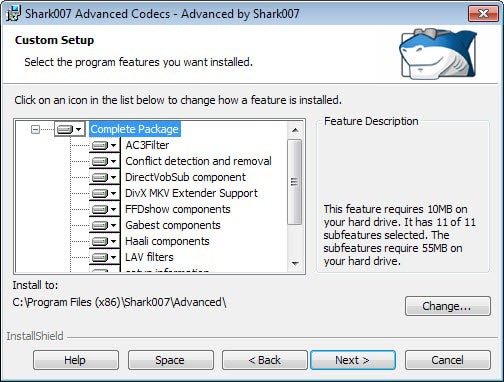
The Windows 7 Codec package has been created by the same author who publishes the Windows Vista Codec Package. It will automatically install a number of missing codecs on Windows 7 and uninstall several other codec packages that may be installed on the computer system to avoid compatibility issues.
The package ships with a popular set of codecs that should play nearly every popular video format that you encounter on your system.
While that is great news if you like Windows Media Player, there are alternatives that you may want to know about as well.
There are obviously two alternatives to installing a codec package on a computer system. The first is to install codecs only if they are needed to playback a multimedia file.
This means that you will search for the right codec to play the video or audio file, and install only it and no other codecs.
The other method is to install a software player that comes with binary codecs that can play virtually any file without having to be installed on the computer system at all. The SMPlayer comes to mind that can play virtually any multimedia files out of the box.




















Great solution thanks.
thank you goooooooooooooooooooood
TXS goooooooooooooooooooooooood
thnx gooooooood
very good
A few other players that can play any video formats right out of the box like smplayer are gomplayer, vlc player and mplayer. There it even a portable version of mplayer.
thank you goooooooooooooooooooood
my personal choice is CCCP + CoreAVC + KMPlayer. great combo.