Gmail makes it easier to manage subscriptions

Google has announced a new way to deal with newsletters, alerts, in Gmail. Say hello to the Manage Subscriptions feature.
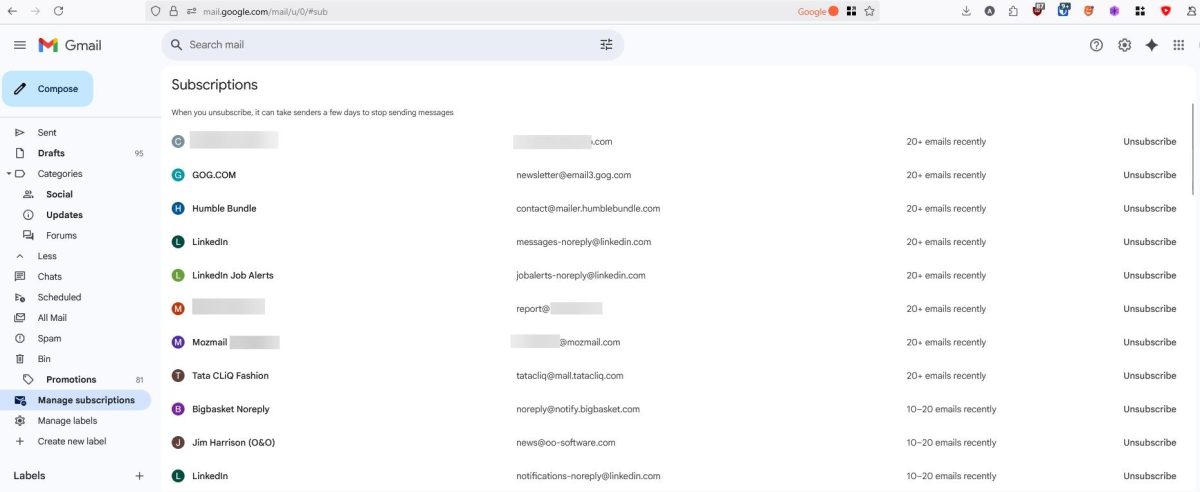
UPDATE: I now have access to the feature on Gmail for Web. Here's what it looks like.
The original article follows....
You may be familiar with the Unsubscribe button in Gmail, it is quite good, I've used the one-click unsubscribe option to get off of random newsletters, discount offers quickly. Gmail's new feature is essentially similar, but you'll have to access it from the sidebar. The side panel adds a new tab called "Manage Subscriptions".
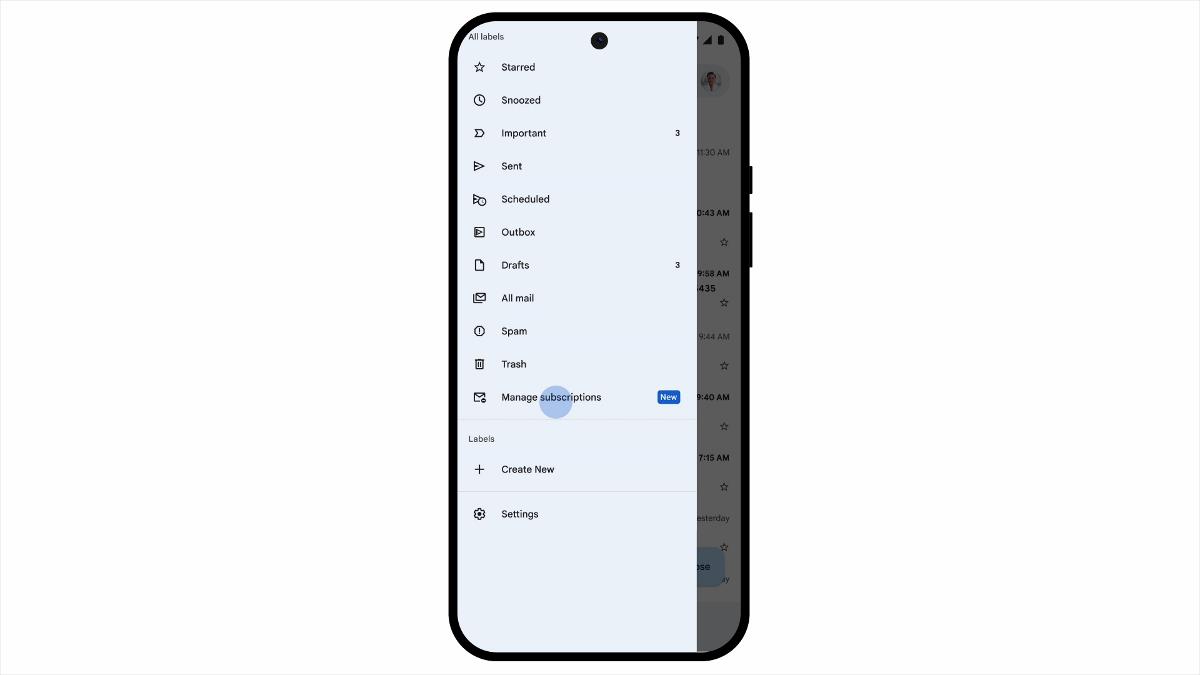
Instead of listing all mails, this tab lists all mails you receive from your subscriptions, i.e. newsletters, deals, etc. You can check the list of promotional mails that landed in your inbox from one place. But, more importantly, every single mail under "Manage Subscriptions" has a mail icon next to it (with a red minus symbol). Click on this button to unsubscribe from the mail sender in one-click.
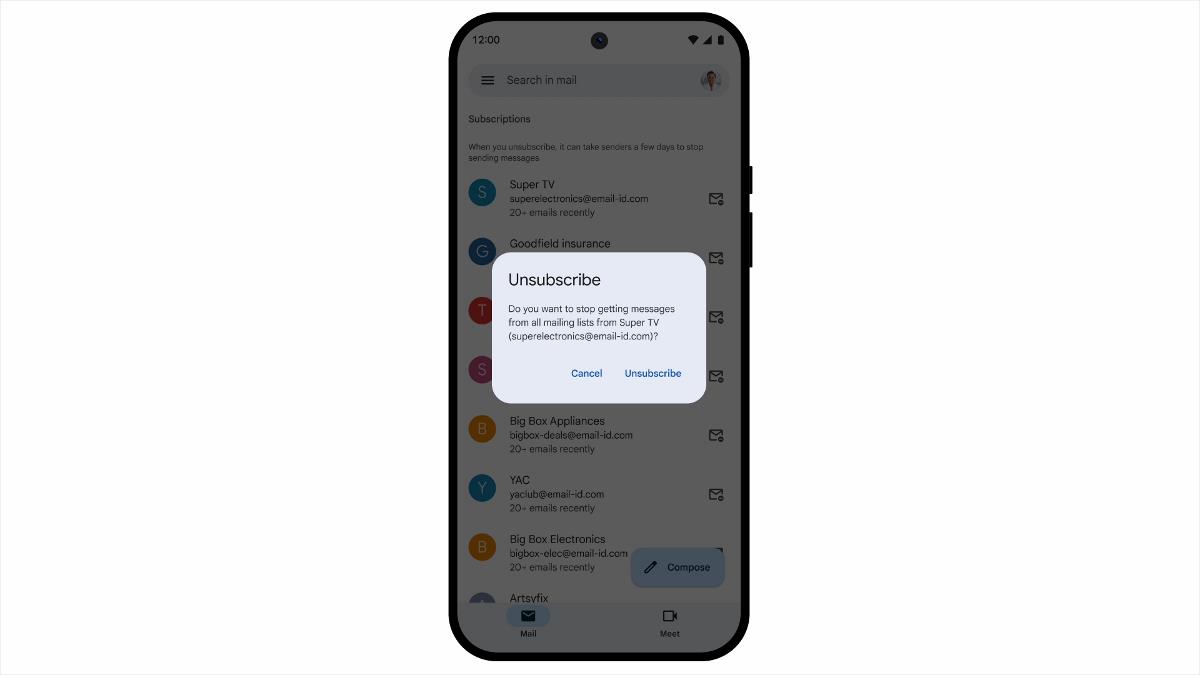
You can view the name and email address of each sender in this list, along with the number of emails you received from them in the past few weeks. Google says the list is dynamically sorted by the most frequent senders. This is an interesting way to declutter your inbox, and in turn reduce the number of unwanted notifications too.

The feature is available to all Google Workspace customers, Workspace Individual Subscribers, and users with personal Google accounts. You may not see it on Gmail yet, neither do I for that matter, and that's because the Manage Subscriptions feature is rolling out slowly to users. According to Google's Workspace Blog, it is rolling out to Gmail users on the web for Rapid Release domains, and will start rolling out to Scheduled Release Domains from July 28. The feature is coming to Android users from July 14, and to iOS users from July 21. It's likely that the mobile apps will need to be updated to add the feature, as opposed to a server-side switch for the web version.
Do you like the feature?

Wow! Not another AI feature?
Finally, something useful!
I just checked my US Moto G 2025 running Android 15 and the feature is there.
At the top of the list is”[email protected]”.
I don’t know when it was added as I don’t normally use my phone for email but it did recieve a system update yesterday.