Microsoft Edge for iOS now lets you install extensions

Microsoft Edge for iOS has been updated with a hidden feature. You can now install extensions in the browser. Microsoft Edge extensions for iOS are small, specialized tools that add features like content blocking, enhanced privacy, or specialized tools (e.g., translation) directly into the Edge browser on iPhones, as of mid-2025. They allow for a more personalized, productive browsing experience, often accessed via a hidden menu flag, and currently include a limited selection of supported add-ons.
Edge debuted extensions on Android last year and pushed it to the stable release a few months ago, and now iPhone users can use them too. But don't be surprised if you don't see the extensions under the menu, it's a beta feature. Some reddit users discovered the feature was hidden under a flag.
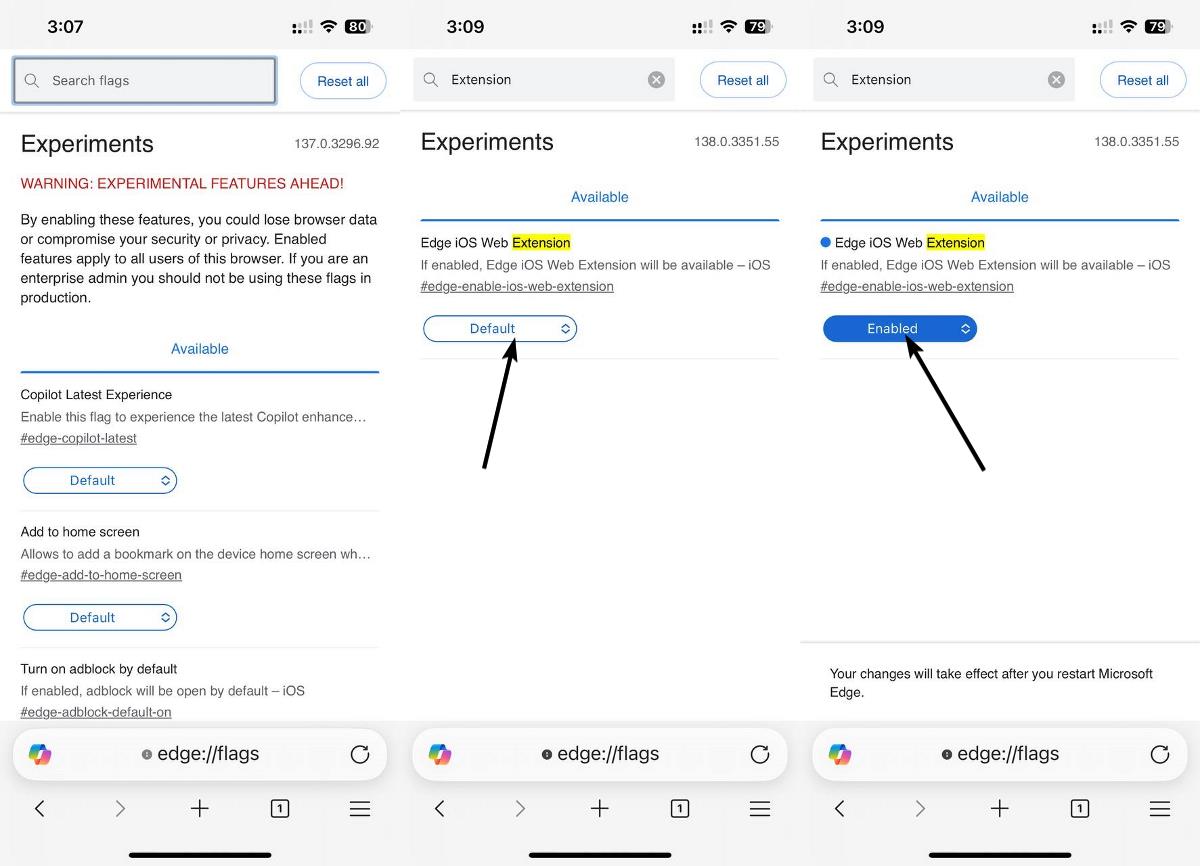
1. Open a new tab.
2. Go to edge://flags
3. Search for Extension.
4. You should see a result called Edge iOS Web Extension. #edge-enable-ios-web-extension.
5. Tap on the drop-down menu, and set it to Enabled.
6. Restart the browser.
Now, you should be able to install extensions on Microsoft Edge on iOS. Open the browser, tap on the menu icon, and scroll down to the bottom
Edge for iOS only supports 12 extensions for now, as opposed to 31 add-ons in the Android browser. Sadly, the iOS version lacks many popular add-ons, it doesn't have uBlock Origin Lite, Bitwarden, AdGuard, etc. Oh well, maybe we'll get them in the future.
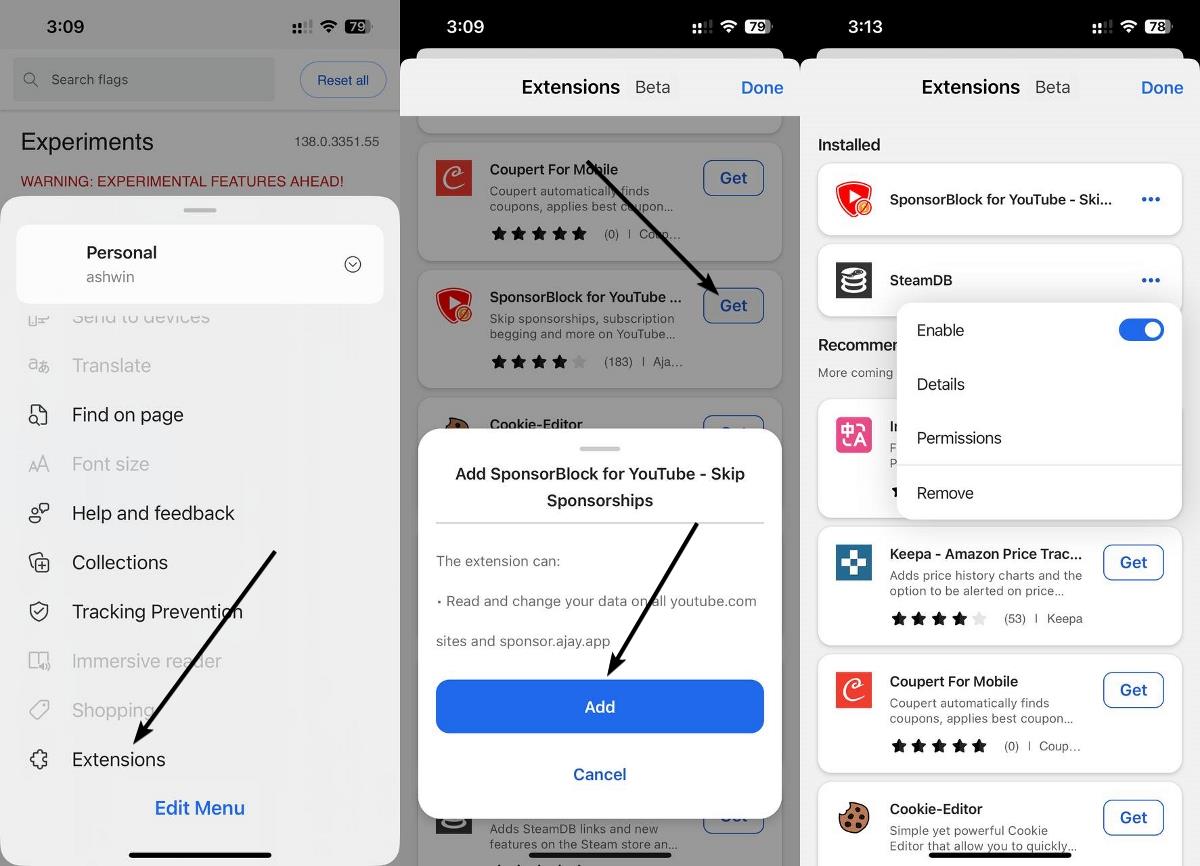
For those wondering, here is a list of extensions that are available on Edge for iOS.
- Immersive Translate - Web and PDF
- Keepa Amazon Price Tracker
- Coupert for Mobile
- Sponsorblock for YouTube
- SteamDB
- Cookie-Editor
- I don't care about cookies
- Unhook - Remove YouTube Recommended and Shorts
- Location Guard
- Raindrop.io
- Wucai - Highlight and Note
- Collabwriting Shareable Notes on Web Pages

Tap on an extension to view its description, and tap on Get > Add to install the add-on.
Note: Just because an extension is available on Edge doesn't necessarily mean it is safe to use, do your research, check its privacy-policy, permissions, etc.
Download Microsoft Edge from the iOS App Store.
Safari is a nice browser, and has a lot of useful features, including support for extensions. But the extensions on Safari are eh! The only Safari extension I personally use is AdGuard. You won't find too many extensions for Safari, which is why users are desperate for proper browsers on iOS. Well, there is the Orion browser. Microsoft Edge could be a good option for these people, and that's not something that you'll find me say often.

It doesn’t show the extension for TrendMicro Identity Protection.
Is this only iOS? Tried on my iPad Mini and nothing happening!?
Who in is right mind installs Edge on any Apple device ?
What’s the issue? Apple, Microsoft, Google, they are no different. AFAIK Apple doesn’t give an easy way for iPhone users to block ads – you have to go through lots of hoops.
It’s not as easy as Android where you have a number of browsers just in the Play Store and you can sideload a lot of other that will never be on the store, because they are too powerful for Google to allow them there.
Even Brave was forced to disable Background Playback so it doesn’t get removed on the Play Store. You have to enable it after install manually.