
Tab Mix Plus Firefox Extension

I'm using the Tab Mix Plus Firefox Extension for one simple purpose mainly. I don't like the way Firefox handles tabs that exceed the visible space in the tab bar. Firefox by default adds scroll buttons to the beginning and end of the tab bar that you can click on to scroll to the tabs that are not visible on the screen.
I was looking for an extension that would create an additional row and place all the new tabs in that row. Tab Mix Plus supports this feature. You can select the maximum number of rows that you want added, the default value is three rows which means that two additional rows will be added if necessary.
The extension has so many options that it is hard to focus on some that could be worth mentioning. Playing around with it revealed several ones that I did activate and like. You may specify a minimum and maximum width for all tabs, changing the default Firefox values of 100 (minimum width)Â to 250 pixels (maximum width) to different values. I have great success with 80 to 150 pixels which should be enough to identify most websites.
Lets take a closer look at what the extension has to offer, and why it is one of the most popular add-ons for the Firefox web browser:
Tab Mix Plus review
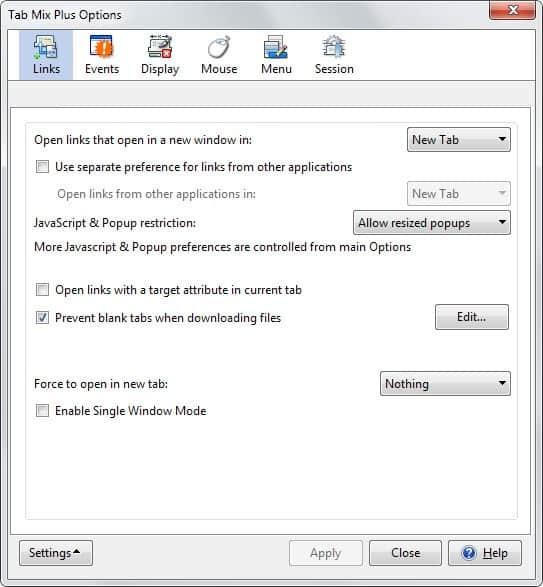
- Open links that open in a new window in a) new tab, b) new window or c) current tab.
- Use separate preferences for links from other applications.
- JavaScript and popup restrictions: a) open all popups in tabs, b) allow resized popups or c)allow all popups.
- Open links with a target attribute in current tab.
- Prevent blank tabs when downloading files.
- Force to open in new tab: a) nothing b) all links c) links to other sites.
- Enable single window mode.
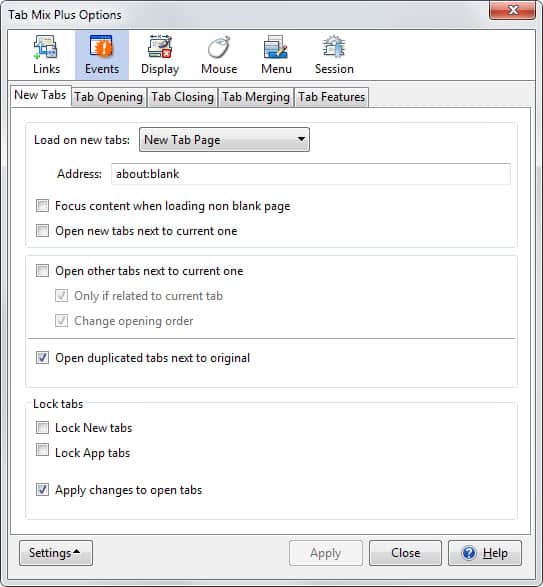
- Load on new tabs: a) new tab page, b) blank page, c) home page, d) current page or e) duplicate tab with history.
- Focus content when loading non blank page.
- Open new tabs next to current one.
- Open other tabs next to current one: a) only if related to current tab or b) change opening order.
- Open duplicated tabs next to original.
- Lock new tabs.
- Lock app tabs.
- Apply changes to open tabs.
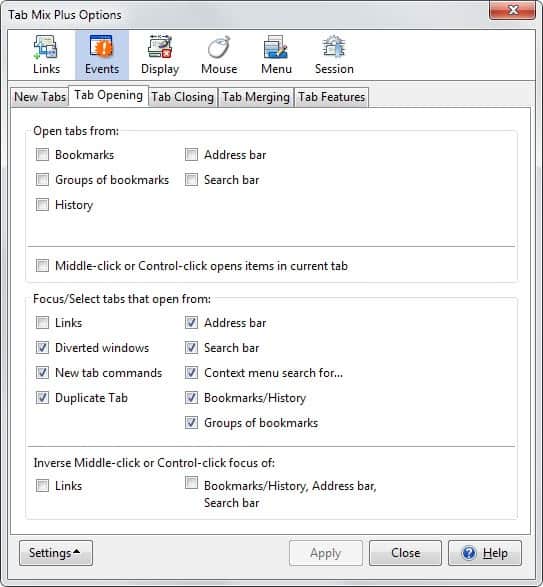
- Open tabs from: a) bookmarks, b) groups of bookmarks, c) history, d) address bar or e) search bar.
- Middle-click or control-click opens items in current tab.
- Focus/Select tabs that open from: a) links, b) diverted windows, c) new tab commands, d) duplicate tab, e) address bar, f) search bar, g) context menu search for, h) bookmarks/history or i) groups of bookmarks.
- Inverse middle-click or control-click focus of: a) links or b) Bookmarks/History, Address bar, Search bar.
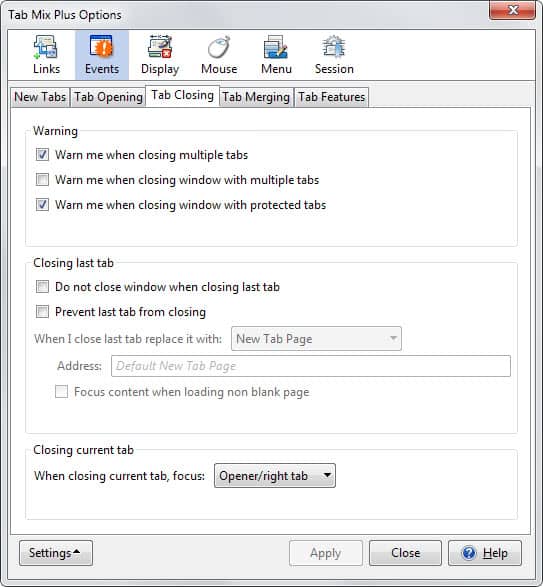
- Warn me when closing multiple tabs.
- Warn me when closing window with multiple tabs.
- Warn me when closing window with protected tabs.
- Do not close window when closing last tab.
- Prevent last tab from closing.
- When I close last tab replace it with.
- Focus content when loading non blank page.
- When closing current tab, focus a) Opener/right tab, b) first tab, c) left tab, d) right tab, e) last tab, f) last selected tab, or g) last opened tab.
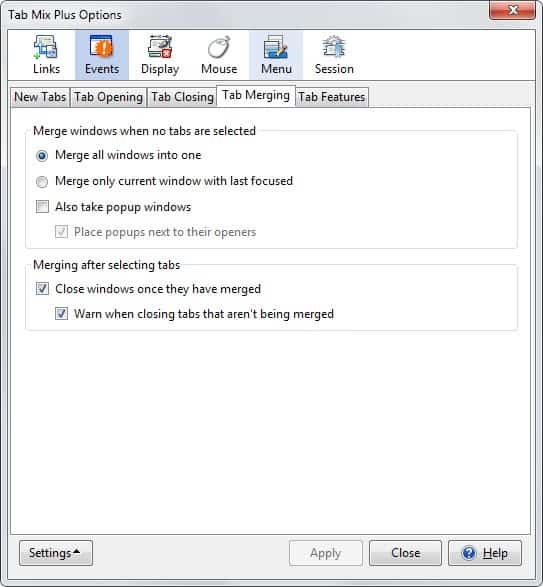
- Merge all windows into one.
- Merge only current window with last focused.
- Also take popup windows.
- Place popup windows next to their openers.
- Close windows once they have merged.
- Warn when closing tabs that aren't being merged.
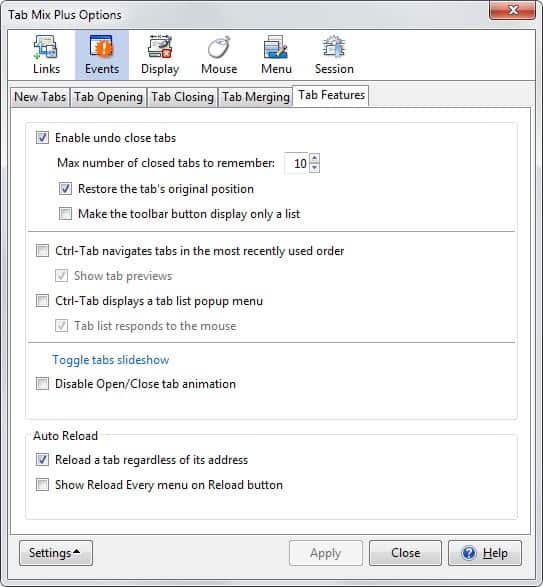
- Enable undo close tabs.
- Max number of closed tabs to remember.
- Restore the tab's original position.
- Make the toolbar button display only a list.
- Ctrl-Tab navigates tabs in the most recently used order.
- Show tab previews.
- Ctrl-Tab displays a tab list popup menu.
- Tab list responds to the mouse.
- Disable Open/Close tab animation.
- Reload a tab regardless of its address.
- Show reload every menu on reload button.
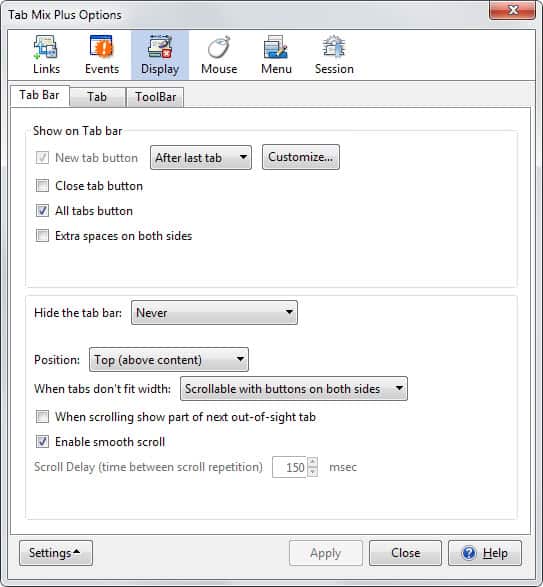
- Show on tab bar: a) new tab button, b) close tab button, c) all tabs button, d) extra spaces on both sides.
- Hide the tab bar: a) never, b) always or c) when I only have one tab.
- Position: a) top above content, b) bottom below content.
- When tabs don't fit width: a) Scrollable with buttons on both sides, b) Scrollable without buttons, c) Scrollable with buttons on right side or d) Multi-row.
- When scrolling show part of next out-of-sight tab.
- Enable smooth scroll.
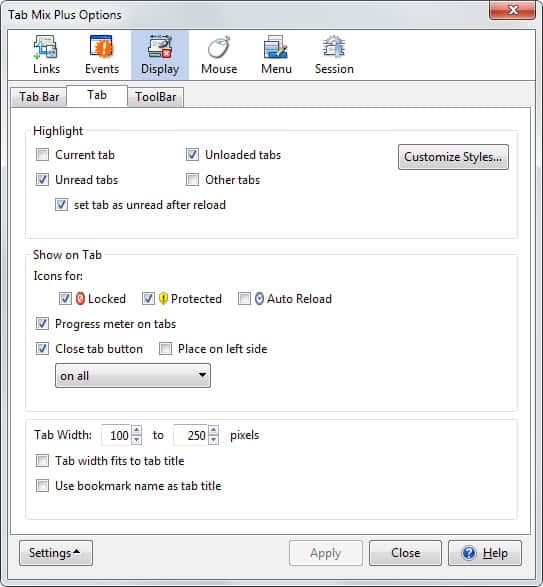
- Highlight: a) current tab, b) unread tabs, c) unloaded tabs, d) other tabs or e) set tab as unread after reload.
- Customize Styles.
- Show icons for: a) locked, b) protected or c) auto reload.
- Progress meter on tabs.
- Close tab button
- Place close button on left side.
- Set a different minimum and maximum tab width size in pixels.
- Tab width fits to tab title.
- Use bookmark name as table title.
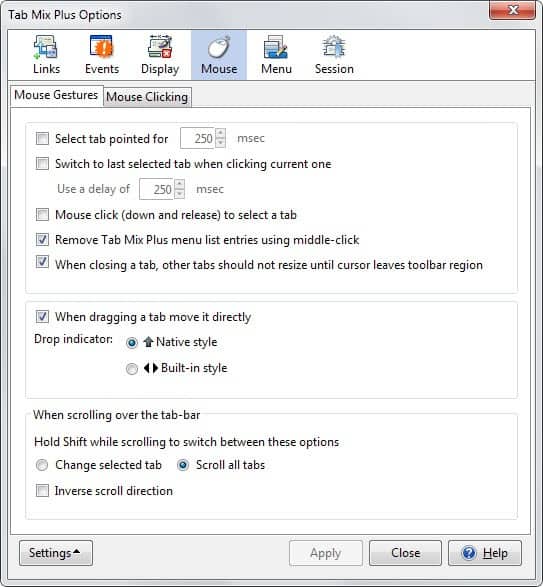
- Select tab pointed for x msec.
- Switch to last selected tab when clicking current one.
- Mouse click to select a tab.
- Remove Tab Mix Plus menu list entries using middle-click.
- When closing a tab, other tabs should not resize until cursor leaves toolbar region.
- When dragging a tab move it directly.
- Hold Shift while scrolling to switch between these options.
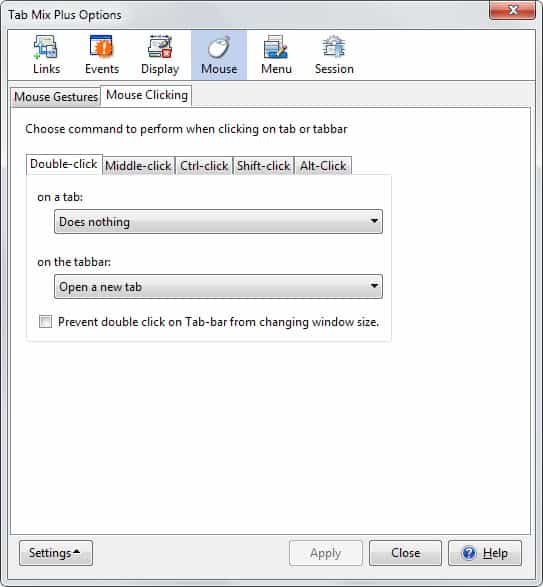
- Set double-click, middle-click, Ctrl-click, Shift-click or Alt-click behavior on tabs and tab bar.
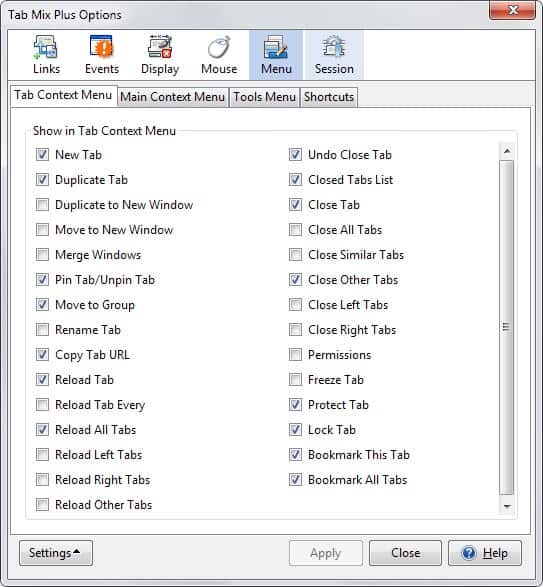
- Define which menu items of the extension are displayed in the browser.
- Set keyboard shortcuts.
As you can see, the extension offers a lot of features and options that you can enable, tweak or disable as you see fit. If you want more control over the tabbed browsing in Firefox, this is the extension that covers it all.
Advertisement

















My problem now is that it does not work on versions newer than 56 which is where we’re at in 2020 and it’s too bad ’cause I love this plug in. I’ve had as many as 275 tabs open.
This Extension has become totally defective for anyone using Firefox 2.1.16 or earlier. Effectively you need Firefox 3 or better!!!
Thanks a bunch!!!!
well, for the minimal size thing there’s a simple way than installing TMP,
just open about:config and than search for this:
browser.tabs.tabMinWidth
you can change it to whatever size you want.
hope that helps!
Alay yes you can define the min width but I could not find the entry for max width..