Windows 11 may soon have two Run boxes
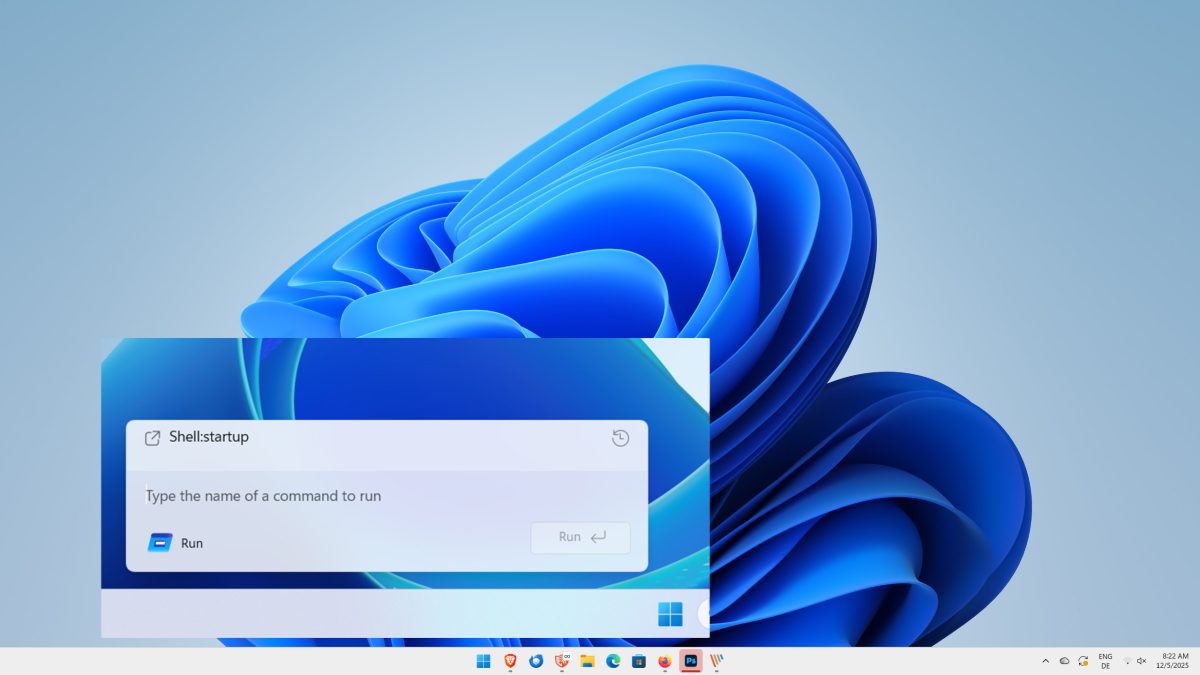
Microsoft introduced duality in several areas of its Windows 11 operating system. There are, for example, the new and old context menus, or the classic Control Panel and the new Settings app. Now, it appears, Microsoft is preparing for yet another.
The details: Windows 11 could soon be getting a modernized run box, reports Windows detective Phantom of Earth on X.
The run box is several decades old already and it has not received many updates in that time. The only meaningful addition was support for dark mode. You can launch it with the keyboard shortcut Windows-R to bring it up and launch programs or commands on the machine.
Phantom of Earth reports that the new Run dialog is not enabled by default. It needs to be enabled under Settings > System > Advanced > Run dialog, at least for now.

It uses a modern design, but that is all that we know so far. It looks similar to the PowerToys Run tool, which extends functionality beyond launching programs or running commands. Like a true launcher app, it enables users to search for folders, files or running processes, run some built-in tools and more.
Whether the modernized run dialog of the Windows 11 operating system will support that as well is anyone's guess at this point though, as little is know at this point. However, the good old trusted Ctrl-Shift-Enter hotkey for running in admin mode appears to be still present in the new run box.
The new feature is hidden in build 26534 and likely also consecutive builds when they get released. Microsoft has yet to make an official announcement regarding the new run box in Windows 11 and whether it plans to keep both run dialogs in the operating system or replace the classic one with the modern variant at some point.
Now You: do you use the run box on Windows occasionally or regularly, or do you prefer another option, such as a third-party launcher app? Feel free to leave a comment down below.

Why not leave the much mooted new Run command enabled rather than switching it off and forcing the user to make the change!
This is always the way with Microsoft: they think they’re trying to improve existing features, but instead keep on taking a step back putting the onus on the user to relearn features they’re familiar with.
It looks “more modern” but also simpler. The “Browse” button is missing where you can find the file you want to run.
It seems like it offers less functionality than before. Not that it bothers me as I’m not using Windows anymore.
Windows now has “the runs”. :P
That looks silly. Microsoft just can’t seem to produce anything useful or functional these days.
Windows is a dead horse now.
It got bang’d by Microsoft in every possible way and even if you beat it more, it won’t feel it as it already died.
Microsoft should just make Windows 7 open-source or terminate Windows 11 development in favor of bringing back Windows 7.
Microsoft could perfectly shift development efforts back to Windows 7, make necessary security updates, add WPA3, Wi-Fi 6 & 7, colored fonts, DirectX 12 & V4 print drivers to Windows 7 and call it a day.
Then Intel & AMD, Nvidia etc could bring back Windows 7-compatible drivers.
But the way it’s going down, we know it’s a pipe dream.
You would need to smoke a sizeable quantity of weed in order to even consider that Microsoft will eventually fix its Windows problems and do the right thing.
For all the sane people out there, everyone knows that Microsoft will of course plunder Windows 11 even deeper into the infinite void.
I have a shortcut to CMD in the tray; open as admin. Run commands like “regedit,” “control,” “gpedit.msc,” etc. Kind of no fuss.
I think you can do the same with Task Manager–Run new task; or maybe File Explorer.
Don’t play around too much with the inner workings.
And they say LInux is fragmented…at least that is in reference to different OS’ and different ideas on OSs. Not the same OS…
I use the run box all the time.
– As a quick way to open File Explorer on a particular drive letter
– To run regedit
– To use as a temporary ‘typing receptacle’ when I have text on my screen which can’t be selected. Type it up, then select and copy it for use elsewhere.