Two new tab widgets are now available in Firefox Labs: Lists and Focus Timer

Mozilla is introducing 2 new widgets in Firefox's new tabs. Two of them are currently available in Firefox Labs.
Mozilla has been testing widgets for a while now, it introduced a Weather widget (powered by AccuWeather) for the New Tab page as a hidden flag in Firefox 127 last year. Later, this was made available for users in the United States and Canada when Firefox 130 was released. It has expanded to more countries since then, check this support page for more details.
Let's get back to the new widgets: Lists and Focus Timer. The feature were tested since Firefox 143, in the beta and nightly channels of the browser. Now it is available in the stable version of Firefox, but not enabled by default. It is an optional feature, so you can turn it off if you don't like it.
Right, so how do you enable them? Open Firefox's Settings > Firefox Labs. Or just paste this in your tab about:preferences#experimental
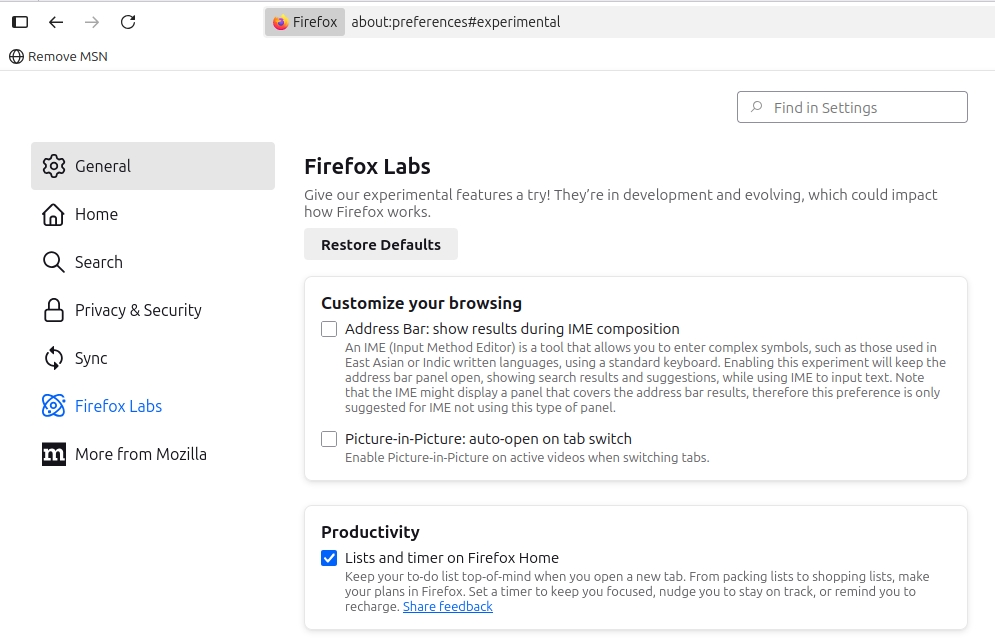
Here, you will see some experimental features that you can test. The one we want is listed under the Productivity section, and is called Lists and Timer on Firefox Home. Check the box next to its name. That's it, open a new tab, and you should see the new widgets ready for use.
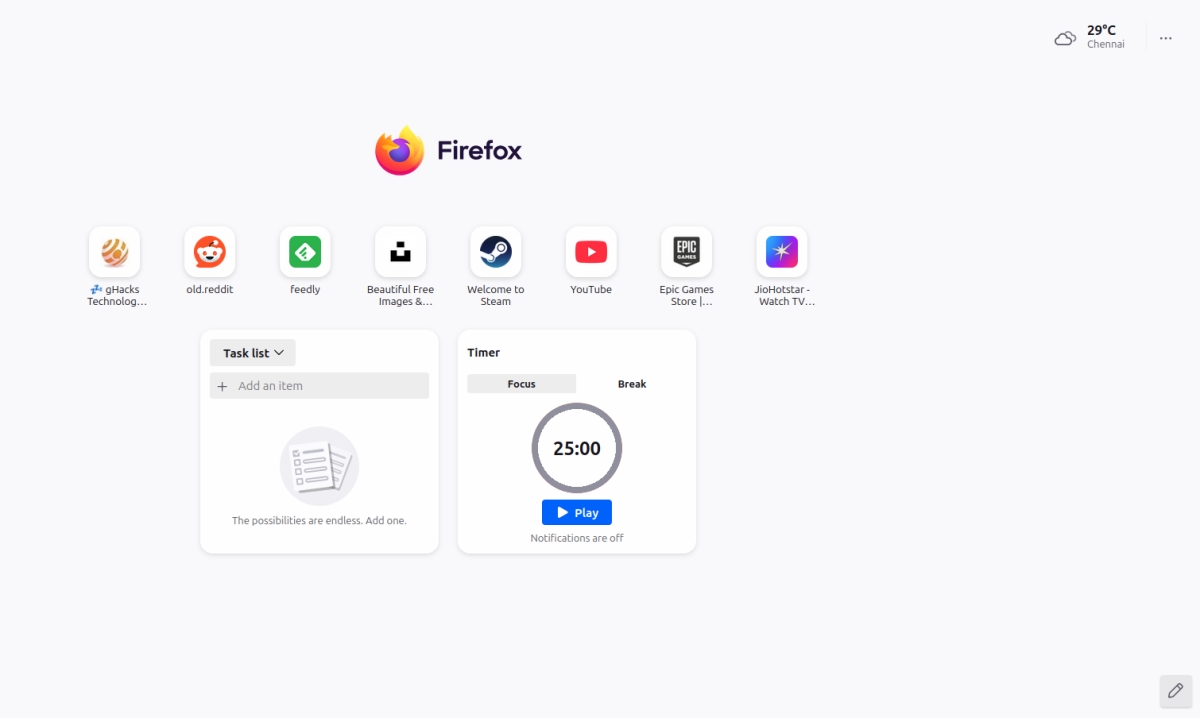
Mozilla says that users can create up to 10 lists using the Lists widget. To get started, hit the three-dot menu on the widget, select "Create a New List". Now you can add items to the list. Each list may have up to 100 items, so you can use it for to-do tasks, shopping, reminders, etc. Click on an item to mark it as completed.
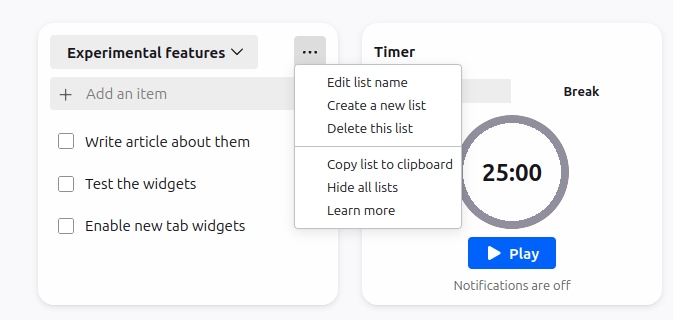
It is worth noting that this is not a cloud-based feature, all data is stored locally. Unfortunately, the widgets do not sync between devices, and you can't back them up either. The widget menu has an option to "copy list to clipboard", you can use this to backup your list or share it with others.
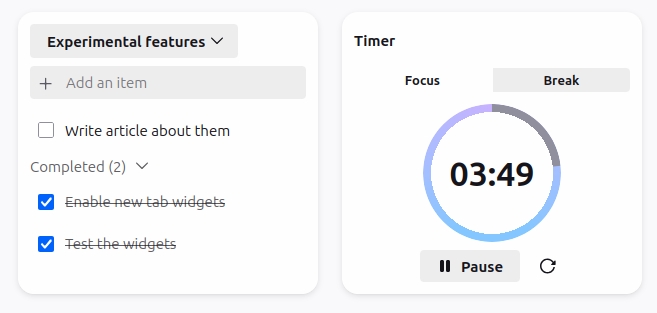
The Timer widget is quite simple, there are 2 modes: a 25-minute timer, and a 5-minute break. Select one, hit play, and the countdown begins. You can set a custom timer by placing the cursor over the seconds and minutes markers, and type in a number of your choice. Click on the Timer widget's menu, and select Turn On notifications, this will display an alert when the timer expires.
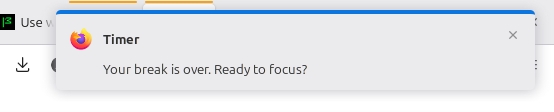
Here is the official support article for Widgets on Firefox New Tabs.
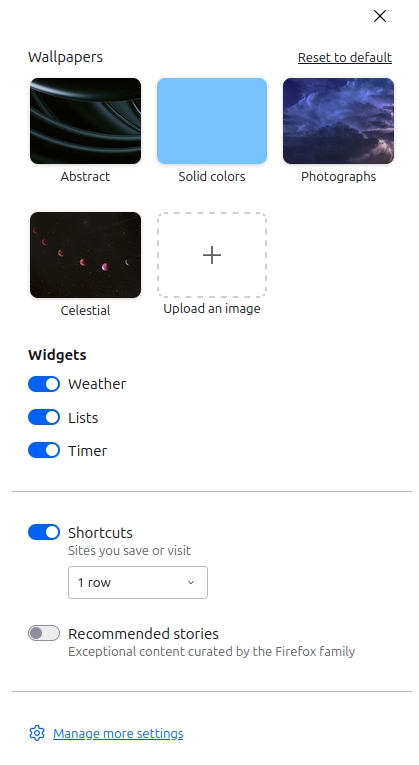
They may not have the features that add-ons may offer, but it's nice to have such options built-in. Don't like the widgets? Want to disable one or more of them? Click on the customize button (pencil icon) in the bottom right corner of the new tab. You should see toggles for each widget, just disable the ones that you don't like. You may also disable a widget directly from its own menu.
Do you like the new widgets?

Firefox has too much money in the budget it has to spend on some tech work. And since they are not doing much with web engine they give entry level stuff some busy work and this is the result.
Yeah I’m sure that’s all Firefox needs to regain its reverse market share slow downward spiral is some widgets.
Now with those two widgets Firefox is surely going to get back to its 32% world market share it had in 2009. That’s all it was missing.
Firefox is getting new features quite often these days. Many are useful indeed. Long live the red-haired browser :) I hope there are no more privacy issues on the horizon and FF will get new users.
Yeah, not sure why the others are hating it so much. Little improvements like these are always welcome. I guess if their favorite browser did the same, they’d shower it with praise.
Company are generally hated for two reasons: greed and politics. Mozilla went into politics hard. Nothing splits customer’s base as much as politics. Ask Movie, TV and Gaming industries and even some retailers. I think Mozilla would be better off if it was greedy instead.
How did Mozilla go into politics hard? Are you referring to the California Prop 8 issue from 2008 that resulted in the resignation of the then-CEO? If so, that was 17 years ago. I haven’t heard of anything since then. Can you explain further?