Microsoft tests new features in Paint, Snipping Tool and Notepad
Microsoft is testing some new features in Paint, Snipping Tool and Notepad for Windows Insiders. Here are the changes coming to the apps.
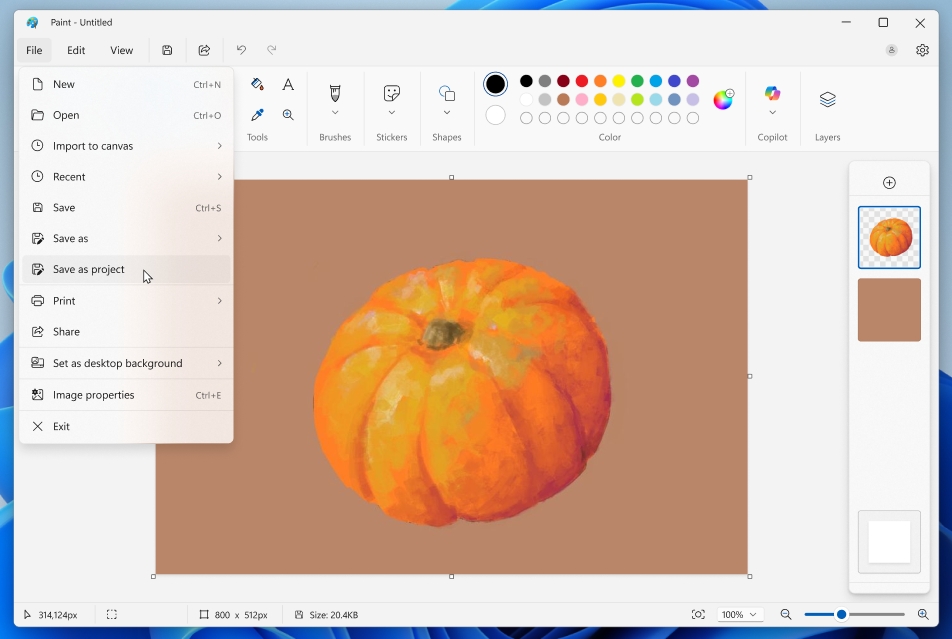
Paint now lets you save your art work as a project, so you can come back and pick up where you left off. You will need to select the Save as project from the File menu to preserve your work.
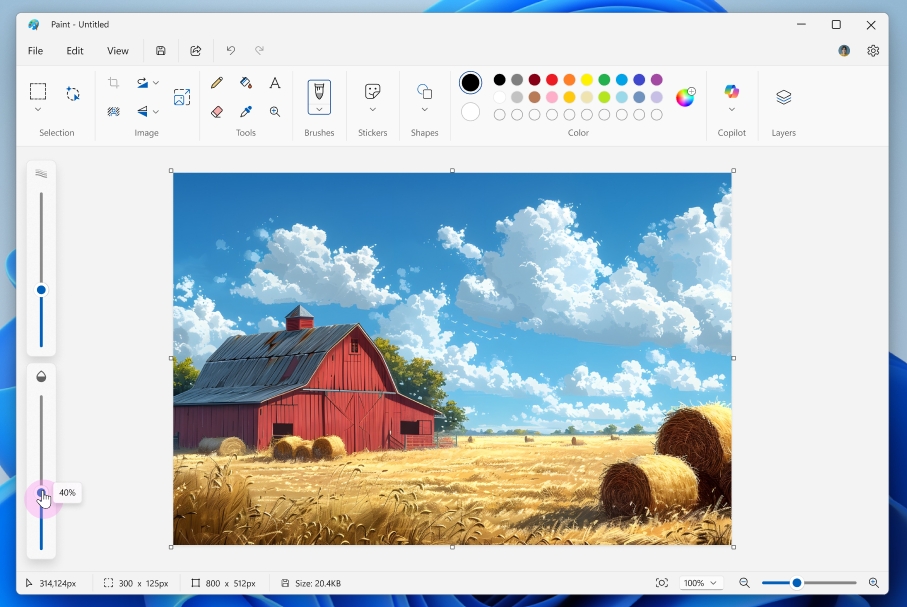
Paint is also getting an opacity slider to adjust the transparency level for pencil and brush strokes. Select one of the tools, and you will be able to access the opacity slider on the left edge of the screen.
The new enhancements are available in Paint version 11.2508.361.0 or later.
Snipping Tool is getting a Quick Markup tool, to help users annotate their screenshots, before even capturing it. To use it, you need to select the Quick Markup button from Snipping Tool's toolbar, or use the hotkey Ctrl + E.

Mark the area of the screen that you would like to capture, for example, draw a box around a part of the screen.
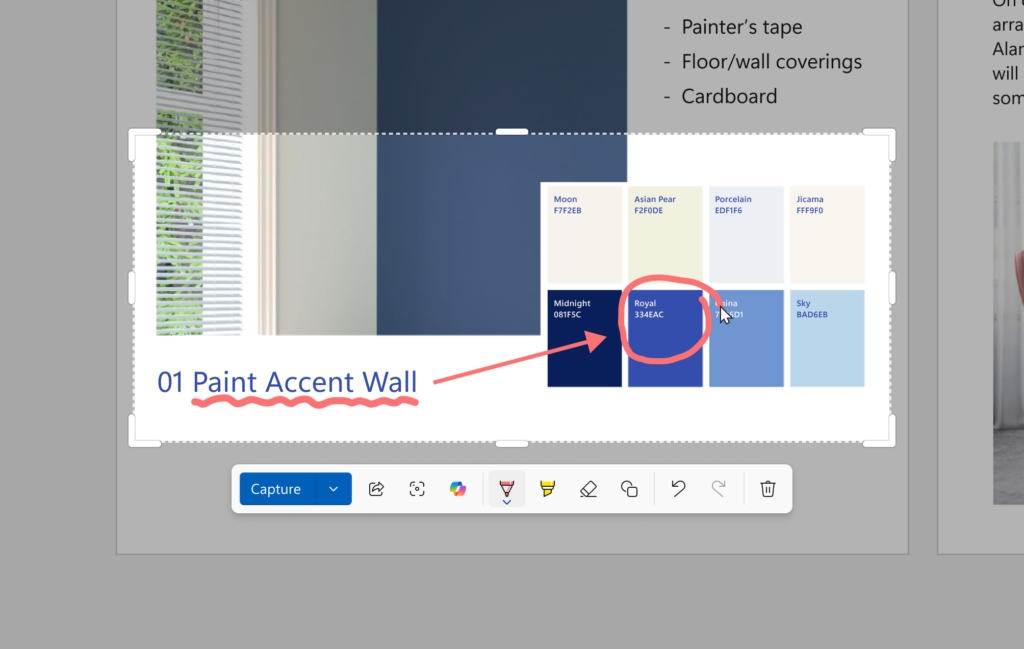
Once you have made your selection, you can directly start annotating (highlight, arrows, etc.) and edit the image in the selection area before finalizing the screenshot.
The Quick Markup tool is available in Snipping tool version 11.2508.24.0 or later. For once, these changes are good, especially since they don't use AI features, except for the changes to Notepad.
Notepad can now summarize content, write (generate text from prompts), and rewrite text using local AI models. These features are free and can be used without signing in to your account, but you will need a Copilot+ PC. Users who have a subscription gain access to other cloud models, and can switch to local models based on their needs.
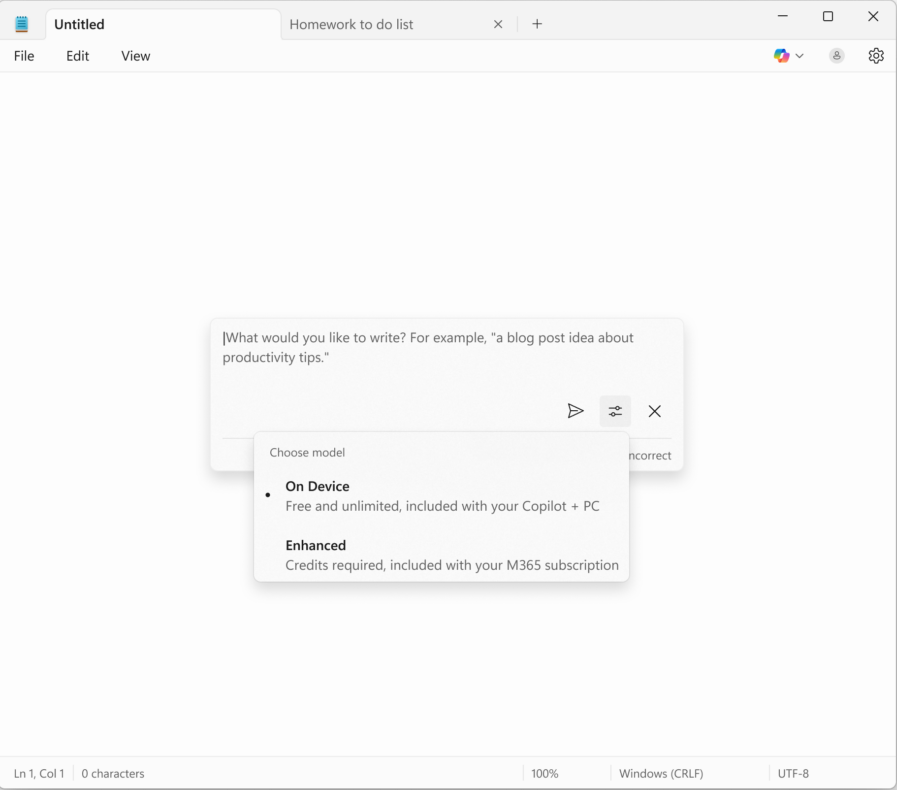
Copilot in Notepad is currently only available in English in Notepad version 11.2508.28.0 or above.
(Images via Microsoft Blog)
Microsoft's announcement says that these features are available for Windows Insiders in the Canary and Dev Channels on Windows 11.

Countdown to a Linux fan telling us to switch to Linux…10, 9, 8….
@45
>Countdown to a Linux fan telling us to switch to Linux…10, 9, 8….<
Me, if I hear someone spouting good news about how they were able to dump M$ and had a successful run at loading a Linux Distribution at no cost to the user. And finding they can browse, print, load music and games add a firewall and several utilities, use office programs, receive updates that don't brick your machine. A system that does similarly what M$ does except that Linux is light on resources and much more efficient than Windows, then I would definitely check it out, and do the research.
Compared to MS Linux is a revelation.
Don't let fear be your guide 45, Try new things.
Do you see a reason why?
I use Linux and would see no reason to use Windows anymore, but Paint features/bloat aren’t a reason to switch to Linux. There are many options like Paint.NET and others, people can install the MS Paint from XP and 7 if they want to.
Last I used Windows, I had all new programs/apps on 10 replaced with the counterparts from 7, such as Calculator, Paint, Task Manager, etc. The bad thing was Windows update policy that would upon update reinstall some of them back forcing me to spend more time setting my preferences again.
Microsoft’s expenditure on new “AI” features across its various products come with an expense (forgetting about the increased power requirements and associated environmental damage)…
The problems with Windows Updates over the last year or three, which includes some catastrophic fails for users, and the increasing number of security fails of Microsoft products should be of concern to governments world wide…
The user-borne costs of such issues must be excessive (more than Microsoft is valued at?)…
If car manufacturers were having as many serious issues they would be in court every day of the week…
Why is Microsoft apparently immune from such incompetence or malignant behaviour?
This company is lost and full of morons, and it’s going to take a miracle to change that. They’re working on more useless AI bloat that no one asked for.
Why don’t they experiment with bringing back a useful Start menu and incorporating Windows 10 functions and features from older versions that are still missing? The taskbar is one of the many Windows areas that has been updated and ruined.
There’s a ton of great stuff in the Feedback Hub that they’re continuing to ignore. Why can’t the taskbar still be moved and resized? The File Explorer SDK is substandard and its performance is unsatisfactory. The right-click menu is missing many useful items.
Lets experiment on making Windows great again instead of pointless AI shovelware.
They won’t change for better. As long as Windows is a PC OS monopoly, it will do what they want even if it makes it worse. Macros and Linux have to rise above 10-15% market share so Microsoft can feel threatened.
Then I wouldn’t be surprised if they pull the lawsuit that they did in the 1990s against IBM for shipping PCs with Linux which resulted in Linux market share tanking and remaining below 5% for 20 years.
Microsoft can’t play fair, but if they keep ruining Windows, users will keep switching to other OSes.