Intel Core i9-14900K release date, specs and price
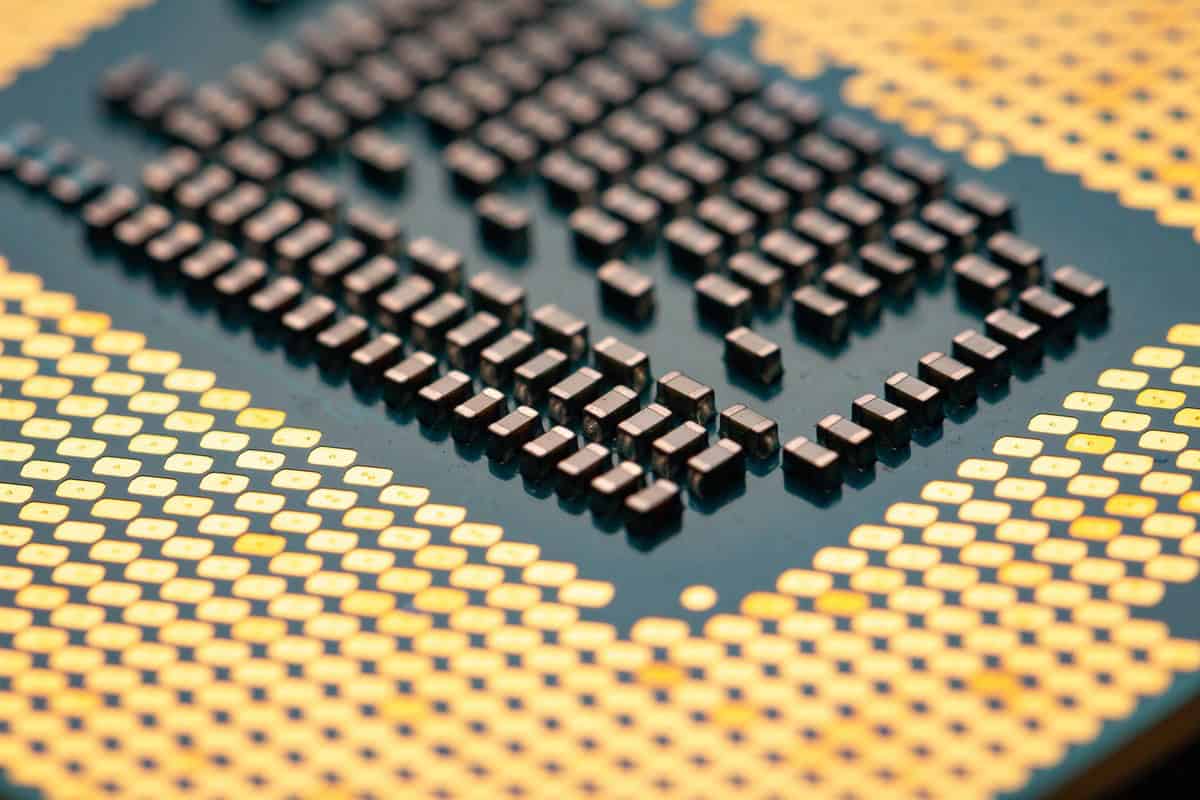
The Intel Core i9-14900K was released on October 17, 2023. Intel announced the 14th Gen Core desktop lineup on October 16, 2023, and the chip went on sale at retail and in OEM systems the following day, alongside the i9-14900KF, i7-14700K/KF and i5-14600K/KF. Intel's recommended customer price for the i9-14900K is $589 to $599, the same launch price as the Core i9-13900K.
This page covers the confirmed launch date, the official specifications from Intel, the price, how the chip compares with the i9-13900K, and the Vmin Shift instability issue that anyone buying or running a 14900K today should know about.
When was the i9-14900K released?
The Intel Core i9-14900K was released on October 17, 2023, one day after Intel's official announcement on October 16, 2023. Intel's own product database lists the launch date as Q4 2023. The chip belongs to the Raptor Lake Refresh generation, which Intel sells under the "14th Gen Intel Core" name.
The October 2023 launch covered six unlocked desktop processors only:
- Core i9-14900K and i9-14900KF
- Core i7-14700K and i7-14700KF
- Core i5-14600K and i5-14600KF
The K models include Intel UHD Graphics 770; the KF variants drop the integrated graphics and need a dedicated graphics card. Ahead of launch, leaked slides published by HD Tecnologia showed the same lineup and US pricing, which turned out to match what Intel later confirmed. Intel's announcement is available in the Intel Newsroom.

Intel Core i9-14900K specs
The Intel Core i9-14900K is a 24-core, 32-thread desktop processor with a maximum turbo frequency of 6.0 GHz, according to Intel's official specification page. The 24 cores split into 8 Performance-cores and 16 Efficient-cores; only the P-cores support Hyper-Threading, which is why the thread count is 32 (some early reports and leaks listed 36 threads, which is wrong).
| Specification | Core i9-14900K |
|---|---|
| Cores (P + E) | 24 (8 + 16) |
| Threads | 32 |
| Max turbo frequency | 6.0 GHz |
| P-core / E-core base | 3.2 GHz / 2.4 GHz |
| Cache | 36 MB Intel Smart Cache, 32 MB L2 |
| Base / max turbo power | 125 W / 253 W |
| Memory | DDR5-5600 or DDR4-3200, up to 192 GB |
| Graphics | Intel UHD Graphics 770 |
| Socket and process | LGA1700, Intel 7 |
The chip uses the same LGA1700 socket as 12th and 13th Gen Core, and Intel confirms support for both 600-series and 700-series chipsets. Full details are on Intel's i9-14900K specification page. To see how hard the cores actually run on your own system, you can show CPU, GPU and RAM usage in Windows 11 without extra software.
i9-14900K price at launch
The Intel Core i9-14900K launched at a recommended customer price of $589 to $599, which Intel describes as pricing guidance for direct-channel customers, not a retail price. That matches the $589 launch price of the Core i9-13900K, so Intel kept 14th Gen pricing level with 13th Gen. The rest of the launch lineup follows the same pattern:
| Processor | Cores / threads | Intel recommended price |
|---|---|---|
| Core i9-14900K | 24 / 32, up to 6.0 GHz | $589 to $599 |
| Core i7-14700K | 20 / 28, up to 5.6 GHz | $409 to $419 |
| Core i5-14600K | 14 / 20, up to 5.3 GHz | $319 to $329 |
Street prices have moved a lot since 2023 and differ by country and retailer, so compare current listings before buying instead of relying on launch pricing.

i9-14900K vs i9-13900K: what changed
The i9-14900K is a refresh of the i9-13900K: same core layout, same cache and same socket, with a higher maximum turbo frequency. Both chips have 8 P-cores, 16 E-cores, 32 threads, 36 MB of cache and a 125 W base power rating. The headline difference is the boost clock, 6.0 GHz on the 14900K versus 5.8 GHz on the 13900K.
- Clock speed: 6.0 GHz versus 5.8 GHz maximum turbo.
- Software: 14th Gen added Intel Application Optimization (APO), a policy in Intel Dynamic Tuning Technology that targets select games on select 14th Gen chips.
- Connectivity: support for discrete Intel Wi-Fi 7 adapters. Intel corrected its launch announcement to say 14th Gen desktop processors do not support Thunderbolt 5.
- Price: the same launch price.
The bigger generational jump was the i7-14700K, which gained four extra E-cores over the i7-13700K. If you already own a 13900K, the 14900K is not a meaningful upgrade.

The 14900K instability issue and the fix
The Core i9-14900K is one of the 13th and 14th Gen desktop processors affected by what Intel calls Vmin Shift Instability, a problem that causes crashes and can permanently degrade the CPU. Intel traced it to a clock tree circuit in the cores that degrades under elevated voltage and temperature. Intel's fixes arrived as microcode updates delivered through motherboard BIOS updates:
- 0x125 (June 2024) fixed an eTVB behavior that let some Core i9 chips hold high clocks at elevated temperatures.
- 0x129 (August 2024) limited voltage requests that were too high for too long.
- 0x12B (announced in September 2024) combined both and addressed elevated voltage requests at idle and light load.
- 0x12F later addressed rare edge cases on systems running idle or light work for days.
Microcode prevents further damage but does not repair a chip that is already degraded. Intel extended the warranty on boxed 13th and 14th Gen desktop processors by two years, to five years for most boxed chips; buyers of prebuilt systems should contact the system maker. If your system crashes, install the latest BIOS from your motherboard maker, use Intel's default power profile, and monitor clocks and temperatures with a tool such as Libre Hardware Monitor. Tom's Hardware has a detailed write-up of Intel's root cause findings.
Should you still buy an i9-14900K?
The i9-14900K still makes sense mainly as a drop-in upgrade for an existing LGA1700 system, provided the board runs a current BIOS. Before buying, work through this checklist:
- Check that your 600-series or 700-series motherboard has a BIOS with the 0x12B or newer microcode.
- Budget for cooling and power: maximum turbo power is 253 W.
- Buy boxed retail if you want Intel's extended warranty coverage.
- Compare current prices with the i7-14700K, which offers 20 cores for much less.
For a new build, compare it against newer platforms from Intel and AMD at current prices and check how long each socket is expected to receive new processors.
FAQ
Does the i9-14900K work on a Z690 or B660 motherboard?
Yes. Intel supports 14th Gen desktop processors on 600-series chipsets, but the board needs a BIOS version that supports 14th Gen, so check your motherboard maker's support page before installing the chip.
What is the difference between the i9-14900K and i9-14900KF?
The KF model has no integrated graphics, so it needs a dedicated graphics card. Otherwise the cores, clocks and cache are the same.
Does the i9-14900K support Thunderbolt 5?
No. Intel corrected its launch announcement to state that 14th Gen Core desktop processors do not support Thunderbolt 5.
Related: Intel Meteor Lake and on-device AI, fix game stutter with Intelligent Standby List Cleaner, what AMD FSR 3 is and how to enable it

Leave a Reply