WinfrGUI: Windows file recovery application
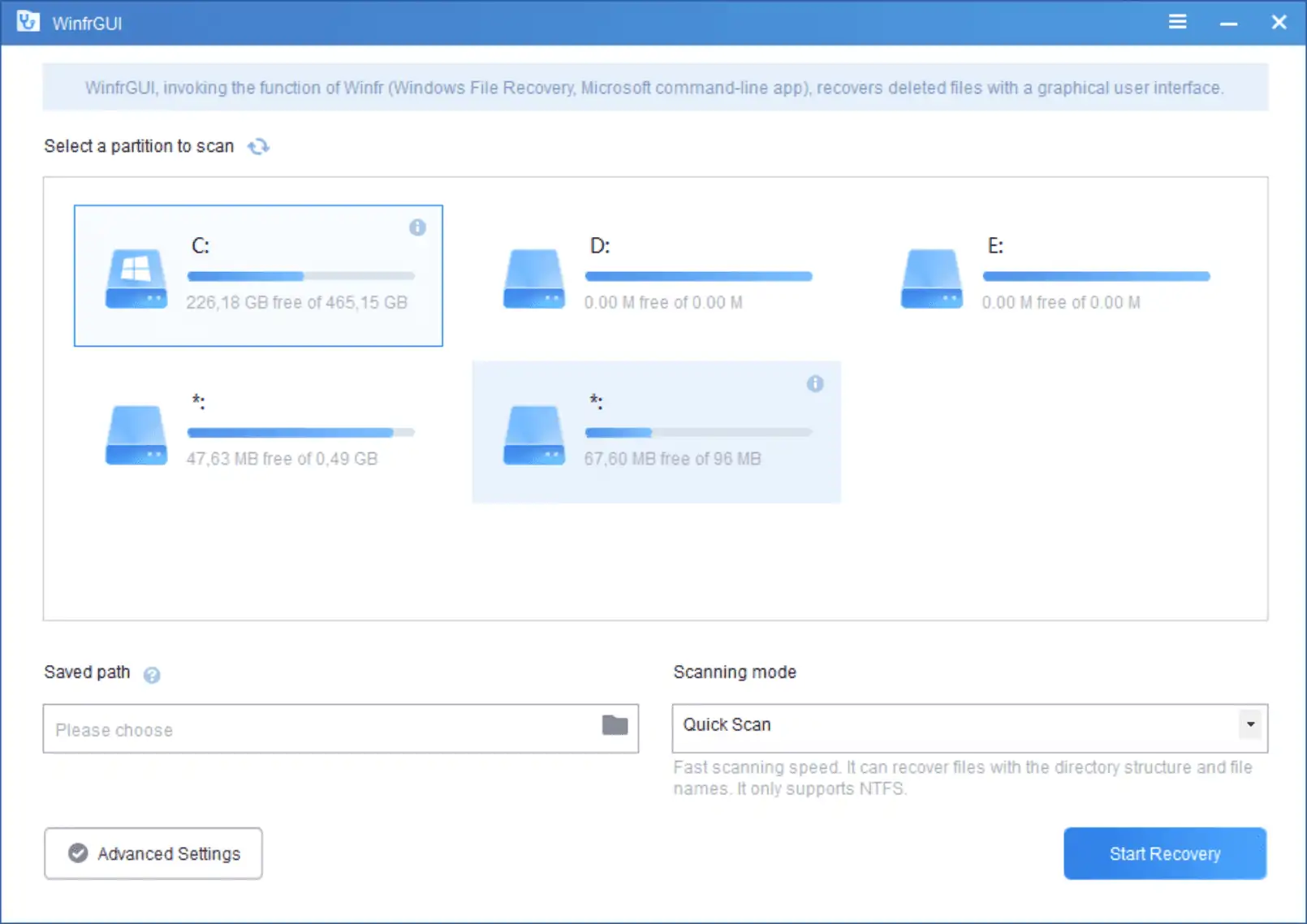
WinfrGUI is a free graphical interface for Microsoft’s official command-line "Windows File Recovery" tool (Winfr), designed to easily restore deleted files on Windows 10/11. It allows users to recover photos, documents, and videos from internal/external drives, USBs, and memory cards without using complex command-line prompts. The file systems NTFS, FAT, exFAT and ReFS are supported.
Windows file recovery with WinfrGUI
Download and installation of the WinfrGUI recovery tool is quick and straightforward. It is based on Windows' File Recovery feature and makes the utility more accessible through its user interface.
You may run the program right after installation. WinfrGUI's interface looked washed out on a 4K display, but not on lower resolution displays. The app displays all available partitions in the interface, and you may run a quick scan or full scan right away to display all files that may be recovered.
A better option, in many cases, is to access the advanced settings with a click on the button in the interface after selecting a partition. The screen that opens displays filter options, so that only certain types of files are returned. The application supports six presets -- Documents, Photos, Videos, Audios, Web pages, and Compressed files -- and an option to search for custom file extensions and names.
Selection of one or multiple filters will return only matching files. The option to search for custom extensions and files is useful if you know part of the filename that you want to recover. The advanced settings interface lists options to scan all or only select folders of the partition.

A click on the ok-button loads the main page of the WinfrGUI application again. There you may select the quick or deep scan options and begin the scan with a click on the "start recovery" button.
One of WinfrGUI's shortcomings is that it lacks options to select files after the scan completes. All files will be saved to the targeted directory, provided that they match the filters selected (if any). Other programs, for example, Recuva, do a better job when it comes to that.
Still, WinfrGUI may be useful to users who want to restore files from a specific folder that has been deleted by accident, by malware or other events.
Is WinfrGUI safe?
WinfrGUI is a basic file recovery tool for Windows. It lacks the advanced options and finesse of popular recovery applications, but may still be useful to some users. The developers should add recovery selection options to it to improve the user experience.

Small note: WinfrGUI is only for Windows 10 v2004 or newer.
(Will not install on Win7)
“Recovery” purposes are for just-in-case scenarios.
Therefore, “reliable operation” is the most important factor, rather than user convenience (ease of use, GUI), etc. Furthermore, “no unauthorized backdoors” should be considered.
I absolutely avoid “closed programs” and “products related to Russia or China”.
https://www.ghacks.net/2022/04/22/microsoft-defenders-protective-capabilities-suffer-offline/#comment-4520030
“AOMEI” is well-known, but made in China.
From this perspective, “Rescuezilla” would be appropriate.
Although not open source, the British-made Macrium Reflect can be used by beginner users.
@piomiq plainly your comment is incorrect since you yourself quote in it the qualifier “—>Windows<— PCs". (I assume this was not a post-publication edit by Martin).
@Martin – just a tiny typo in the last para. of the article:
" It lakes " sc.: 'It lacks' [presumably].
Thanks, I corrected the typo.
“WinfrGUI is a free program to recover files on Windows PCs. ”
Really? I doubt, for sure will don’t recover files from Linux file systems like ext4 and others.
Here seems author generalized PC and meant computer with installed Windows operating system, because this application handles only file systems supported by Windows.
Martin,
There is zero information about the author, no source code available, a software available in Chinese and English. The idea of that software may be good, but to trust it is another question. I reckon you pay more attention to this, because any software advertised on your well-known and trustable web site is de facto installed by many users…
Kriss, you are right. The software appears to be linked to AOMEI, as it uses the aomei site for file downloads.
I found an announcement on the official site: https://www.aomeitech.com/forum/index.php?p=/discussion/7666/dont-miss-free-windows-file-recovery-with-gui-from-microsoft
It’s better to have automatic regular backups. At the minimum online backups with file history.