
How To Open Microsoft Excel Spreadsheets Without Excel

There are quite a few ways of opening Microsoft Excel spreadsheets if Microsoft Excel is not installed on the computer system. The article will outline several popular ways of opening Excel spreadsheets so that the contents can be at least read and printed. Several of the methods even allow to work with the contents of the spreadsheets as well.
All ways of opening Microsoft Excel spreadsheets can be divided into an online and offline category. The online category usually requires an account at some website before the spreadsheets can be worked with.
Computer Software Programs:
Excel Viewer [link]
Microsoft's own Excel Viewer can be used to view Excel 2007 (xlsx) and earlier Excel spreadsheets. It has a download size of 74 Megabytes and uses the same core that Microsoft Excel uses which ensures a good compatibility with all Microsoft Excel spreadsheets.

Open Office [link]
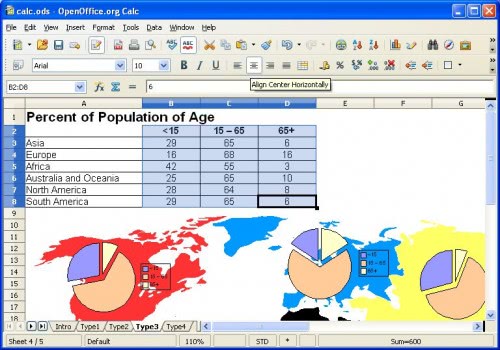
Open Office is considered to be the Microsoft Office alternative. It is a free Open Source office suite that can be used to open Microsoft Office document formats. The module needed to open Excel spreadsheets is called Calc and supports the new Excel 2007 xlsx format but also older Microsoft Excel documents.

Microsoft Office Compatibility Pack [link]
Users who have a previous version of Microsoft Office or Microsoft Excel installed (that is pre-Excel 2007) can use the Microsoft Office compatibility pack to add support for the Excel xlsx format so that these spreadsheets can also be worked with in previous versions of Excel.
XLS Viewer 2.30 [link]
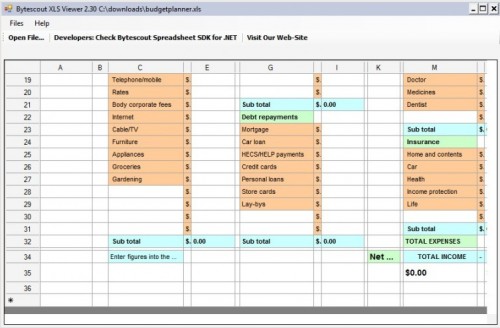
The XLS Viewer has a tiny size of just 1 Megabyte. It can open, display and print xls, xlsx and ods documents that have been created with Microsoft Office or Open Office. The computer program seems to have slight problems displaying complex spreadsheets correctly.

Online Tools
Google Docs [link]
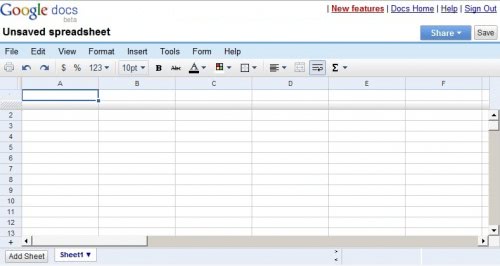
Google Docs has only recently added support for the Excel 2007 xlsx format. The online service was able to work with standard xls documents before but the new feature makes it possible to open and work with all Excel documents in Google Docs.
Thinkfree [link]
Can be used to quickly view spreadsheets online.Supports both old and new Excel spreadsheets and various other formats.

Zoho Sheets [link]
Zoho Sheets is an online product that enables users to view and edit spreadsheets online.
Do you know of other online or offline tools that can be used to view spreadsheets? Let us know in the comments.
Advertisement
















I have a file over 1mb in size full of data for seo management and microsoft decided to not allow me to open it… seriously i had to get hold of The XLS Viewer while i fix this issue. Thanks for the tip.
I have developed an Excel application that I wish to compile and be able to run on a computer that does not have Excel resident,. The DoneEx Excel compiler requires that Excel be resident in order to run the application. Is there some open source software that can be used in place of Excel for this purpose?
Is there any other way to compile an Excel application that does not require Excel to be resident to run the compiled application?
Dear sir , i have do more programs to excel but i lock my spreadsheet but i forgot my password. plz help me, how to open . thanking you.
it a very good think to learn how to open mmicrosoft excel
it is the best and fantastic . i love it.
i need a help how to open an excel sheet
learning more in IT
I will want to have this material so that I can update my knowledge on Microsoft Excel
I recommend Google docs – soon all software will be open source and on the cloud
Of course it will. Yep, definitely.
You may try SSuite Office for a free office suite. They have a whole range of office suites that are free for download that will meet all your demands. Their software also don’t need to run on Java or .NET, so it makes the software very small and efficient.
You can try these links:
http://www.ssuitesoft.com/index.htm
or
http://ssuite5element.webs.com/thefifthelement.htm
Great list. I often use Bytescout XLS viewer you’ve mentioned. It is very handy.
nice list… i would rather go for intalling the whole Office package instead of download Excel Viewer… Nd using google docs is quite unsafe at time for some important documents.
Cheers. =)
Nice list, what about other sites allowing to view documents online? I have in mind Vuzit (http://www.vuzit.com ) and View Docs Online (http://www.viewdocsonline.com ). They are a nice and quick way to view a document.