Vivaldi for iOS gets Reader View, Tab Stack Pane, Link Previews, Custom Search Engines
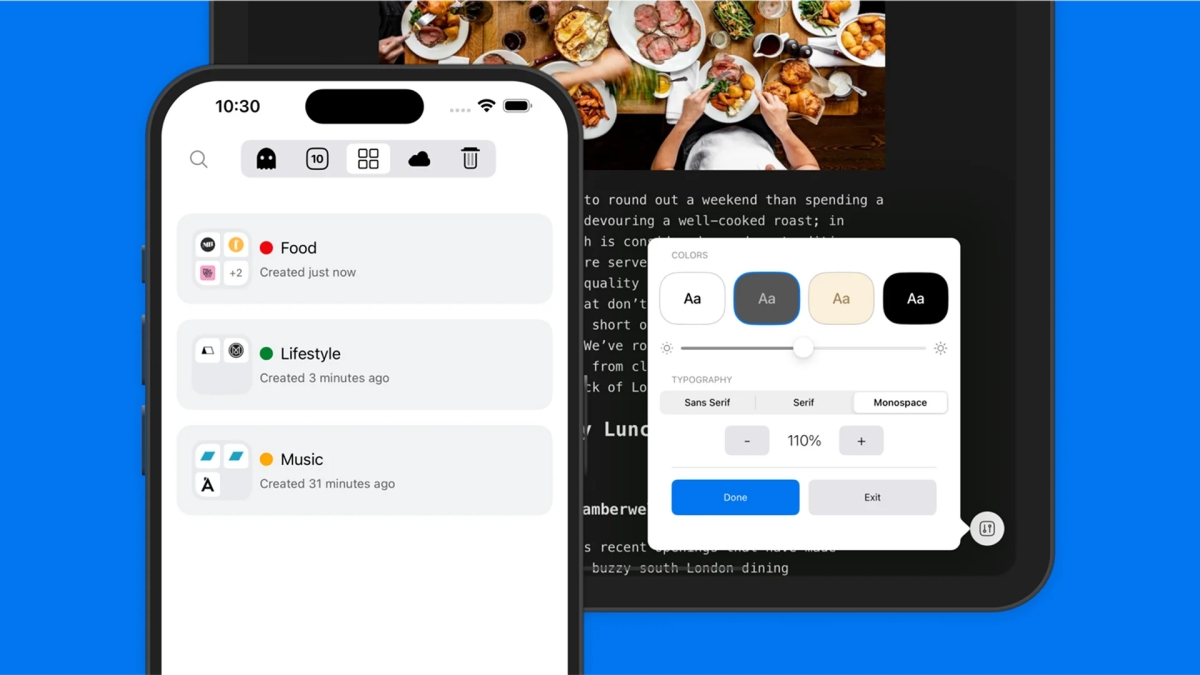
Last month, Vivaldi was updated to 7.6 on desktop. Now, the mobile versions have been updated, Vivaldi 7.6 for iOS brings several new features, including a Reader View, and a Tab Stack Pane.
When you are on a web page, tap on the Reader View button in the address bar to view a distraction-free version of the page. It offers a few customization options such as changing the theme (light, dark, sepia, high-contrast black), a brightness slider, options to switch between Sans Serif, Serif or Monospace font, and adjust the text size using the + and - buttons.

Note: You can disable Reader View from the Settings > Content Settings.
Vivaldi comes with a bunch of search engines by default. The latest update adds an option to use custom search engines, so you can add Kagi, Qwant, or anything that you prefer. Go to Settings > Search > Add Search Engine.

For example, you can add Qwant like this: https://www.qwant.com/?q=%s or Kagi using: https://kagi.com/search?q=%s. Give it a nickname to access it quickly, usually this is done automatically. The app also picks up the search engine's icon, and adds it to your list. Tap on an existing search engine to edit its options.

Vivaldi's Tab Switcher is now home to a new button, the Tab Stack Pane. Tapping on it allows you to view a list of all your Tab Stacks. You can now add a tab to a stack quickly, by long pressing on a link, and selecting the Add to Stack option.

Long pressing on URLs also displays a preview of the linked page, without leaving the current page, right inside that compact pop-up. It does temporarily blank the background tab, possibly for readability. Link previews can be disabled from the Settings > Content Settings.

Vivaldi 7.6 for Android update adds a new feature. You can create bookmark folders quickly, by choosing to create a new folder when you save a bookmark.
Download Vivaldi 7.6 for iOS from the App Store, and the Android version from the Play Store. The announcement for the update is available on Vivaldi's blog.
Which of these new features do you like?

Leave a Reply