Microsoft Store won't let you disable app updates, adds option to pause updates for 5 weeks
Microsoft is changing how the Microsoft Store handles app updates, it has removed the option to disable app updates permanently. Instead, users will now be able to pause updates temporarily.
Windows allows users to disable app updates from the settings. You could toggle the option off, and it would stop updating apps automatically. The only way to update apps is to trigger a manual download. This is how it works currently.
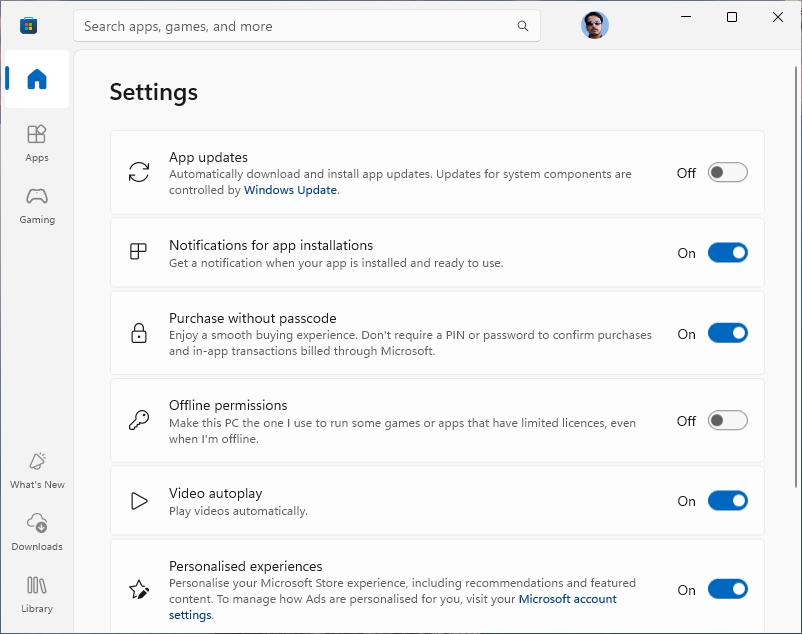
However, with the upcoming change, Microsoft Store will kill the option to disable auto updates. It will let you choose to pause app updates for 1 week, or up to 5 weeks. After this time has passed, the apps will be updated automatically to the latest version.
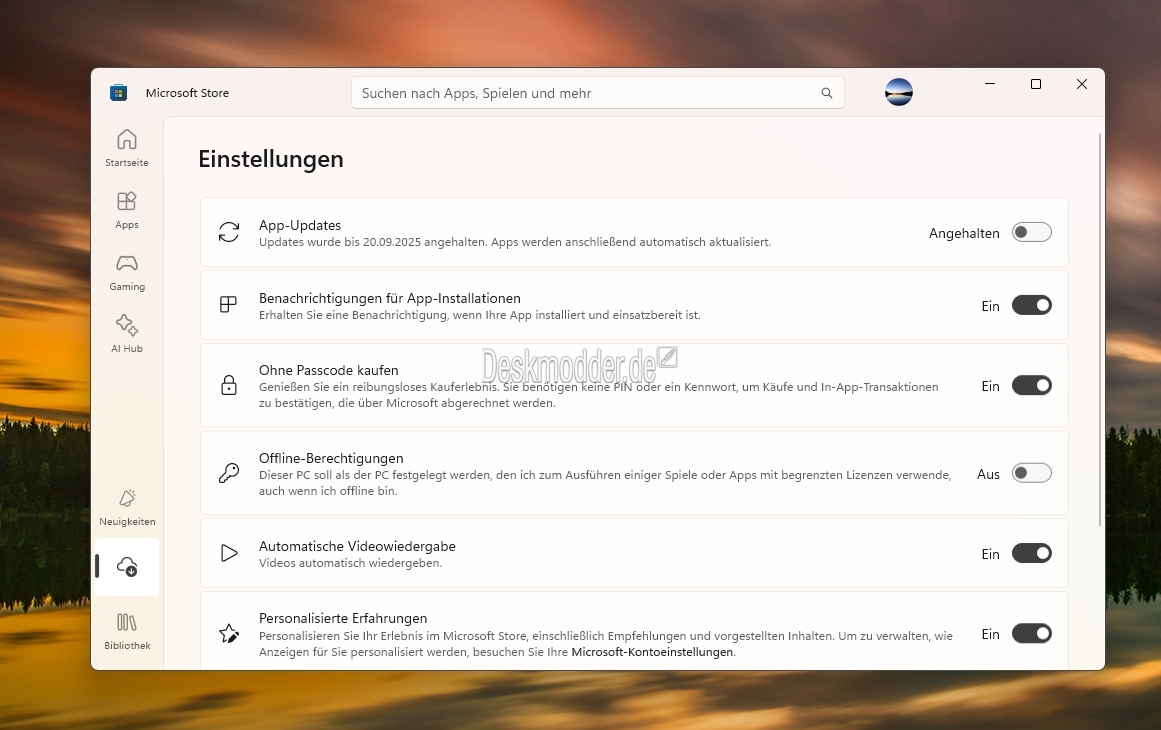
(Image courtesy: Deskmodder.de)
I don't see the new option in my Windows 11 virtual machine, or on another computer running Windows 10. So, it's rolling out slowly.
It is not possible to change the update behavior via the Windows Registry, but you can change a Group Policy to stop app updates. Tom's Hardware reports (via Deskmodder) that the change may have been done for security reasons. Older versions of apps that contain security vulnerabilities could be exploited by hackers to attack computers. Forcibly updating an app could protect users, but this may not be the right approach.
Why not just allow developers to warn users with an in-app banner or a pop-up warning, that informs users that the current version of the app is insecure, and offer an option to update it?
There are many reasons why one may not want automatic app updates. Maybe you want to use an older version of an app because a new one is buggy, or the latest version has an interface/redesign that you don't like, or it introduced ads, or removed features, or locked formerly free options behind a paywall, or maybe an app got sold and its trash now, etc. It's a personal choice, but that's the issue here, lack of control.

You can’t install apps from the M$ store unless you’re logged in with a Microsoft a/c. So the simple answer is to only ever login with a local a/c and consign the store to history.
I don’t have a MS account and I download just fine. What is this joke?
The same story as ever. Microsoft knows better than the users what they need and how they should use Windows. Anyone who uses Windows is a slave whose voice doesn’t matter. What matters is harvesting users’ data. If you are willing to change the situation switch to Linux and only use Windows offline if necessary. Don’t go for Arch or any rolling distribution, install Linux Mint or Ubuntu. The problem is you need learn a few things, but everything has its price.
They did this so they could force their inferior web view apps on users. They saw that everyone was keeping the old, good versions of the apps before they ruined them with bloated, web-based trash.
What is it going to take ? I refuse to believe that there are such lazy, complicit, people in the world, whom are prepared to tolerate this abuse, when there are alternatives available.
Are we all sheep ? cattle to the slaughter ? or just plain stupid ?
Peter Newton [London UK Linux user since 2004]
I wish they’d finally let us remove stuff from the Library. A relative “abused” my PC back in 2015 and downloaded more than hundred free games which are still listed in there causing lag when checking for installed apps updates.