Proton Authenticator: Free two-factor authentication app

Proton Authenticator is an open source, two-factor authentication app available here.
Proton Authenticator is a cross-platform open source application to manage 2fa codes for services that support it. Two-factor authentication (2fa) adds another layer of security to online accounts. You continue to sign in using a username and password, or other means, but are prompted to provide a code in a second sign in step.
The extra security step provides excellent protection against phishing attacks and other forms of password stealing.
Proton Authenticator review
- Available for all major mobile and desktop operating systems.
- Completely free. No ads, no tracking.
- Does not require a Proton account, but syncing is difficult without one.
Tip: check out the list of our favorite authenticator apps for mobile here.
How to use Proton Authenticator?
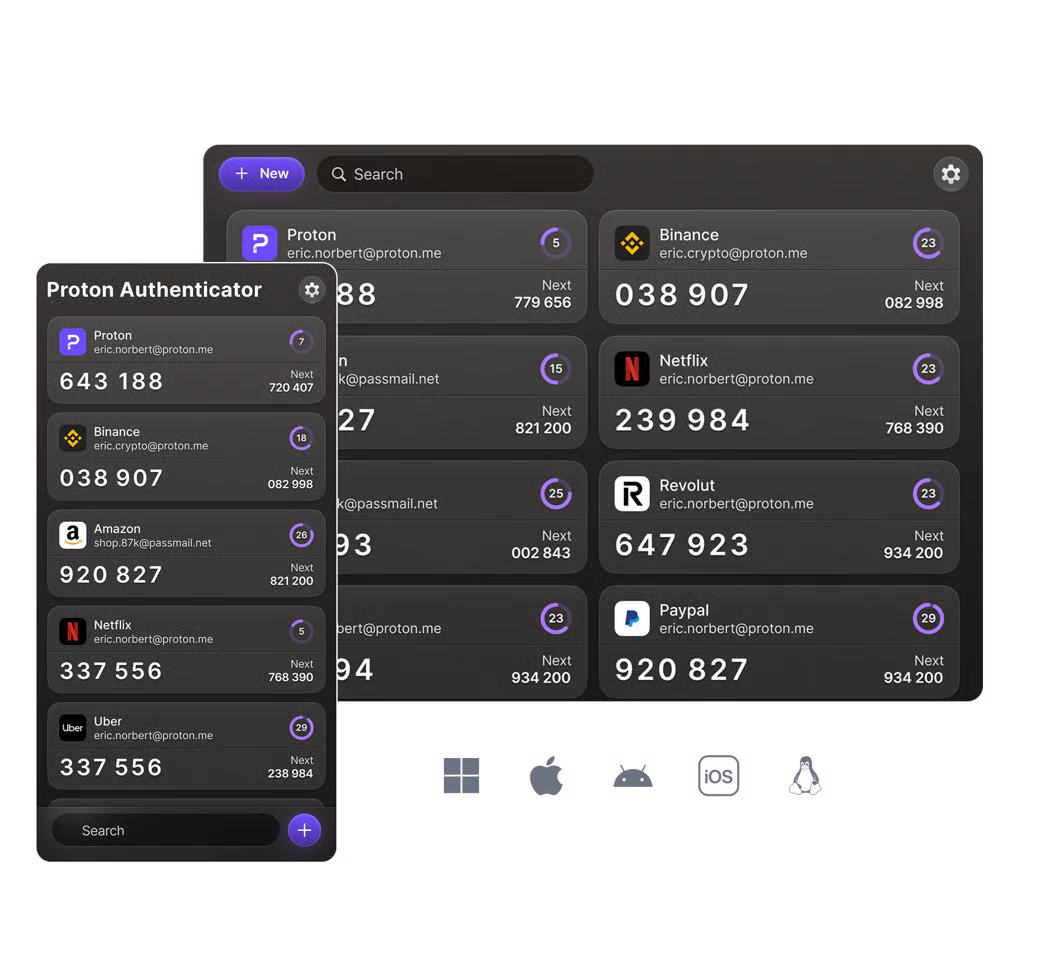
Proton Authenticator is a free app that is available for all major desktop and mobile operating systems. It is open source and uses end-to-end encryption to protect user data. In other words, not even Proton may access the secrets or codes that you add to the app.
You can download a version for Windows, Linux and Mac, or for the mobile systems Android or iOS. Data is synced between all connected versions, provided that you sign in to each app with the same account credentials.
Once you have installed the Proton Authenticator app you may add codes manually to it or import codes from another service. The app supports the following two-factor authentication services at the time of writing: 2FAS, Aegis, Authy, Bitwarden, Ente, Google Authenticator, LastPass, Microsoft Authenticator, Proton Authenticator and Proton Pass.
Note that importing may require you to export the data from a supported application. If you use Aegis, one of our recommended authenticator apps for example, you are instructed to export the secrets via Settings > Import & Export > Export first. You may then import the data in Proton Authenticator to add it.
Proton says that its authenticator puts the user first. Its open-source nature, use of encrypted sync, lack of ads or tracking, cross-platform support that extends to desktop and mobile, and direct export options make it superior to major solutions, including Google Authenticator, Authy, or Microsoft Authenticator.
It is certainly the case that most authenticators lack desktop versions. Even Aegis does not offer one. While that may not be a requirement for most Internet users, having the option to install the authenticator on desktop systems is a welcome addition as it removes the necessity to use a mobile device.
Is Proton Authenticator Safe?
Many Proton users may start using the company's authenticator app, as they are already invested and trust the company with their files, data, or passwords already. It is a new app on the other hand, and that may make some users wary. Proton is on a role. The company released lately its privacy-friendly AI Lumo last week.
Now You: do you use a 2fa application already? If so, what is your preferred application and why? Feel free to leave a comment down below.

Proton built for desktop using Electron or equivalent, going by the r?t?rd?d mobile touch oriented design. Gross. I bet the installer is also bloated as a result. All for a simple code generator.
Its WebView2 crapware. Eating 150MB at import screen. Uninstalled.
This works on Windows, Mac, Linux, iPad, but not yet 100% on iPhone. A number of iPhone users have reported login problems. At Proton’s request I submitted a video and logs and suspect I’ll see a fix within a week.
I have been looking for a Windows–Android authenticator, and this seems to be the answer.
QUESTION: The download filename is: ProtonAuthenticator_1.0.0_x64_en-US.msi
There seems to be no option on the Proton website for the language en-GB (or any other language).
I presume that this is because it is an early version, but I can’t find anything on the Proton website or elsewhere explaining this..
Glad to know Proton still works on useful tools (because Lumo is a nuclear disaster).
I think you mean “Proton is on a roll.”
I use ente auth and synthing to sychronize all data on my local network when I’m at home.
ente and aegis best choice right now..
I use EnteAuth but I’m all for open source competition. You can sync your data, like passwords, 2fa locally from your wifi with Syncthing.