Google Chrome 96: release date, version number and what changed
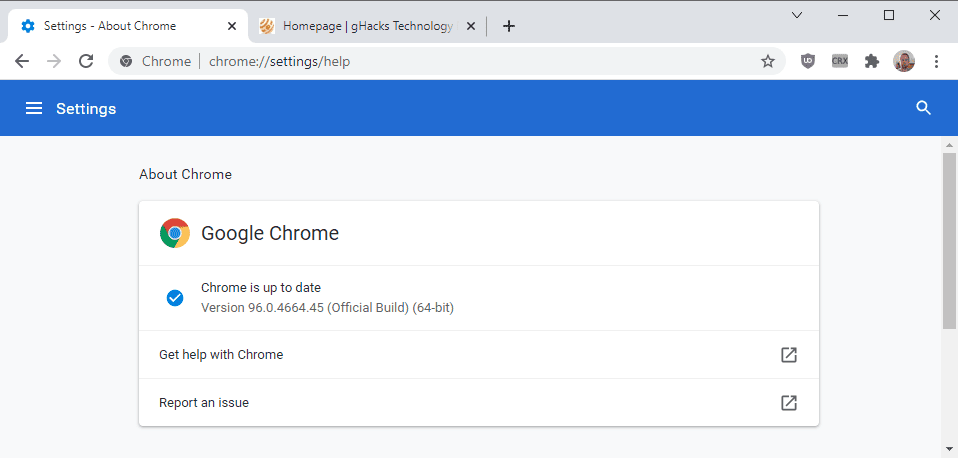
Chrome 96 reached the stable channel on 15 November 2021 as version 96.0.4664.45 for Windows, Mac and Linux, with Android following. It brought HTTPS upgrades through DNS HTTPS records, the back/forward cache on desktop, new web platform APIs and 27 security fixes. It has long been superseded by newer major versions.
This page keeps the Chrome 96 release record: what shipped, what was deprecated and how to check which Chrome you run today.
What was new in Chrome 96
Chrome 96 stable was announced on the Chrome Releases blog on 15 November 2021 and rolled out over the following days. The same post lists 27 security fixes, including a high-severity use-after-free in media (CVE-2021-38008), and says the extended stable channel moved to Chrome 96 as well. Chrome had just switched to a 4-week release cycle, and the extended channel stretches that to 8 weeks.
The feature list comes from the Chrome 96 beta post on the Chromium blog:
- HTTPS is used to connect to websites if an HTTPS record is available from the domain name service (DNS).
- Web applications may register as URL protocol handlers, for example to open Twitter links in the Twitter PWA or FTP links in a web FTP application.
- New origin trial, Conditional focus: apps that capture other windows or tabs, such as a presentation feature in a video conference app, can control whether the calling item or the captured item gets focus. Chrome 96 adds FocusableMediaStreamTrack, a subclass of MediaStreamTrack with a focus() method.
- New origin trial, Priority Hints: developers set an "importance" attribute (auto, low or high) to influence the loading priority of a resource.
- Back forward cache on desktop for faster navigation to previously visited pages after cross-site navigations.
- New credentialless option for Cross-Origin-Embedder-Policy: cross-origin no-cors requests omit credentials such as cookies and client certificates, which can enable cross-origin isolation like COEP require-corp.
- Unique IDs for desktop PWAs: a stable id lets apps change their start_url or manifest_url and still be referenced consistently across browsers and PWA stores.
- Enhanced content security policy to improve interoperability with WebAssembly.
- Deprecated: the PaymentRequest API deprecated the basic card payment method, with removal planned for Chrome 100.
Google also ran a trial to find out whether the three-digit Chrome 100 would break sites that parse the version number. The flag chrome://flags/#force-major-version-to-100 let site owners and users test it; the Chrome flags guide explains how flags work.
How to check your Chrome version and update
Open chrome://settings/help in the address bar to see the installed version. The page runs an update check, installs a newer version automatically and asks for a restart to finish. The list of Chrome URLs covers other internal pages such as chrome://version.
How to find the latest stable Chrome version
The latest stable Chrome version is the one named in the newest stable channel post on the Chrome Releases blog, and chrome://settings/help shows whether your browser already runs it. Chrome ships a new major version roughly every four weeks, so any version number printed in an article ages quickly; check chrome://settings/help or the Chrome Releases blog for the current number. If you need to control when updates install, see how to stop automatic Chrome updates on Windows.
Related: List of Chrome URLs, Chrome flags guide

How do you remove the search tab at the top right?
It looks as if that is no longer an option in Version 96.0.4664.45 (Official Build) (64-bit) Chrome…so this fix… https://www.groovypost.com/howto/remove-the-search-tabs-arrow-button-from-chrome/ … no longer seems an option. Not happy about that.
Don’t care about Chrome anymore. Memory gobbler and privacy ogre. I am on Firefox and Edge.
Mentioning Edge in a comment with the word privacy on it, is ridiculous lmao.
> and Edge to open other certain things that MS wants to be opened with Edge only.
I refuse to use “Edge” and “certain things” […] “with Edge only.”
OPEN YOUR EYES!
IMO – don’t you see how MS retains control of your computing experiences? Abandon them now for Linux, BSD, etc. instead of continuing to REWARD them by using/buying/supporting their crap.
The time for action is NOW!
Chrome is useful for some certain things, Firefox for other certain things and Edge to open other certain things that MS wants to be opened with Edge only. Just all folks, no problem! :]
“Now You: do you use Google Chrome? Have you updated already?”
No and No.
Chromium based browsers are ugly. The way they render pages is awful: the colors are off, contrast is too much, and all the graphic elements, plus some of the fonts, are blurry due to the hardware acceleration. And if you turn it off, the color inaccuracy gets even worse; but the worst thing is that the v-sync is gone, and the “tearing” between frames is painfully obvious when you scroll. It’s just a stupid browser for mass consumption.
I like Brave and what they do, but just can’t stand the chromium puke under the hood and the way it looks.
@Neutrino
LOL okay… Firefox fanboy whatever you say, keep enjoying your dying engine that gets half billion dollars and render everything slower and worst and uses more resources.
I mean, even Vivaldi with its slower UI is faster than Firefox, and also it means you are completely lying becuase it fits your fanboyism about how Chromium browsers blabla, Edge and Opera also look nice, Brave doesn’t but they focus more on privacy and some niche features that might do something different with the web. Anyway, anything Chromium is and will always be better than what Firefox/Gecko offers… but again, you can think and do whatever you want, if you are so blind and you really believe what you said in your fanboy post, then nothing anybody can do.
Brave’s default gradient color scheme makes me want to puke
bruh
I’m using Chrome currently, but only until it bloats up too much and slows down, which it always does eventually (even with cache cleaning). I have to laugh at these versions. Now at nine numbers. The future holds let’s see…version 96.2944.48488891165.3744483928475568.1?
Google Chrome will soon let you read articles in the Side panel while browsing other websites in the main window, this new feature is already available in Chrome 98 (Canary):
https://redd.it/qtrq80
.
So they no longer just omit some of the user hostile changes now, they stop providing human readable release notes altogether ? On what they like to repeat themselves is “the most important piece of software on our computers” ? It’s none of our business what Google and friends do with our computers anyway, let’s stop pretending we have any control or even knowledge on this.